List of MicroSims for Moving Rainbow
Interactive Micro Simulations to help students learn LED programming, electronics, and computational thinking with the Raspberry Pi Pico. Click any card to open the MicroSim.
-
Additive vs. Subtractive Color Mixing
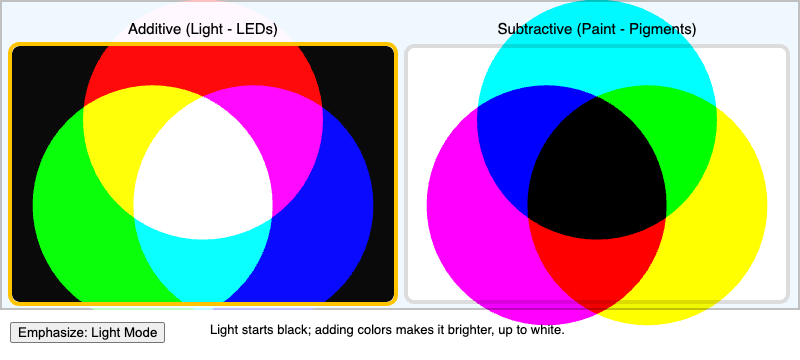
Explore why mixing light (RGB) and mixing paint produce different results, comparing additive and subtractive color models side by side.
-
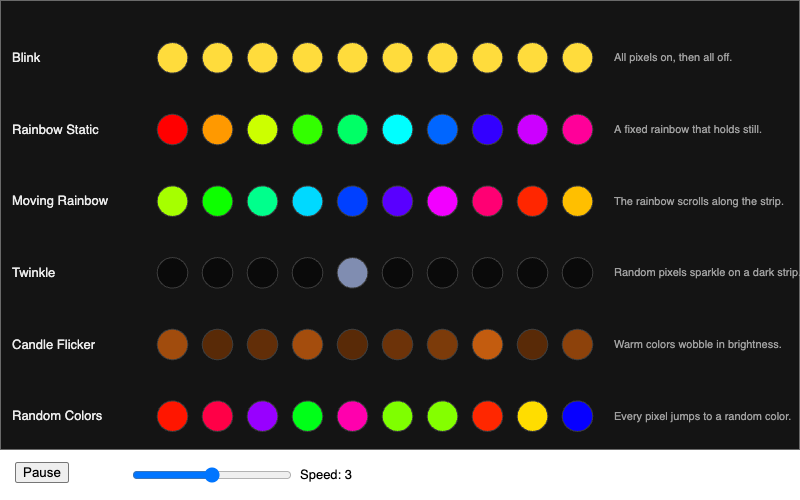
Watch several running LED animations at once and match each pattern to its name and the algorithm that produces it.
-
Estimate how long a battery will power an LED project based on the number of LEDs, the brightness level, and the battery type.
-
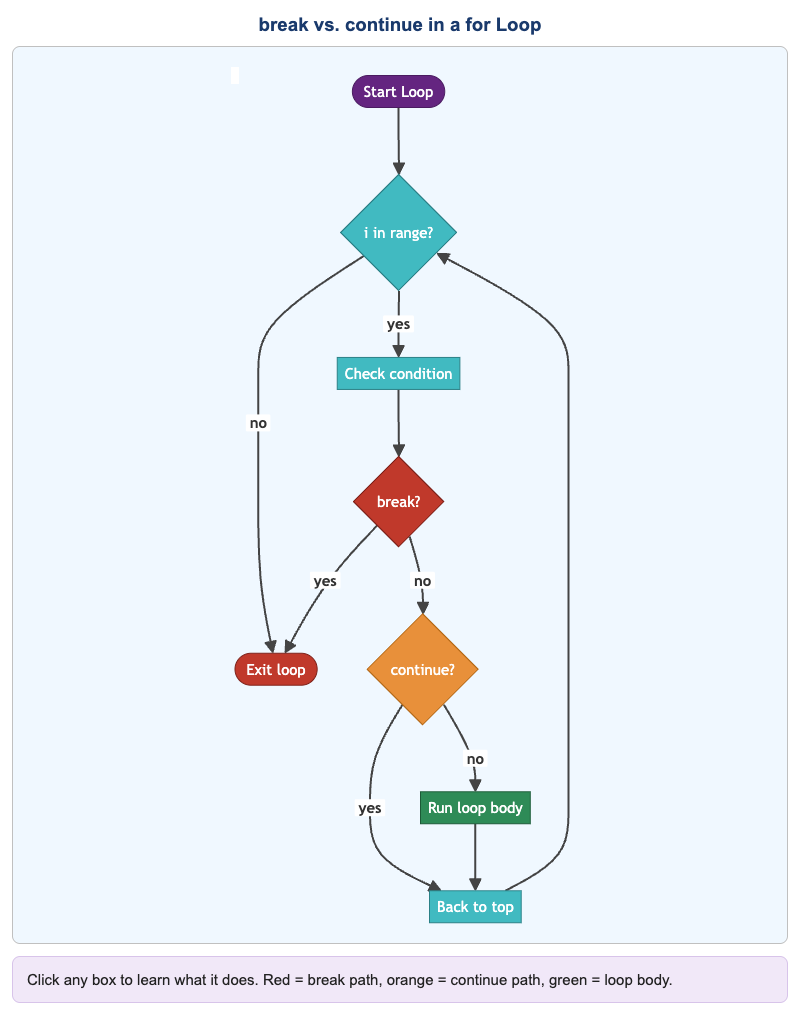
Step through an interactive flowchart that shows how
breakandcontinuechange the flow of aforloop. -
Brightness Envelopes for Advanced Patterns
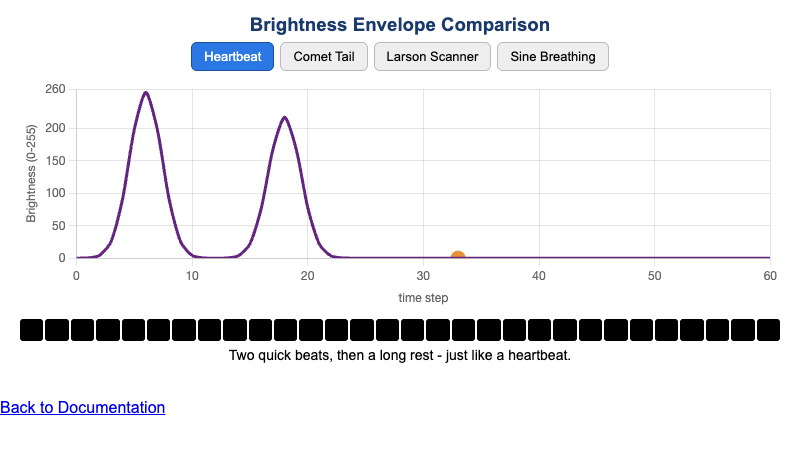
Compare brightness-envelope shapes and see how each one changes the visual feel of an LED animation.
-
Interactive flowchart showing how Claude Code hooks fire at each stage of a development workflow.
-
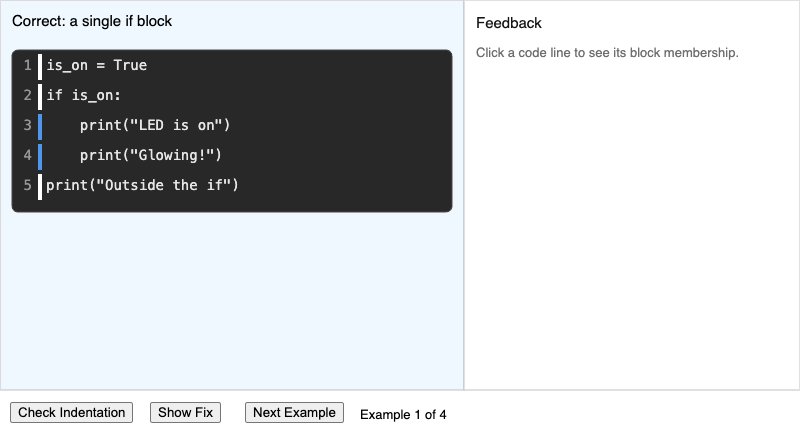
Identify which lines of a Python snippet are correctly indented and learn which code block each line belongs to.
-
Explore an interactive color wheel to see how hue, saturation, and brightness relate around the spectrum.
-
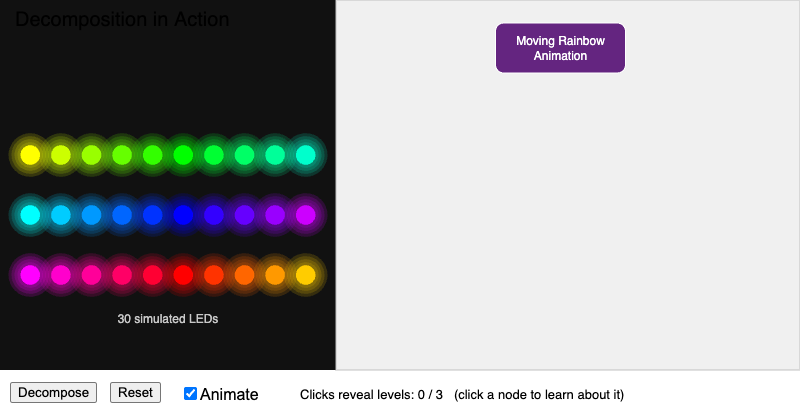
See how a complex LED animation can be broken down into smaller, independently solvable sub-problems.
-
DRY Principle Before and After
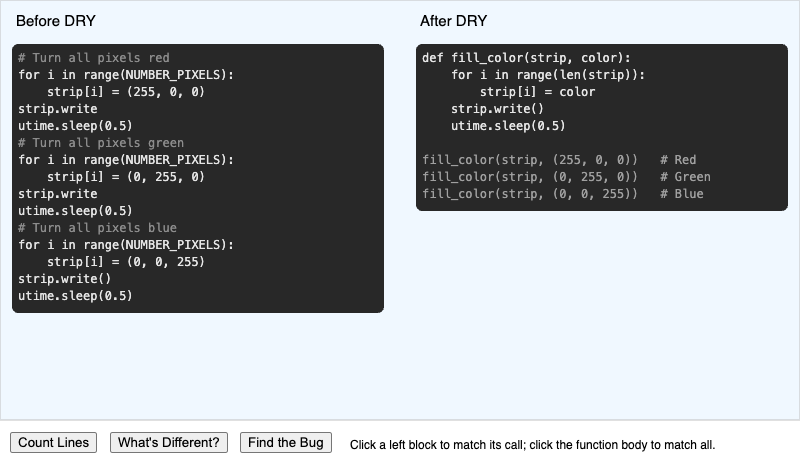
Compare repeated code with a refactored version that uses a function to follow the Don't Repeat Yourself principle.
-
Example Circuit Connection Diagram for Bike Light Project
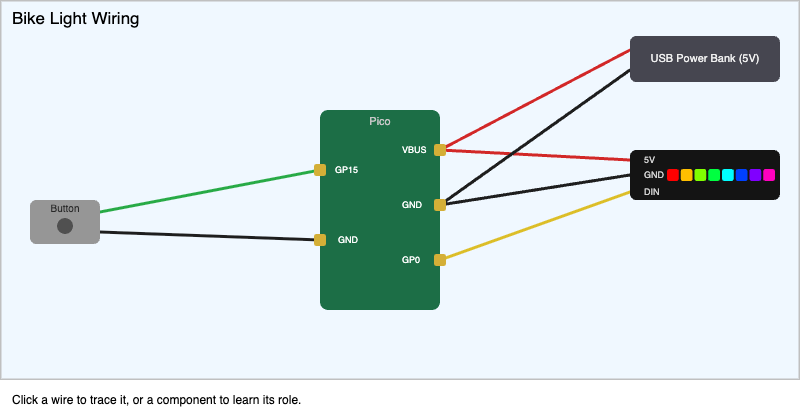
Trace each signal path from source to destination in a bike-light wiring diagram and see which Pico pin it uses.
-
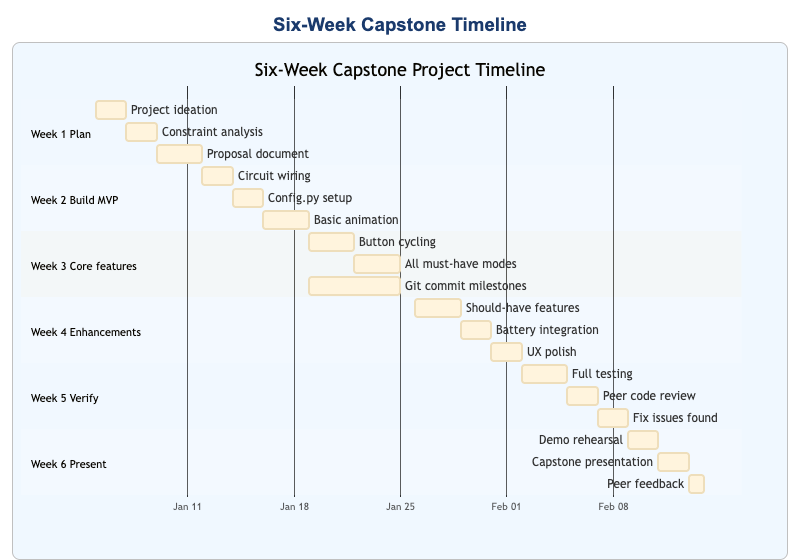
Walk an interactive timeline of a project's lifecycle and spot which phase is most at risk at each stage.
-
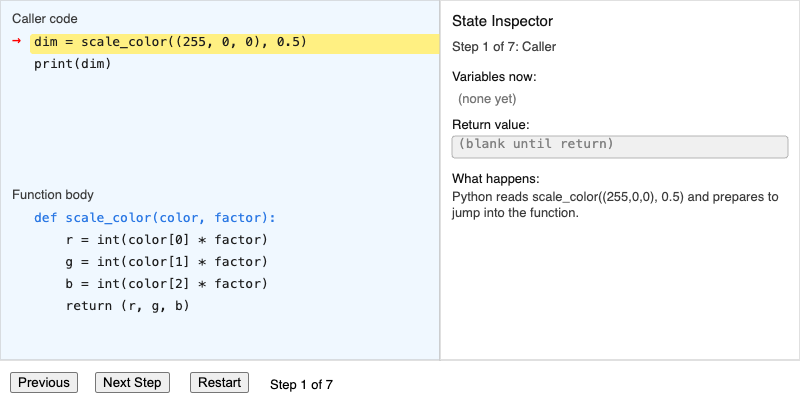
Trace the execution of a function call — from the call site into the body and back — watching parameters bind along the way.
-
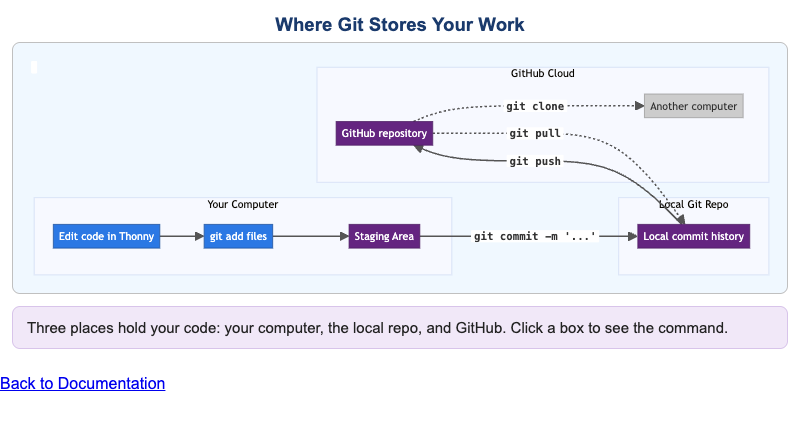
Understand the three places Git stores data — working directory, local repo, and GitHub — and which command moves data between them.
-
How a for Loop Iterates Over a List
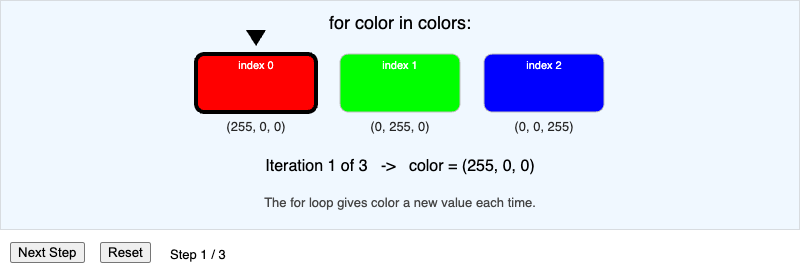
See how a
forloop assigns each list item to the loop variable, one step at a time. -
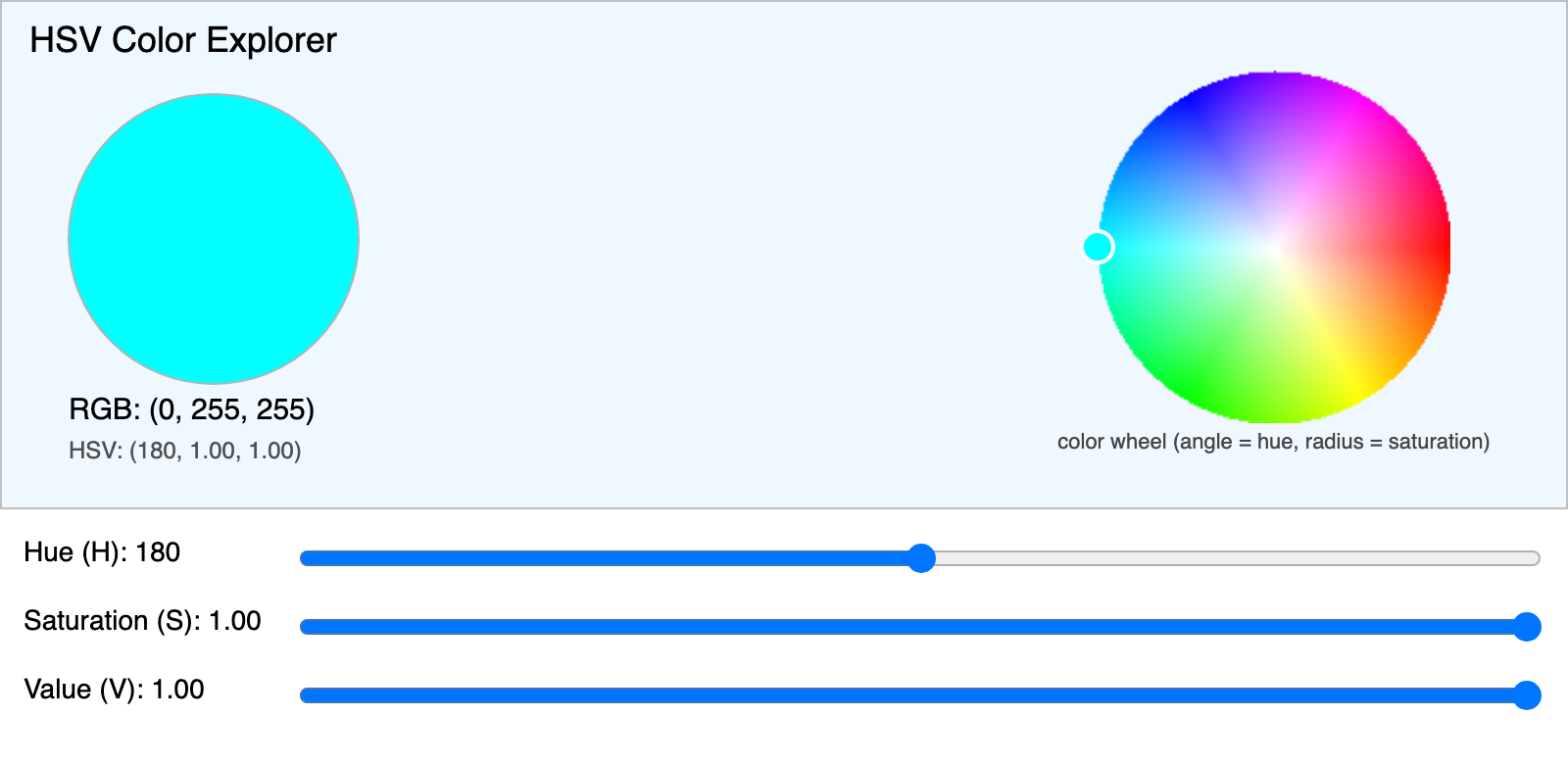
Adjust hue, saturation, and value to predict how each control changes the output color.
-
Iterative Development Simulator
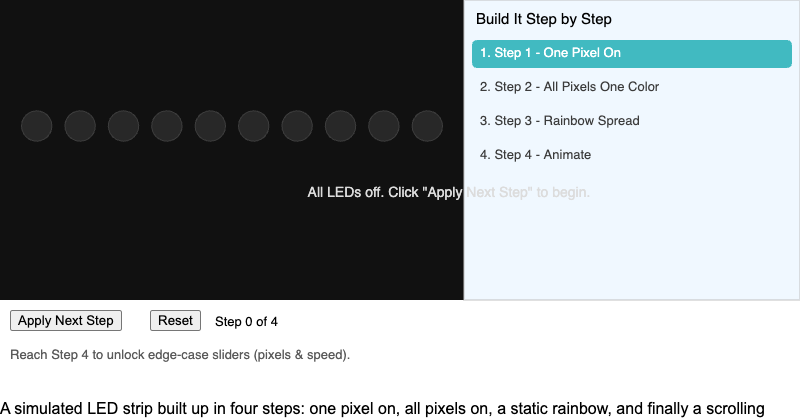
Build a working LED animation through four small, independently testable steps using the iterative development process.
-
Explore an interactive network of every concept in the course and how they depend on one another.
-

Predict how a base resistor limits the current flowing into an LED to keep it from burning out.
-
Adjust a potentiometer to dim an LED through a transistor, watching animated current flow through the full circuit.
-
See how a photoresistor and transistor switch an LED on automatically as the surrounding light changes.
-
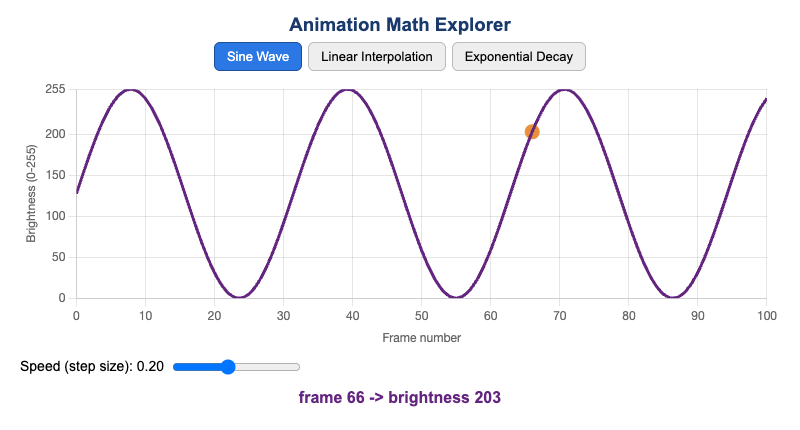
Match a math function to the visual LED effect it produces in an animation.
-
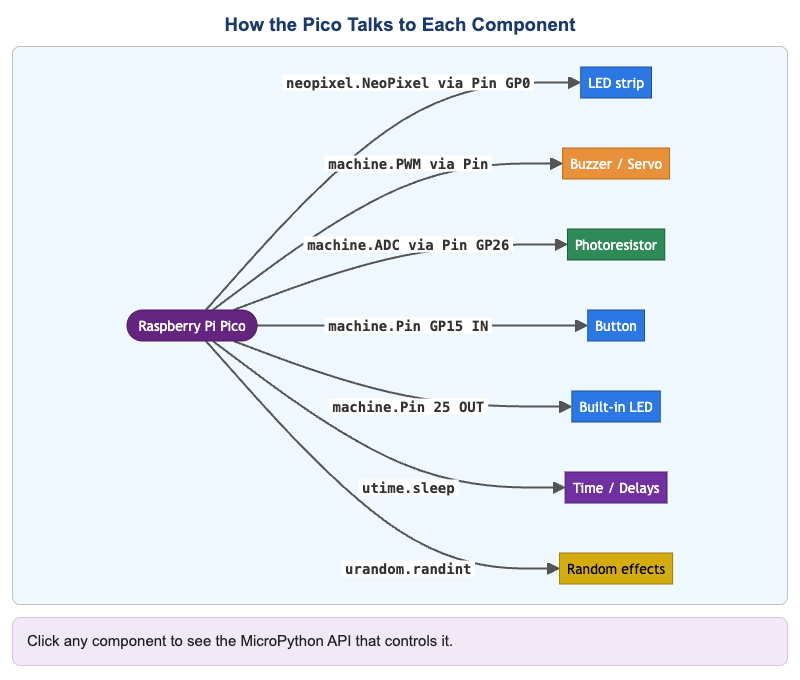
A diagram showing how the Raspberry Pi Pico connects to hardware components, labeled with the MicroPython API each one uses.
-
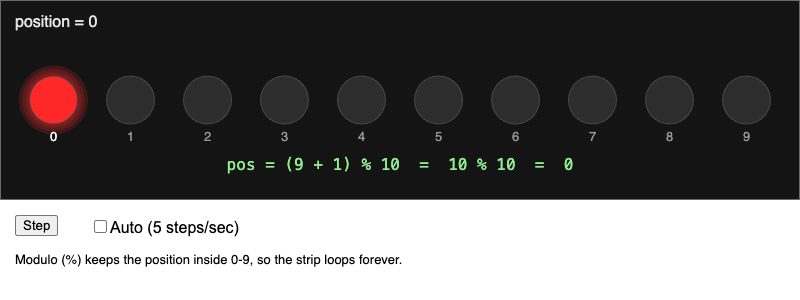
Explore how the modulo operator creates wrap-around behavior in a moving LED animation.
-
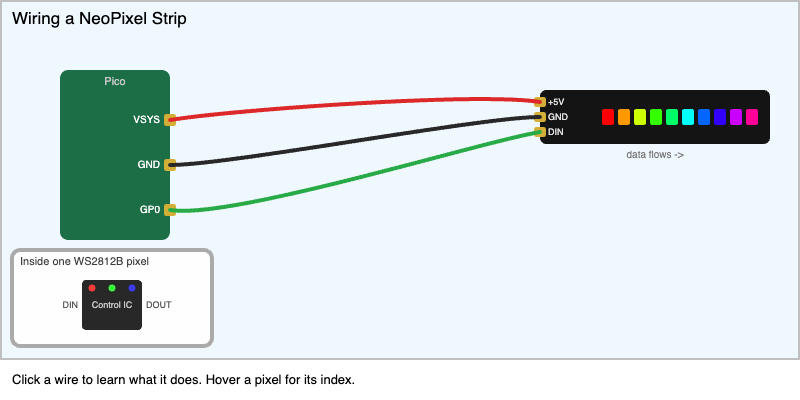
Learn how to wire a NeoPixel strip to a microcontroller from an interactive diagram.
-
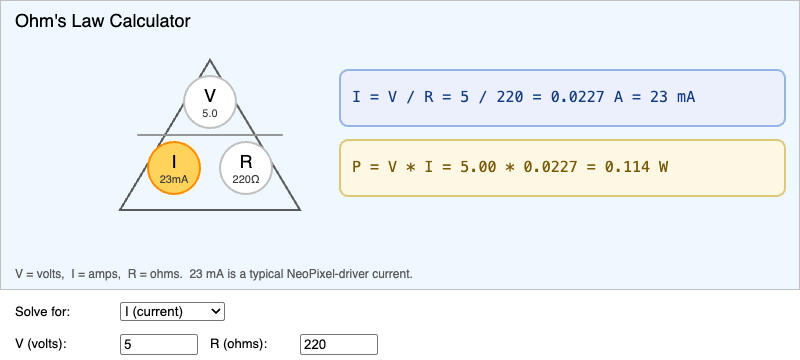
Solve Ohm's Law for voltage, current, or resistance and see how the three quantities relate.
-
Perceived vs. Linear Brightness
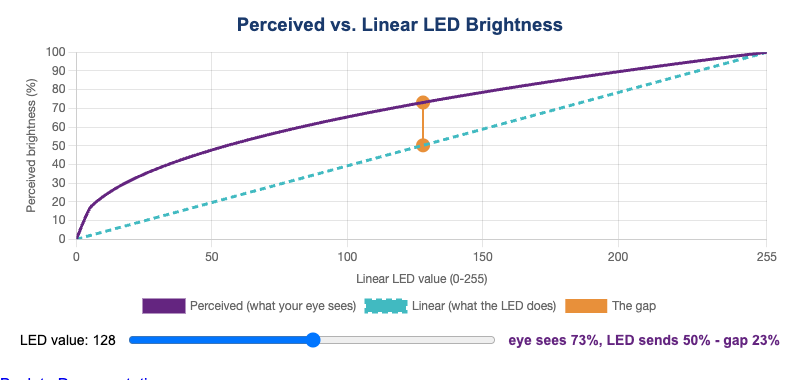
Compare linear and perceived brightness to understand why LED animations need gamma correction.
-
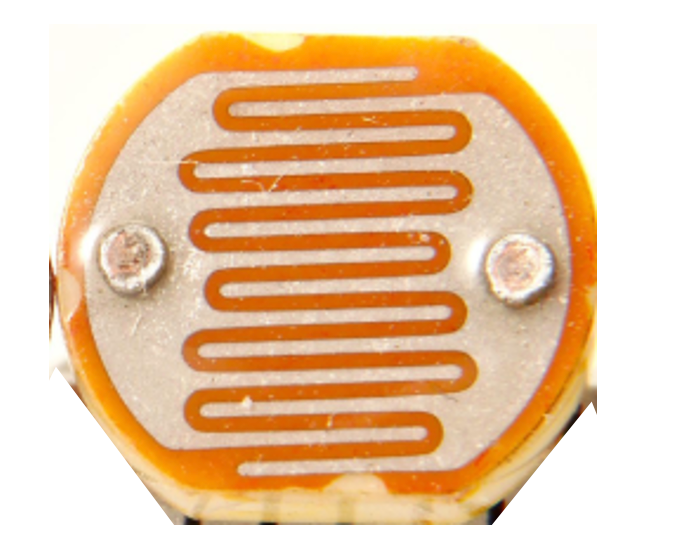
Photoresistor Component Visualization
Visualize the serpentine structure of a photoresistor and learn how its resistance drops as light increases.
-
See how a photoresistor voltage divider feeds the Raspberry Pi Pico's ADC to measure ambient light.
-
Pixel Indexing on a NeoPixel Strip
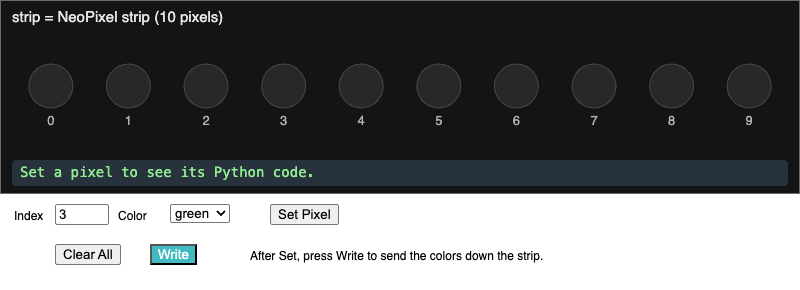
Predict which physical pixel lights up for a given index in code on a NeoPixel strip.
-
Problem-Solving Steps Flowchart
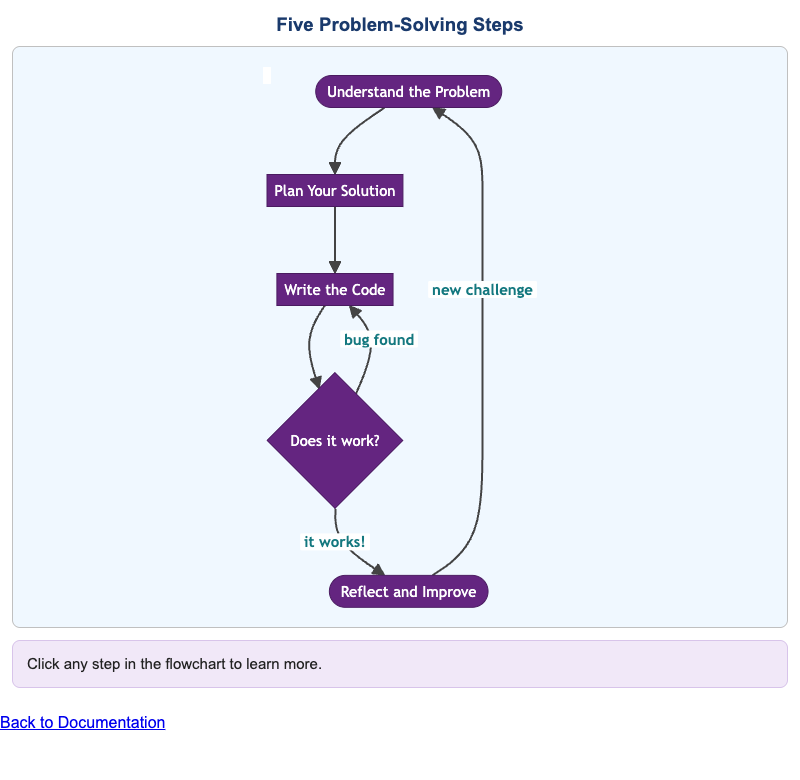
Learn the five-step problem-solving framework and practice putting the steps in the correct order.
-
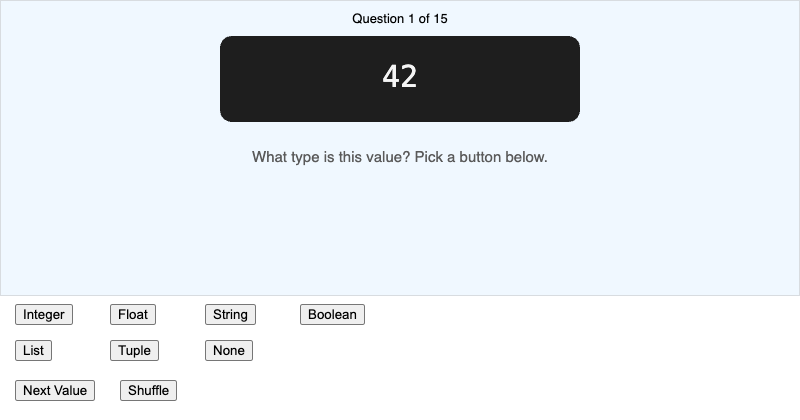
Classify Python values by data type and get feedback that connects each type to how it is used.
-
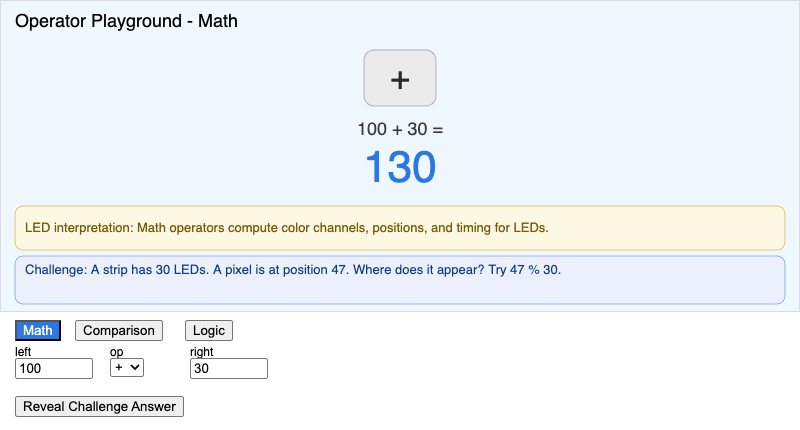
Apply Python's math, comparison, and logical operators to LED-themed problems and see each result.
-
Raspberry Pi Pico Hardware Overview
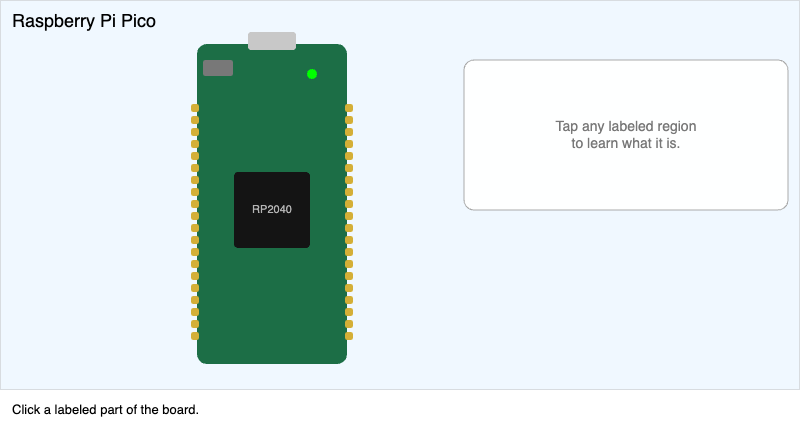
Identify the key parts of the Raspberry Pi Pico board by name on an interactive diagram.
-
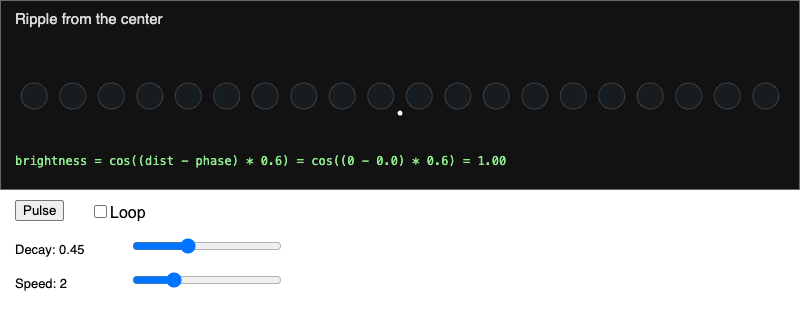
Explore how phase and distance combine to produce a rippling LED animation.
-
State Machine for a 3-Mode LED Controller
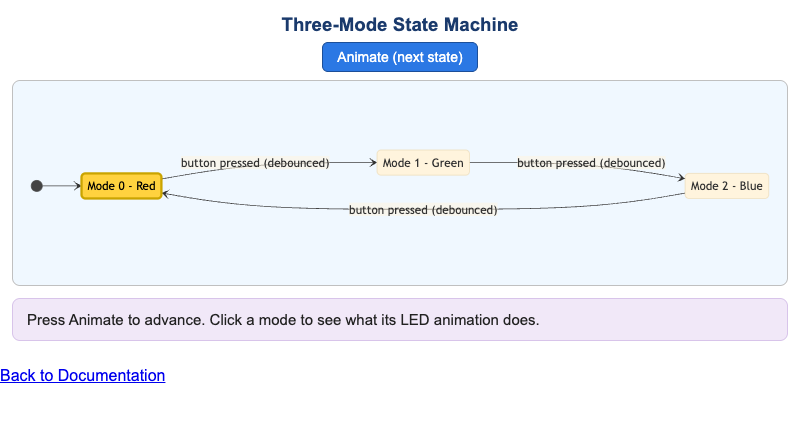
Trace a state machine through a sequence of inputs as a three-mode LED controller changes states.
-
Transistor Driver and Dimmer Circuit
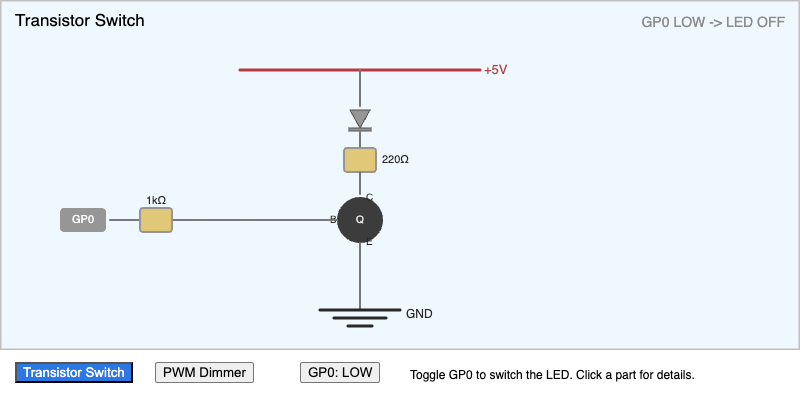
Trace current through a transistor driver circuit and predict LED brightness from the duty cycle.
-
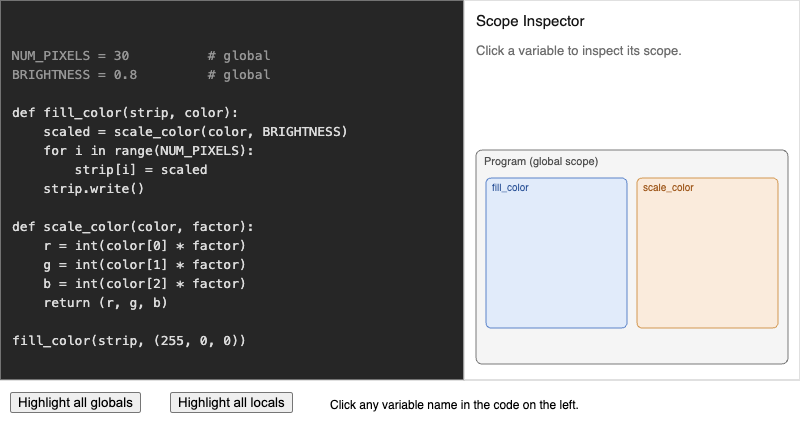
Click variable names in a program to see whether each one is local or global and which scope zone it lives in.