Infographic Posters for STEM Robots
These comparison infographic posters are designed for classroom display, hallway bulletin boards, and textbook reference. Each poster lets students click a column to explore facts and then switch to Quiz Me mode to test their understanding.
-
I2C vs SPI Communication Protocols
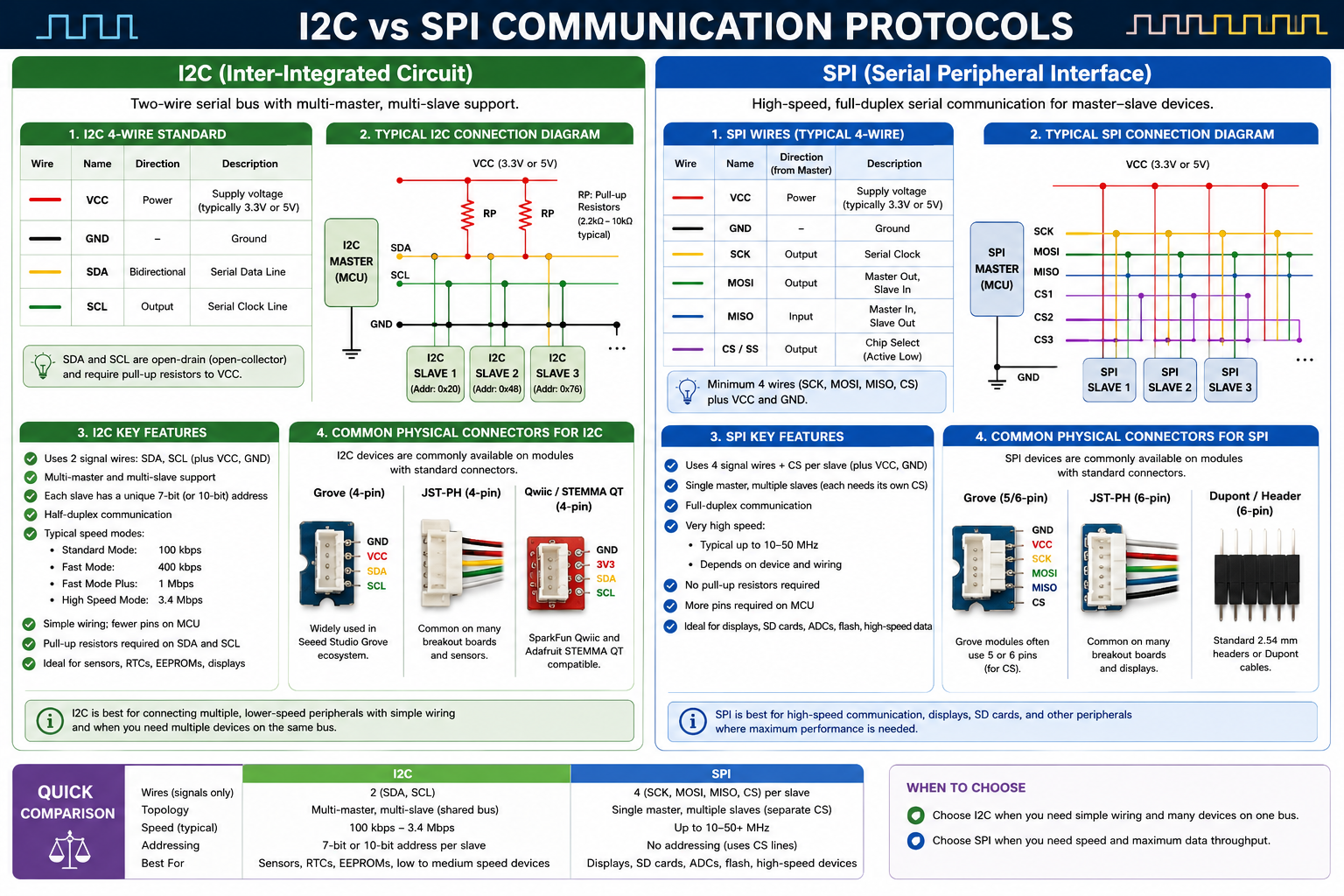
An interactive side-by-side comparison of the I2C and SPI serial communication protocols covering wires, topology, speed, addressing, and best uses with a built-in quiz.
-
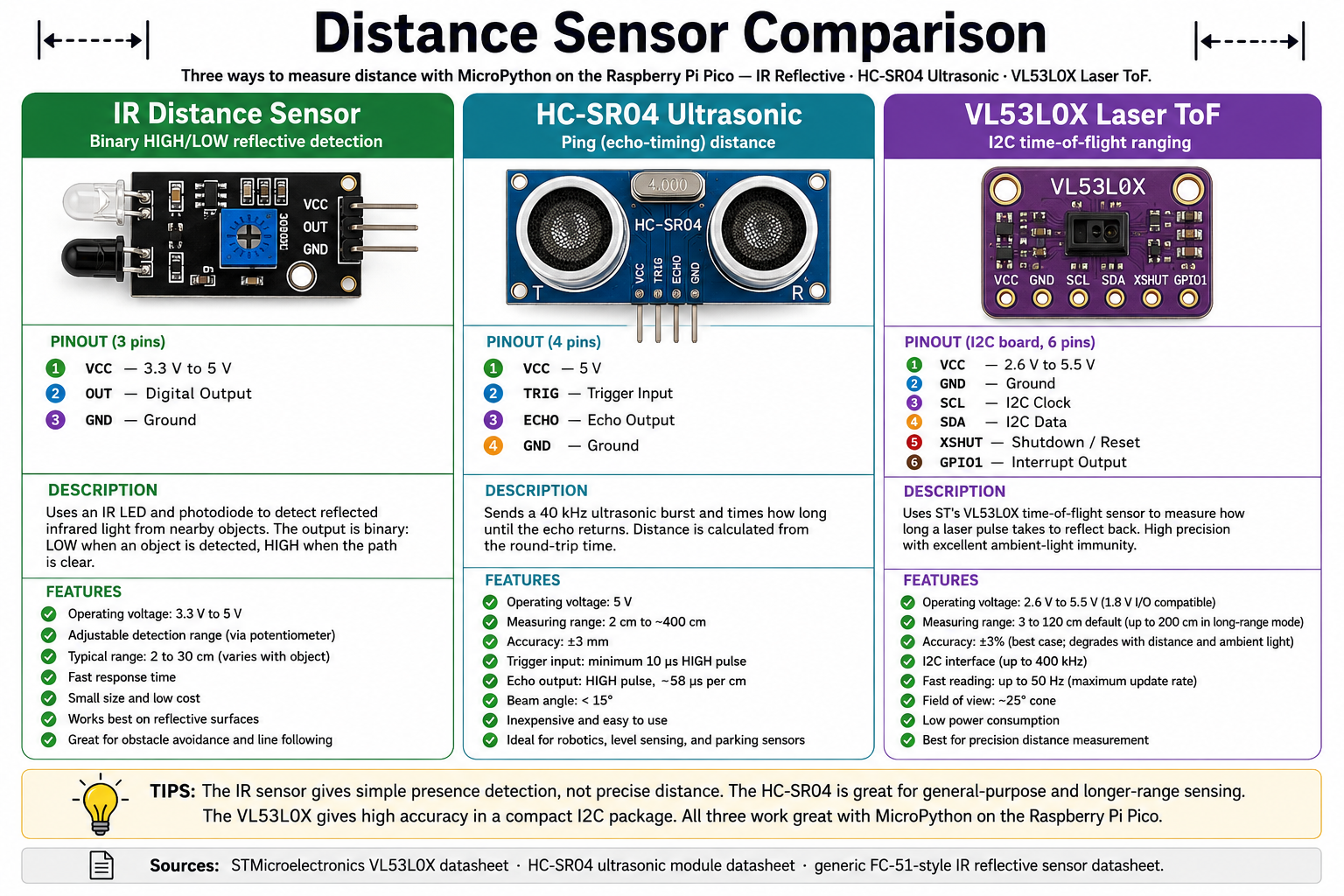
An interactive comparison of IR reflective, HC-SR04 ultrasonic, and VL53L0X laser time-of-flight distance sensors — range, accuracy, and interface — with a built-in quiz.
-
Motor Control Methods Compared
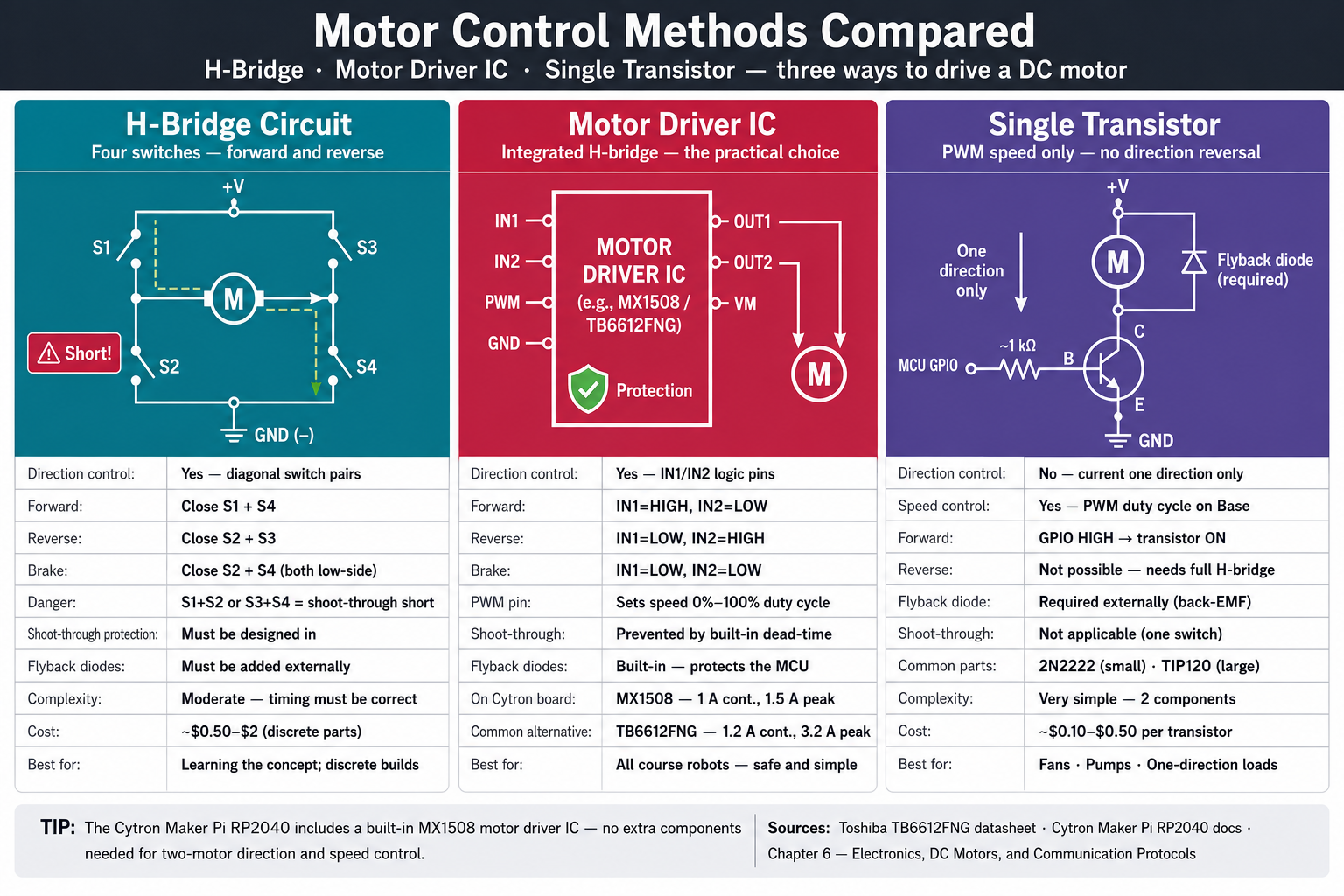
An interactive comparison of H-bridge circuits, motor driver ICs, and single transistors for controlling DC motors — direction, speed, complexity, and cost — with a built-in quiz.
-
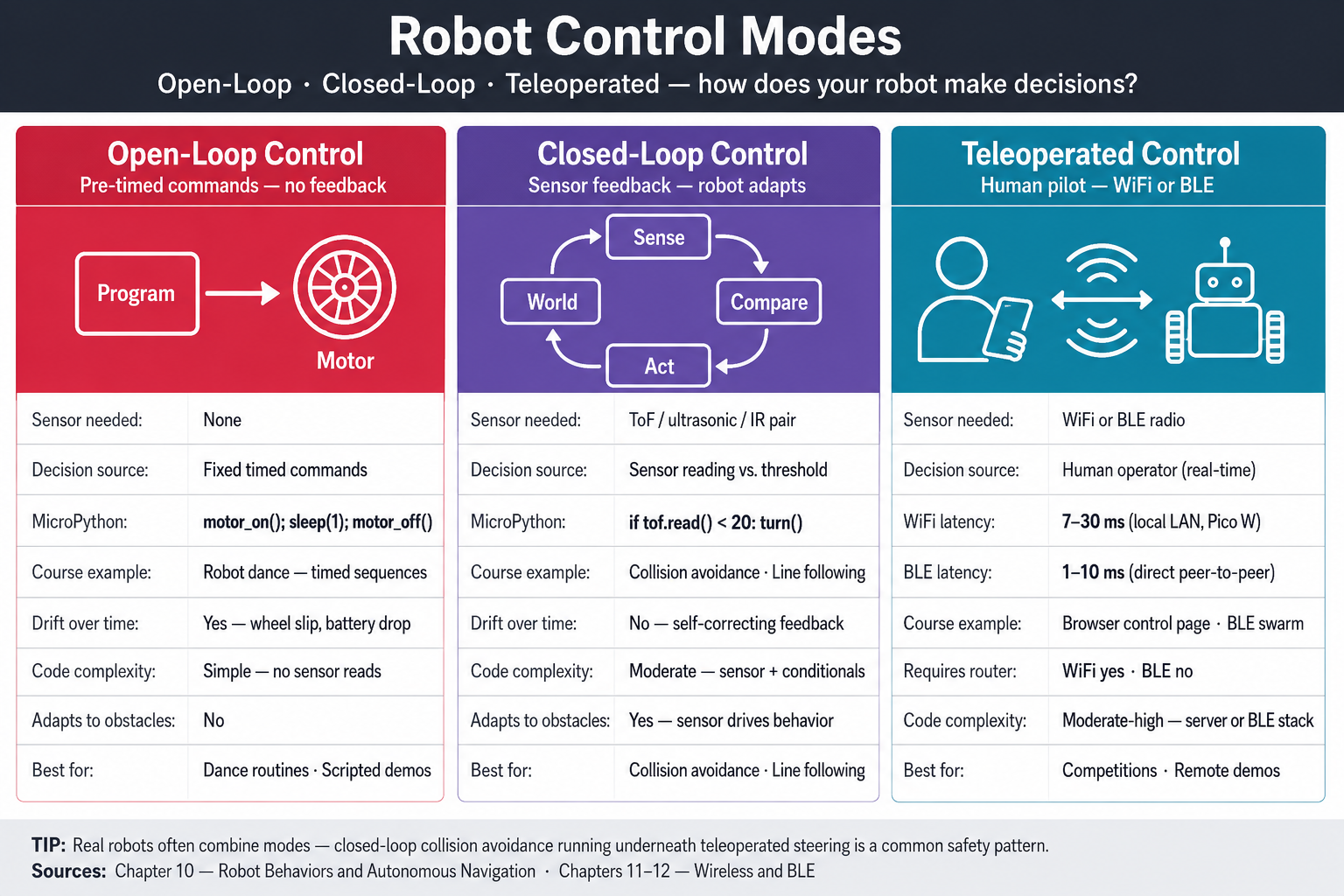
An interactive comparison of open-loop, closed-loop, and teleoperated robot control — sensor use, reliability, code complexity, and when to choose each — with a built-in quiz.
-
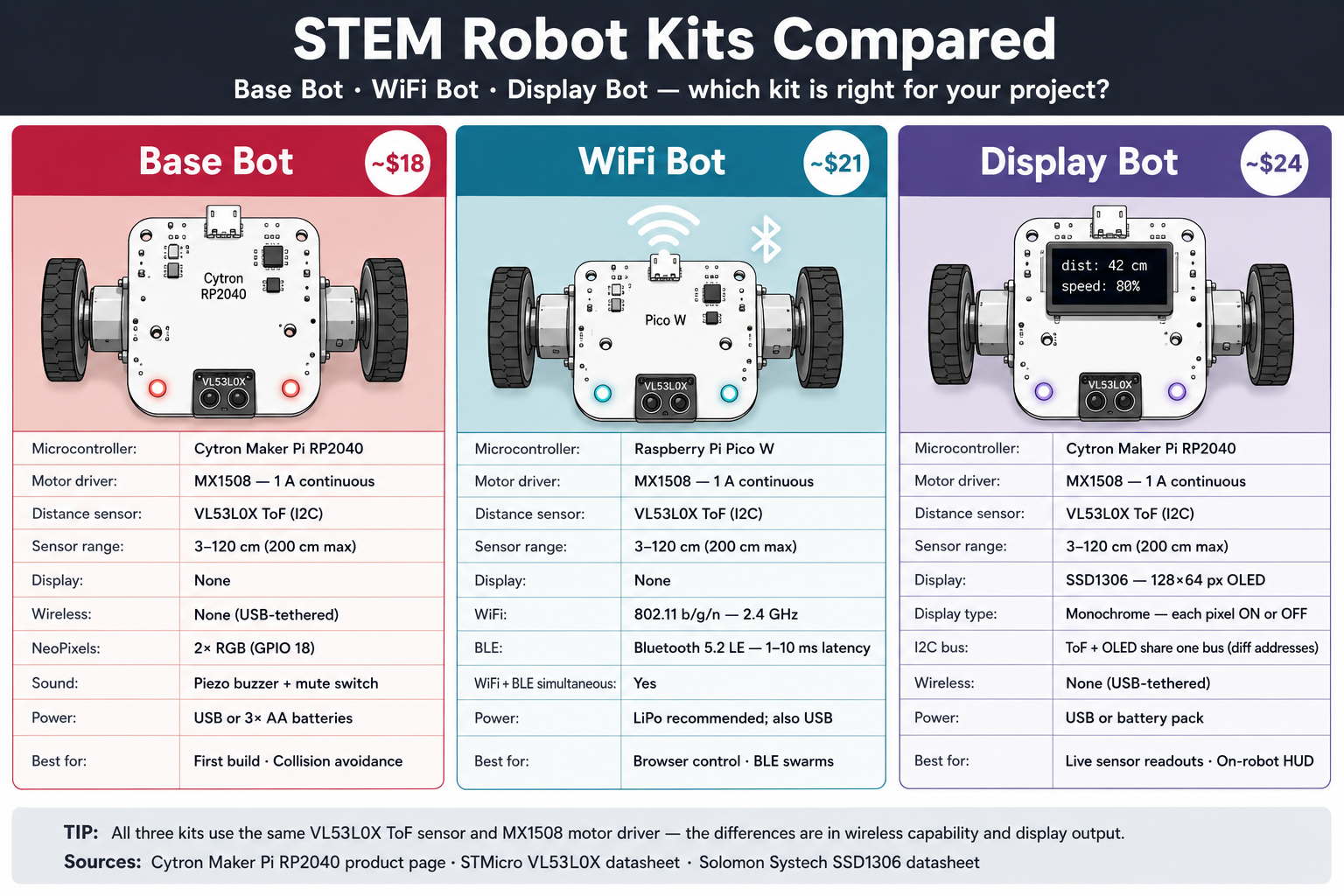
An interactive comparison of the Base Bot, WiFi Bot, and Display Bot kits — cost, components, capabilities, and which chapters each supports — with a built-in quiz.
-
Wireless Technologies Compared
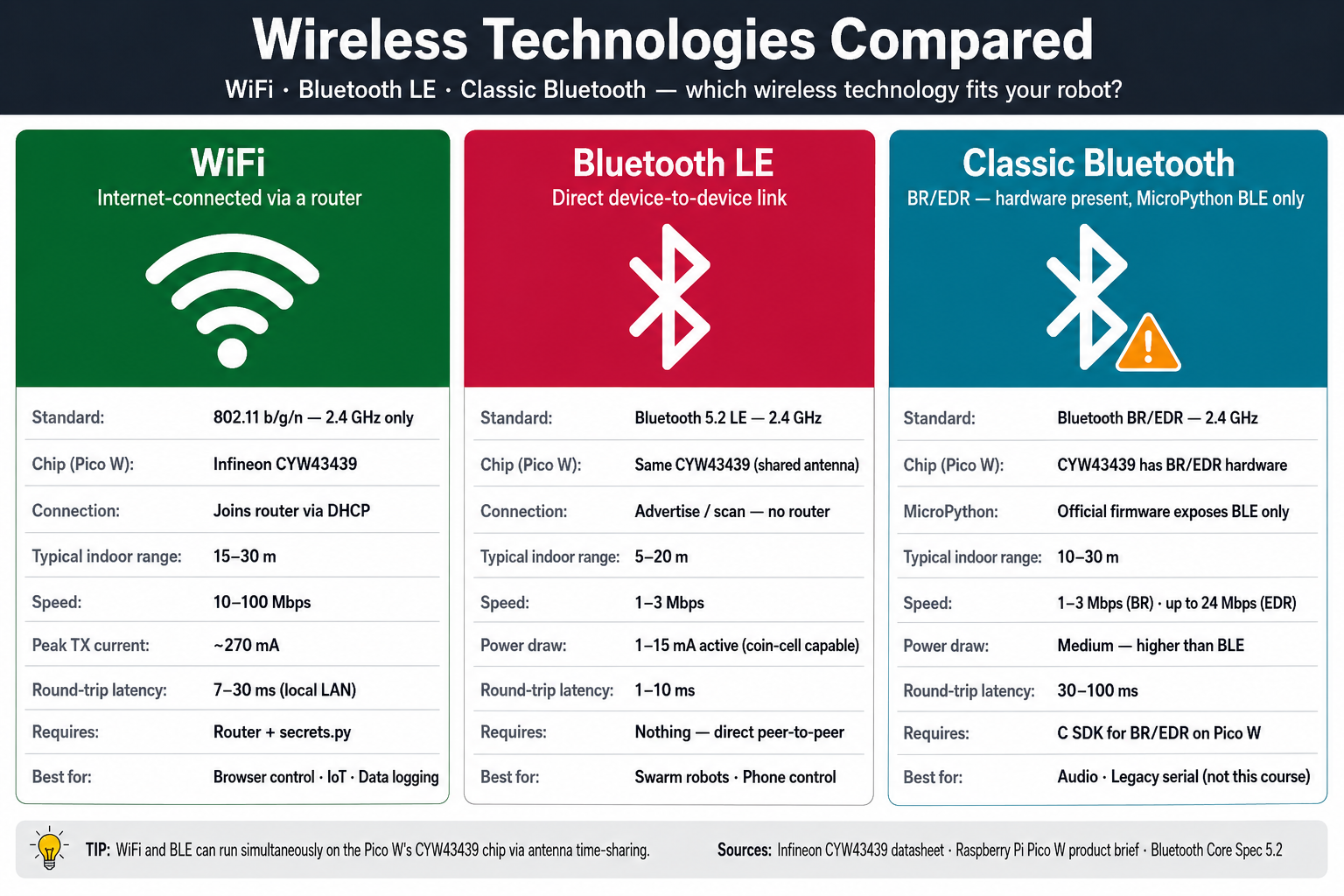
An interactive comparison of WiFi, Bluetooth LE, and Classic Bluetooth — range, power, connection model, and robot use cases — with a built-in quiz.
Generating the Infographic Images
Each poster directory contains an Image Prompt section in its index.md. Copy that prompt into a text-to-image tool (ChatGPT, DALL·E 3, Midjourney, or similar) to generate the background illustration. Save the output as the PNG filename listed in data.json inside the same folder, then reload main.html to activate the interactive overlays.