Favicon Contact Sheet
The site favicon is a single .ico file at docs/img/favicon.ico that carries
six separate renditions inside it. Browsers pick whichever one fits the
context — a 16×16 for the tab strip, a 256×256 for a macOS Finder preview —
so all six need to be checked, not just the big one.
This page shows every embedded rendition at true size next to a magnified blow-up, so you can see exactly what a browser will draw.
Polly's Tip
 Most image tools only ever show you the largest image inside an
 .ico.
That is why a 16×16 can quietly turn to mush and still look perfect in
Preview. Always check the small one — it is the one people actually see.
Source
| Property | Value |
|---|---|
| Source image | docs/img/mascot/welcome.png (Polly, waving) |
| Generated by | book-installer feature 3b — generate-favicon.py |
| Output | docs/img/favicon.ico |
| Embedded sizes | 16, 32, 48, 64, 128, 256 px |
| Total file size | 81 KB |
| Background | transparent |
All Six Renditions
Each row shows the rendition at its true pixel size, then magnified with nearest-neighbour scaling so individual pixels stay crisp. The magnification factor drops for the larger sizes (8× at 16 px down to 2× at 256 px) so every blow-up lands at a comparable width.
| Size | Actual | Magnified | Where it is used |
|---|---|---|---|
| 16×16 |  |
 |
Browser tab, bookmarks bar |
| 32×32 |  |
 |
Retina tab, Windows taskbar |
| 48×48 |  |
 |
Windows site icons, toolbars |
| 64×64 |  |
 |
Windows jump lists |
| 128×128 |  |
 |
Chrome Web Store, macOS Dock |
| 256×256 |  |
 |
Windows Vista+, macOS Finder |
Combined Sheet
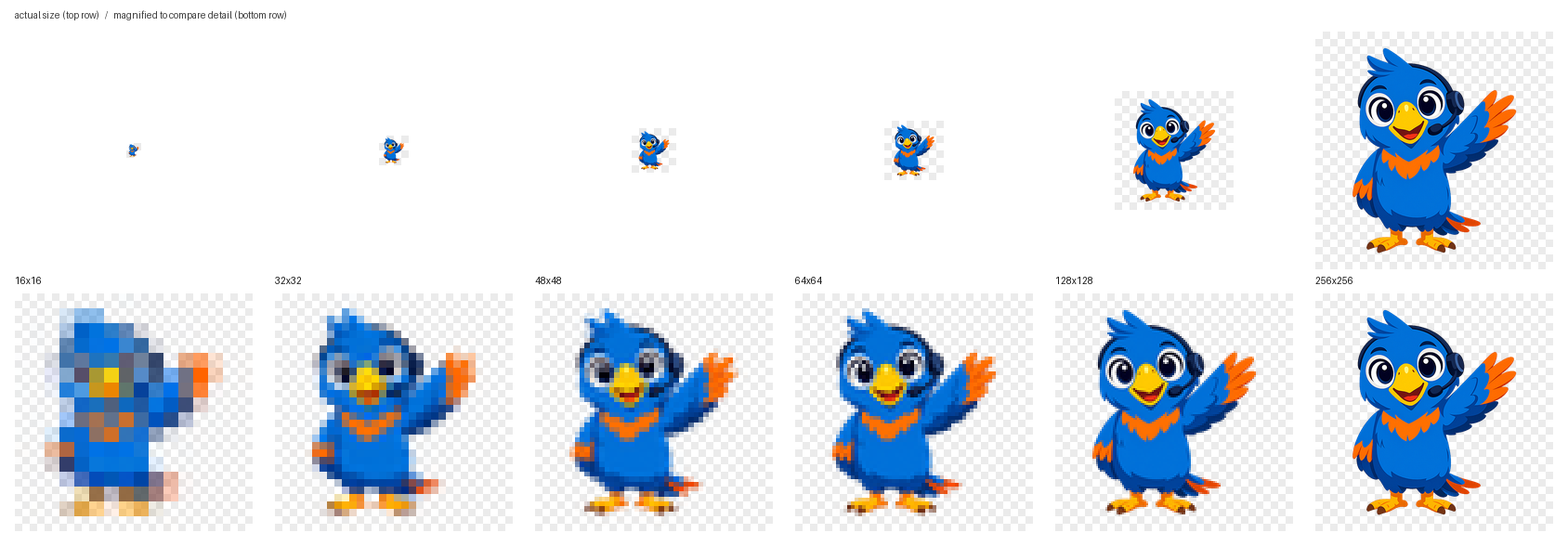
The same six renditions side by side — true size on top, magnified below, on a checkerboard so transparency is visible rather than assumed:
Known Limitation
At 16×16 the full-body pose does not survive the downscale. Polly's head, wing, body, and feet all compress into roughly a dozen pixels, and the result reads as a blue smudge rather than a parrot. Every size from 32 px up is clear.
This is inherent to putting a full-body character in a tab icon, not a fault in the generator. Two ways to fix it if the tab icon ever matters more than brand consistency:
- Crop to the head. Polly's face — big eyes, yellow beak — survives 16×16 easily, because there are far fewer shapes competing for the same pixels.
- Regenerate the source without the glow.
welcome.pngcarries a baked-in background glow that stays opaque nearly to the edges, so the generator's transparent-trim step only removed 8 px of 548. A clean cutout would let Polly fill more of the tile at every size.
Regenerating This Page
Rebuild the .ico from the mascot:
1 | |
Inspect every embedded size and write a fresh contact sheet:
1 | |