List of MicroSims for Agent Orchestration
Interactive Micro Simulations to help students learn agent orchestration and prompt engineering fundamentals.
-
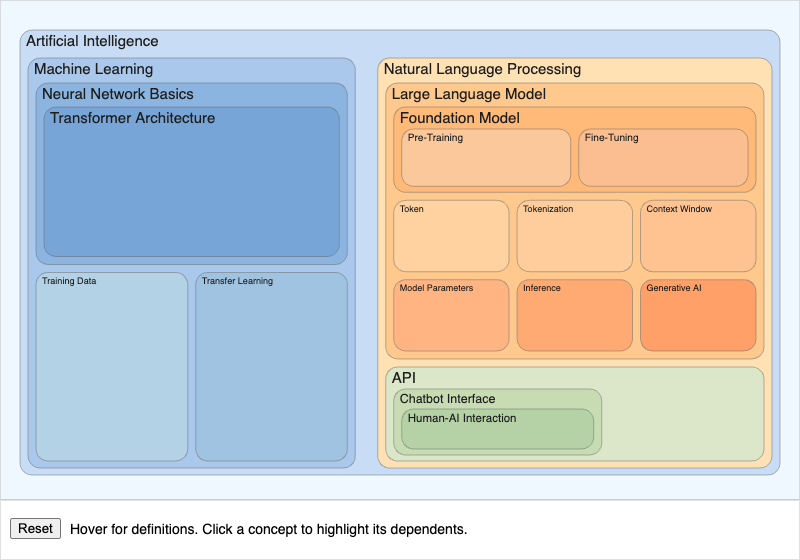
A nested infographic of the twenty foundational AI concepts, from Artificial Intelligence at the outside down to Human-AI Interaction at the centre, with hover definitions and click-to-highlight dependencies.
-
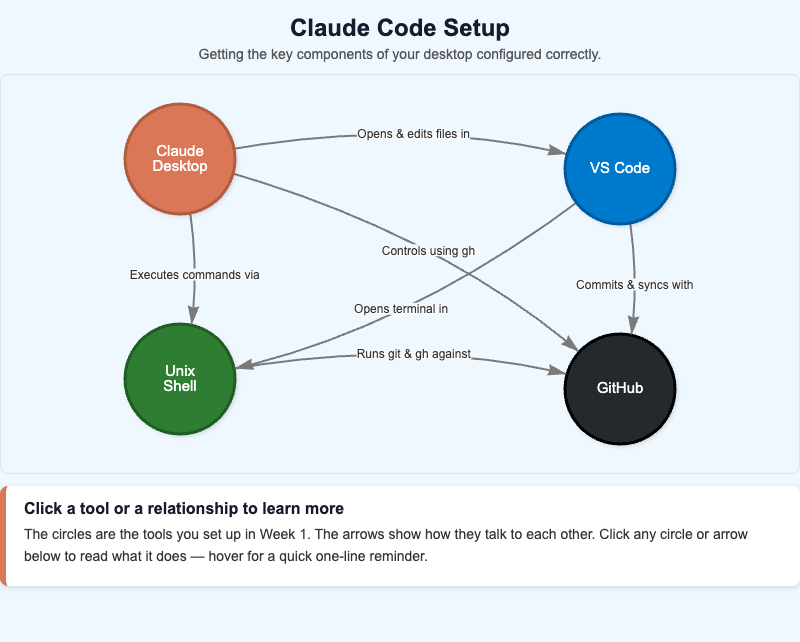
Interactive vis-network diagram of the four Week 1 tools — Claude Desktop, GitHub, VS Code, and the Unix shell — and the labeled relationships that connect them.
-
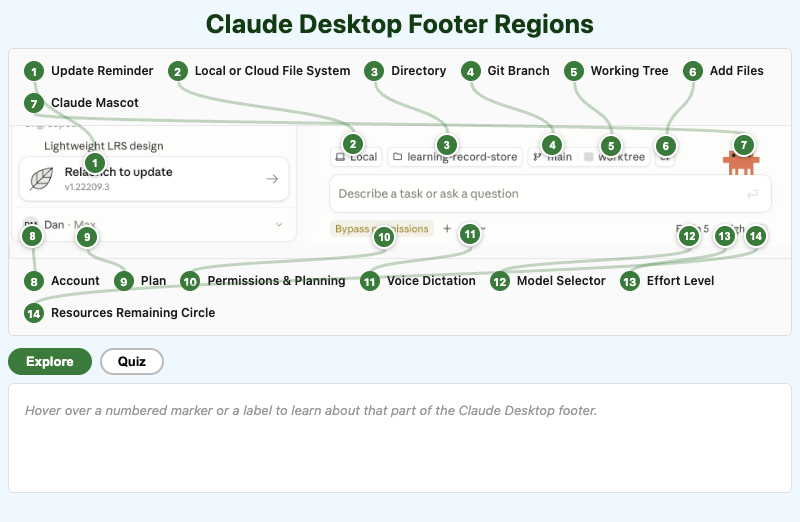
An interactive, labeled tour of the Claude Desktop footer bar — file context, Git status, permissions, model, effort, and account controls.
-
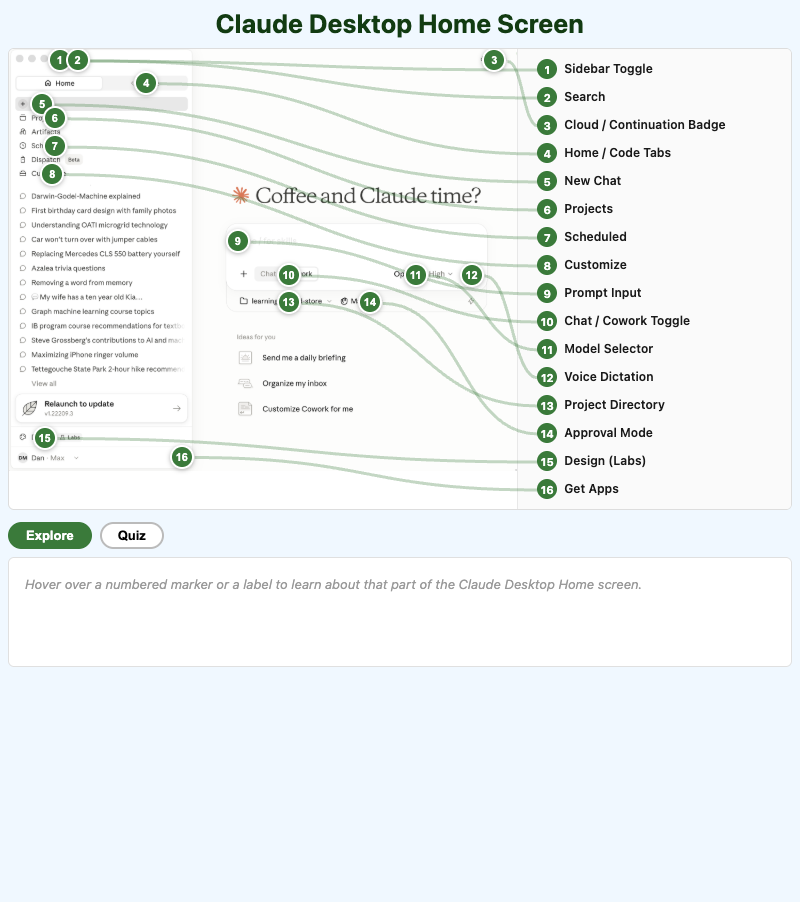
An interactive, labeled tour of the Claude Desktop Home screen — sidebar, prompt box, mode toggles, and model controls.
-
Context Management Decision Framework
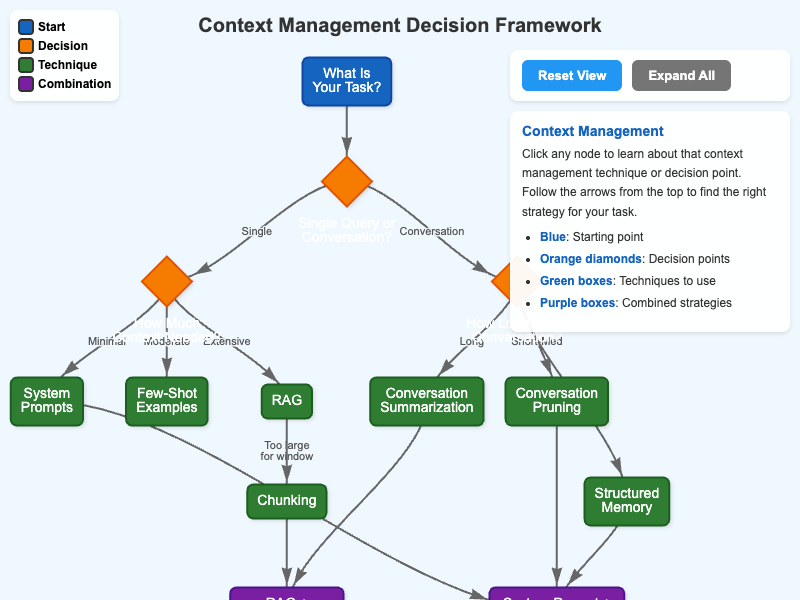
An interactive decision tree for choosing a context management strategy, from prompt compression through chunking to conversation history management, with hover details for every step.
-
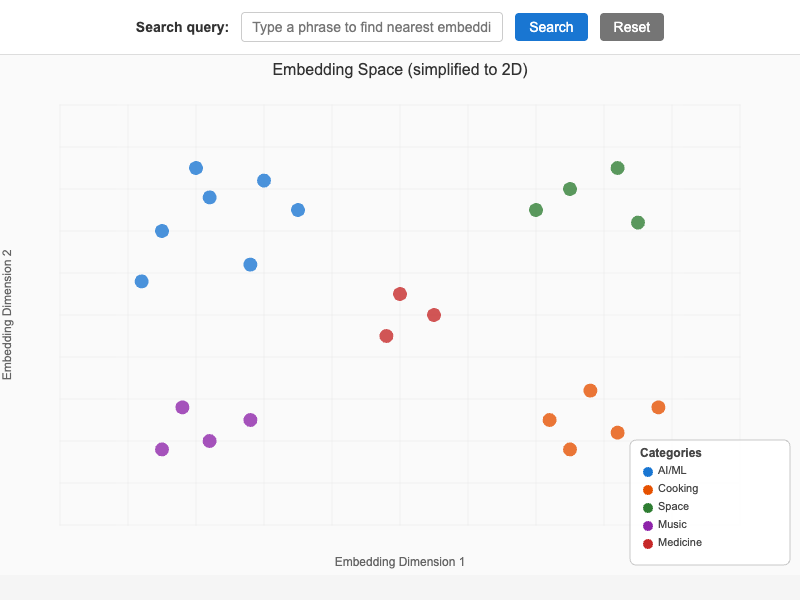
A two-dimensional map of text embeddings where semantically similar phrases cluster together, with a search box that plots your own query and draws dashed lines to its three nearest neighbors.
-
Foundation Model Training Pipeline
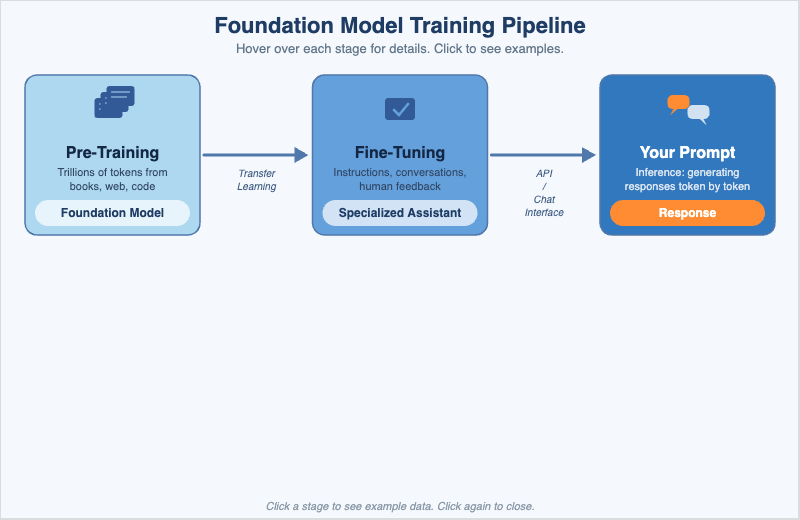
A three-stage walkthrough of how raw text becomes a useful AI assistant - pre-training, fine-tuning, and inference - with a toggle that swaps plain-language explanations for concrete sample data.
-
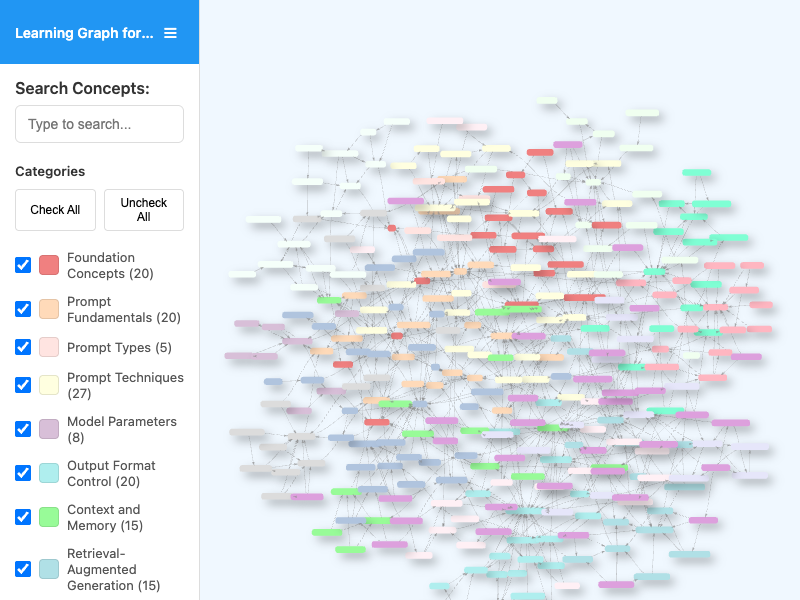
An interactive vis-network view of the course learning graph, with concept search, category filters, pan and zoom navigation, and live counts of visible nodes and edges.
-
Long-Form Document Processing Strategies
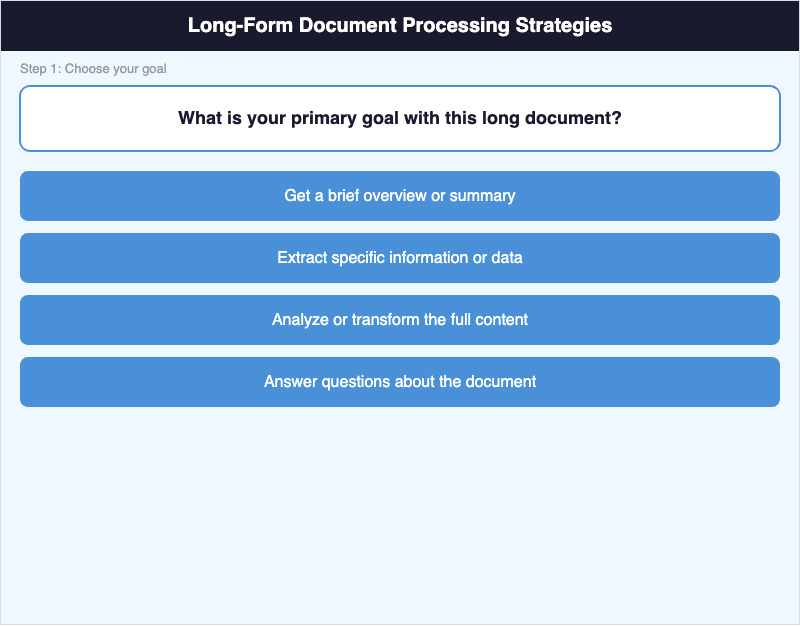
An interactive decision flowchart for processing documents that do not fit in the context window, branching on document size and task type, with hover details for every step.
-
PowerShell vs. WSL Comparison Infographic
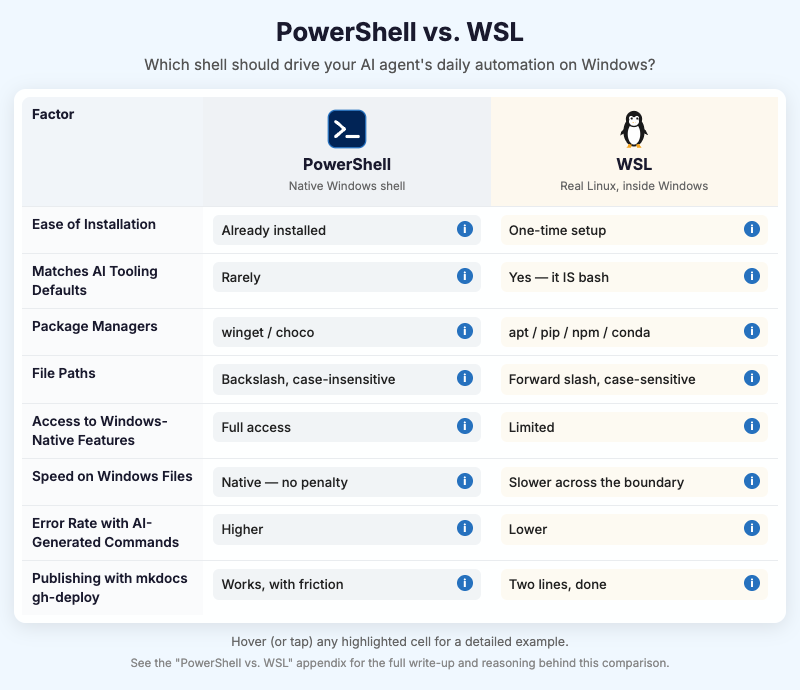
Three-column comparison infographic contrasting PowerShell and WSL for AI-agent automation on Windows, with hoverable cells revealing detailed command examples.
-
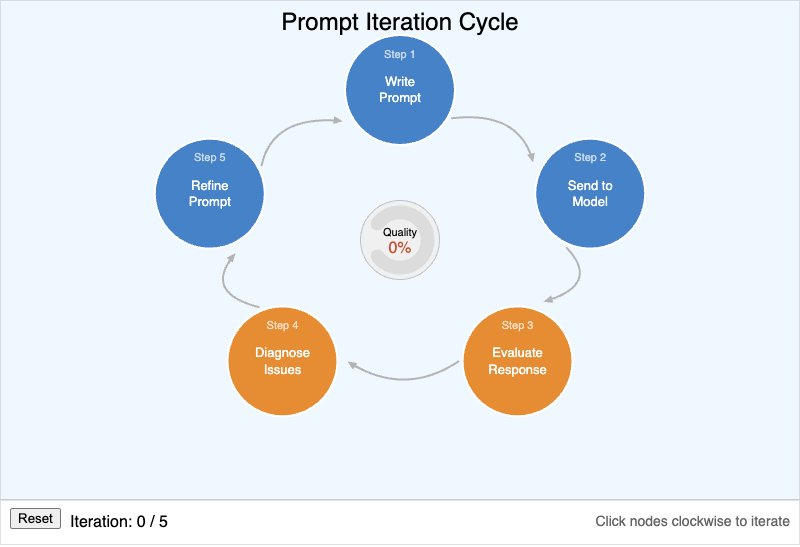
A five-step refinement loop - write, send, evaluate, diagnose, refine - with a quality gauge in the centre that climbs as the learner works around the cycle.
-
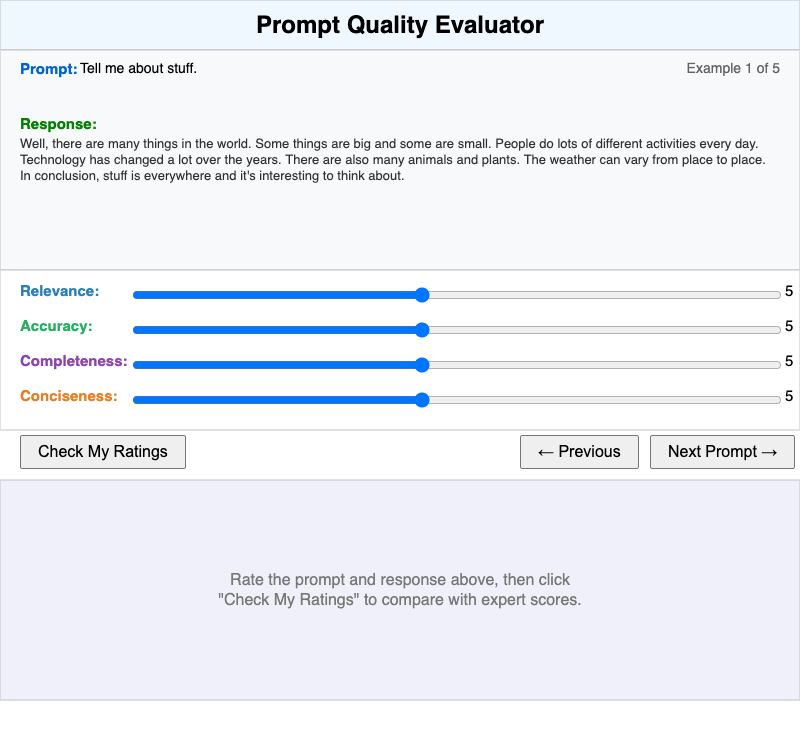
A calibration exercise where students rate five prompt and response pairs on relevance, accuracy, completeness, and conciseness, then compare their ratings against expert scores.
-
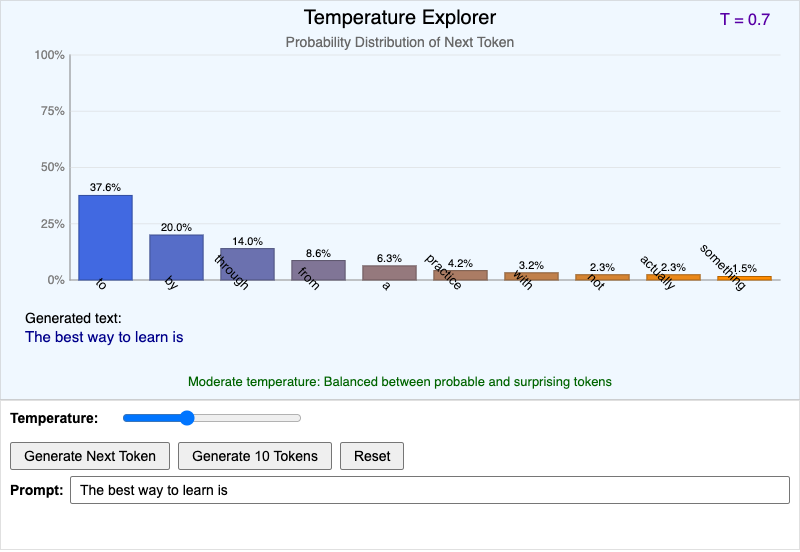
An interactive bar chart of candidate next tokens showing how the temperature parameter reshapes the probability distribution, with live sampling that builds a sentence one token at a time.