Interactive Infographic Posters
Explore Raspberry Pi hardware, electronics, networking, and physical-computing concepts through interactive labeled diagrams and comparison posters.
-
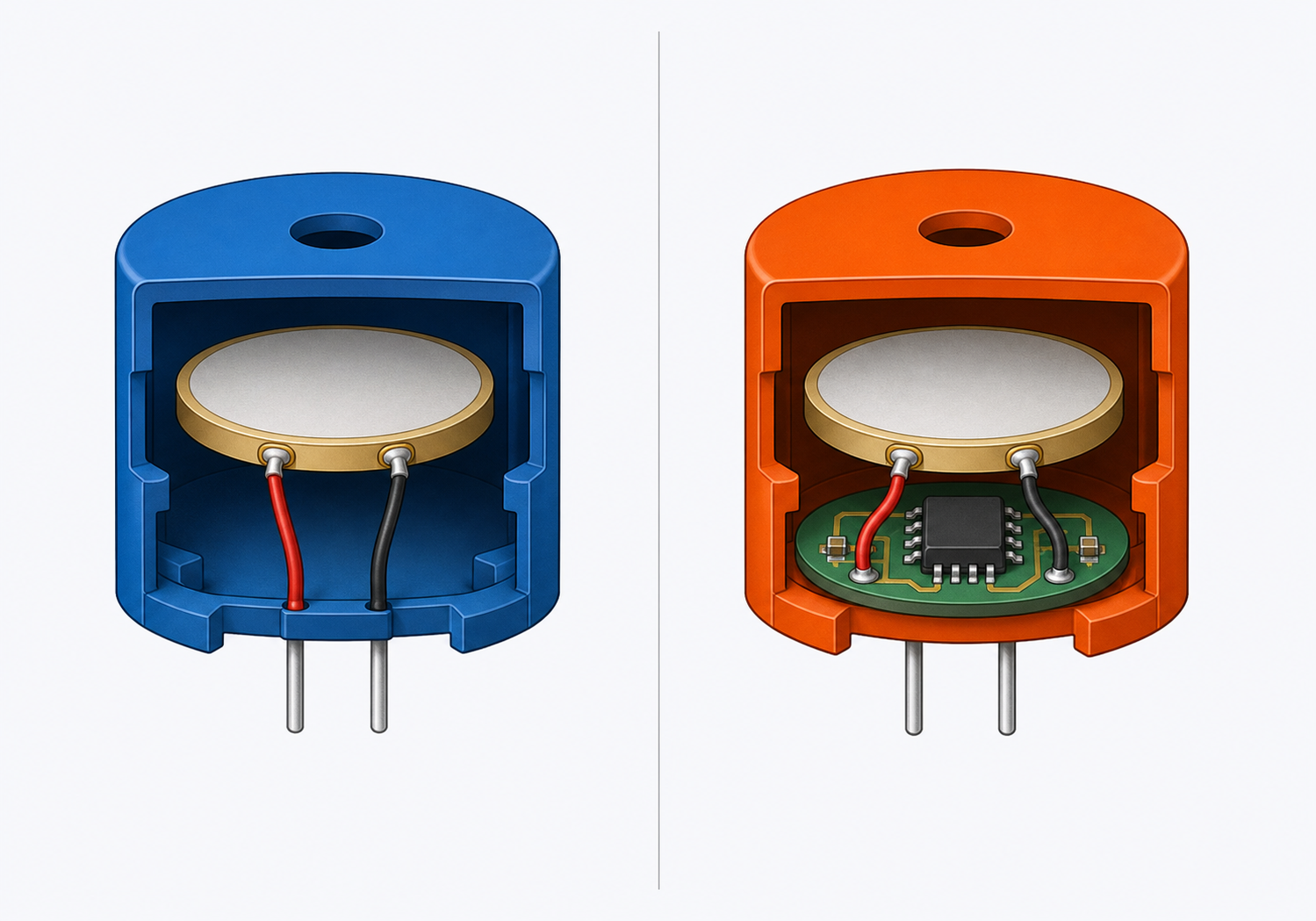
Active vs. Passive Piezo Buzzer: What's Inside
Compare the internal construction of active and passive piezo buzzers.
-
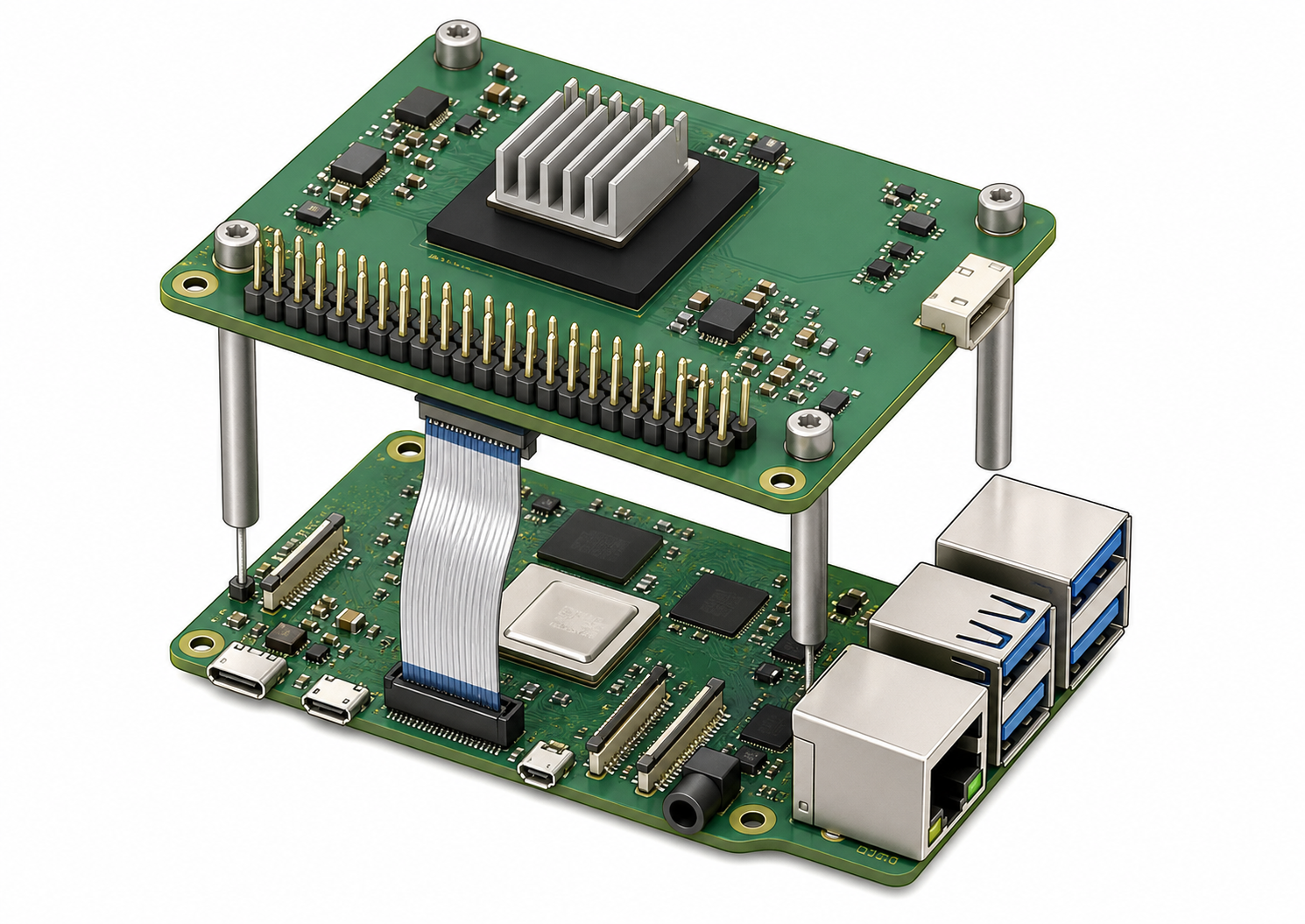
See how the AI accelerator board attaches to a Raspberry Pi 5.
-
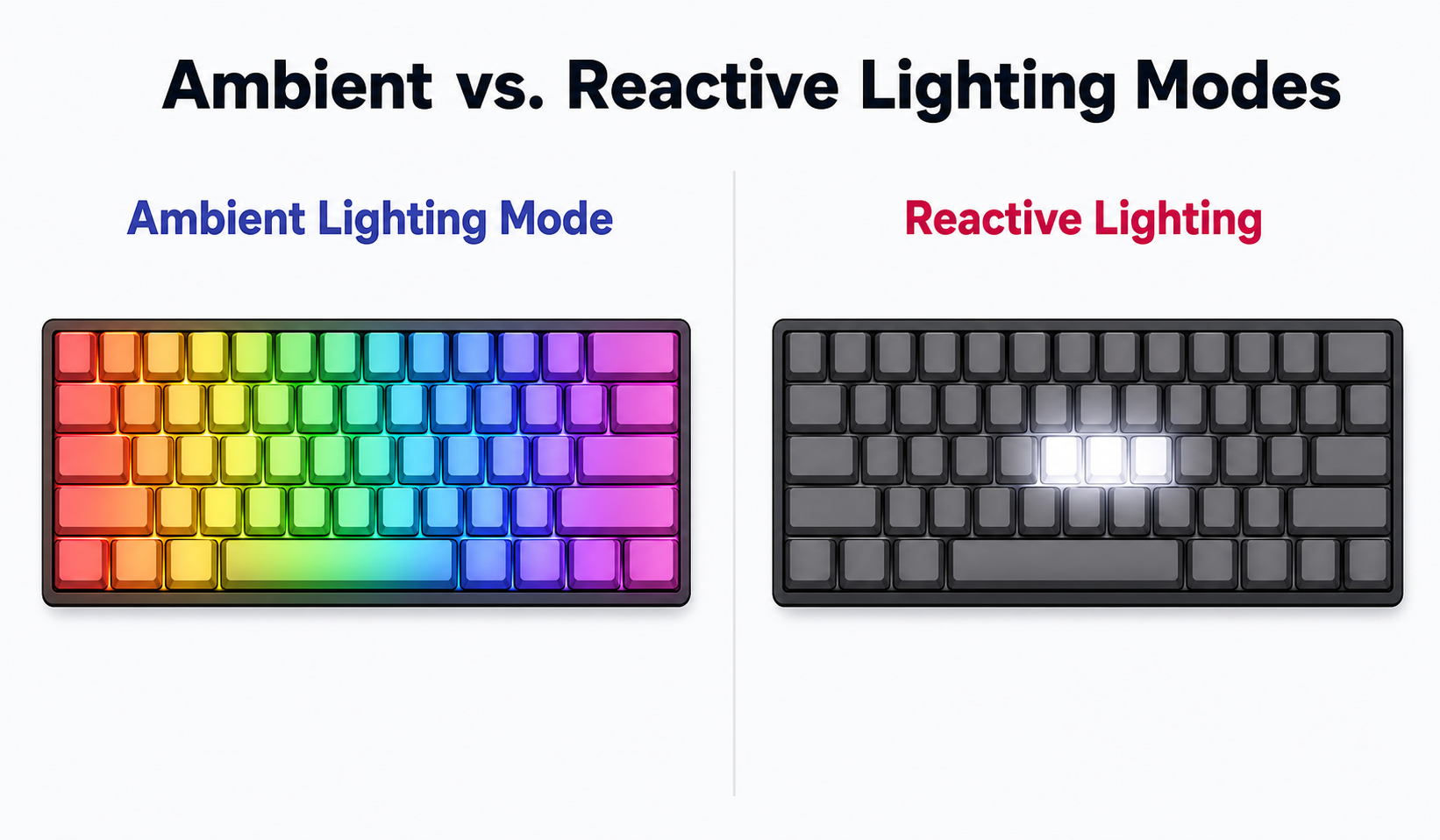
Ambient vs. Reactive Lighting Modes
Compare two ways to animate an RGB keyboard.
-
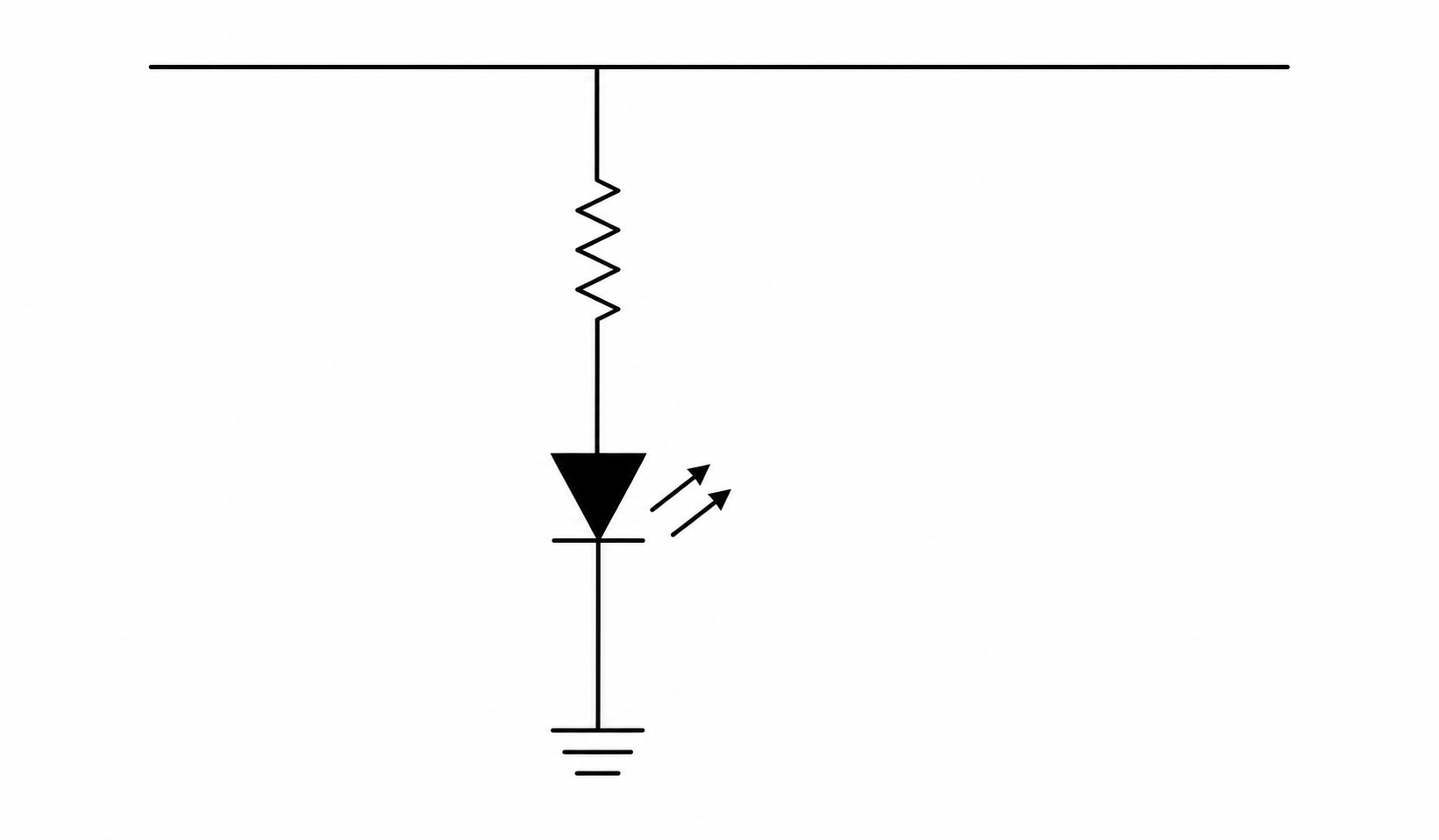
Anatomy of a Basic Circuit Schematic
Learn the symbols and conventions in a simple series LED circuit.
-

Anatomy of a Cron Schedule Expression
Break down the five time fields and command in a cron expression.
-
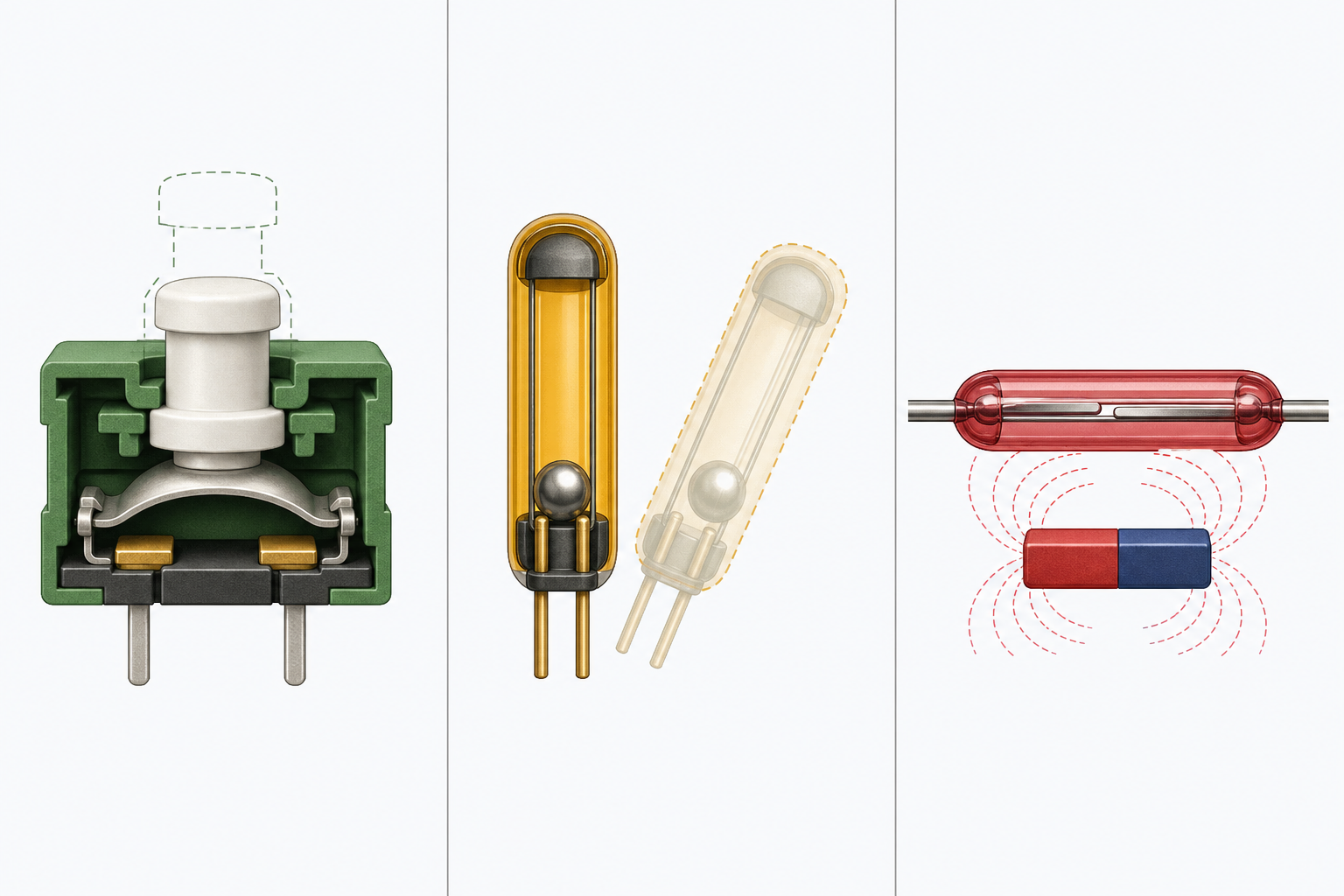
Three Ways to Close a Digital Switch
Compare push-button, tilt-switch, and reed-switch mechanisms.
-
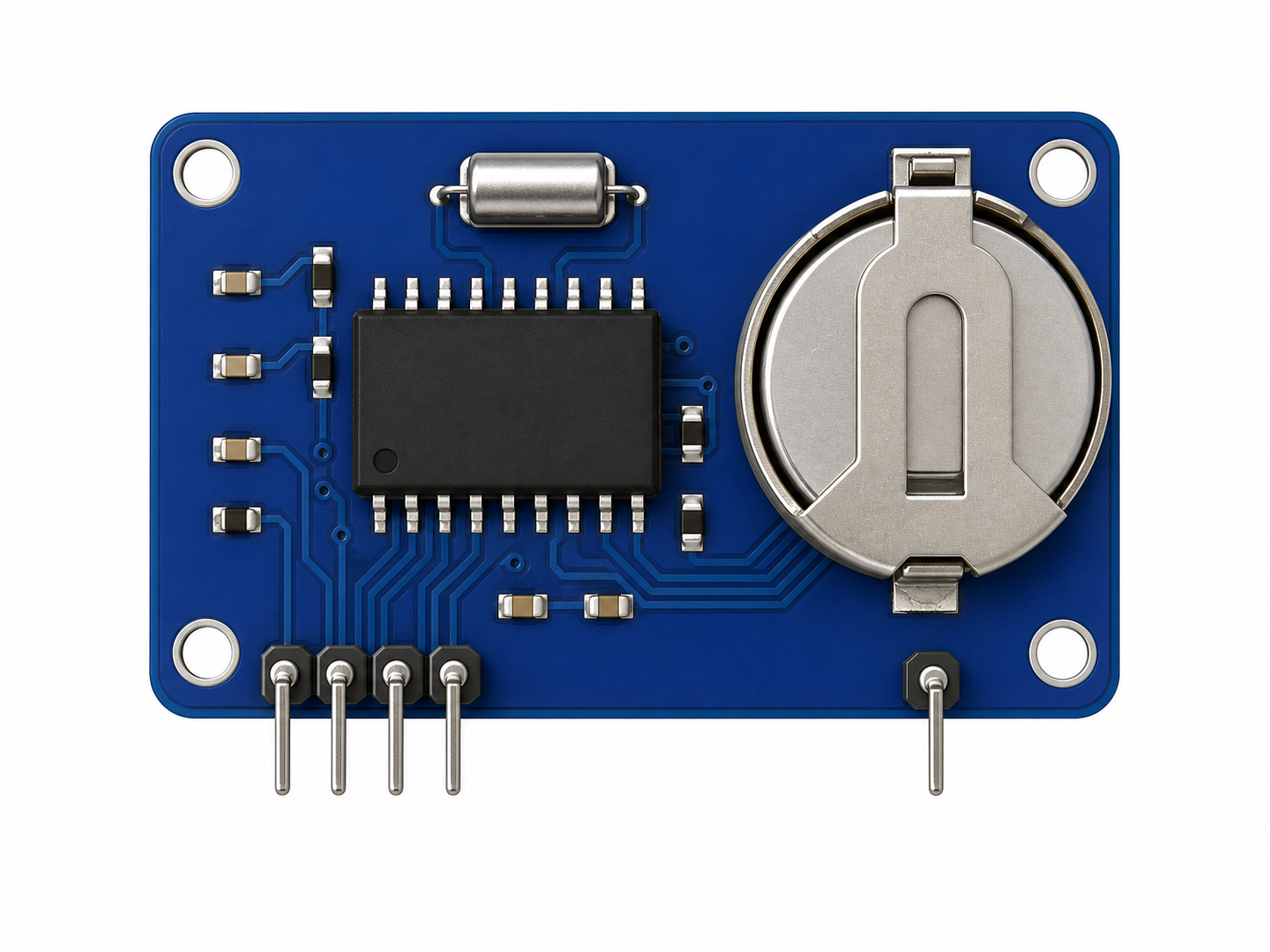
DS3231 Real-Time Clock Module Anatomy
Identify the RTC chip, crystal, battery holder, and I2C pins.
-
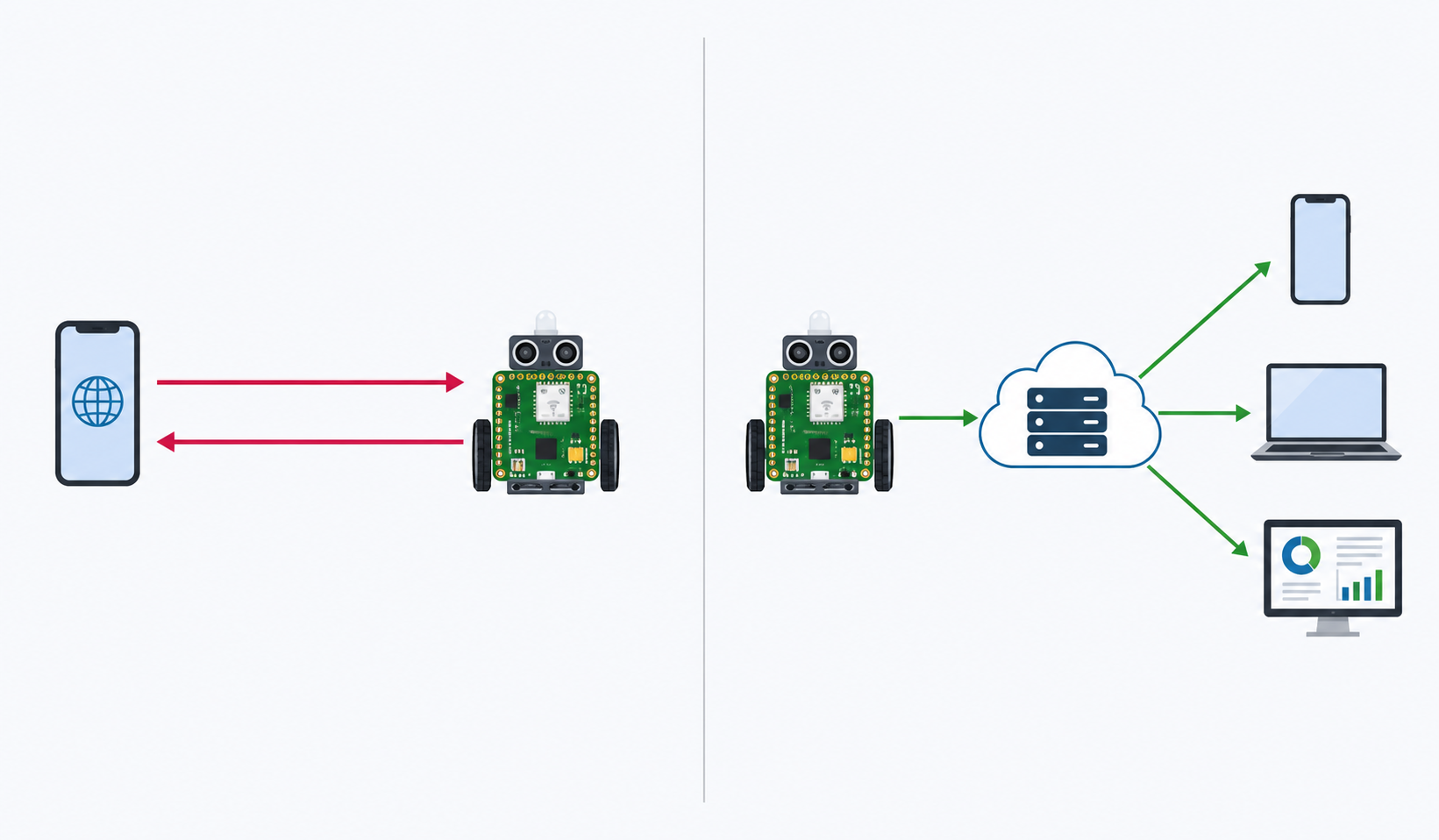
Contrast request/response and publish/subscribe messaging.
-
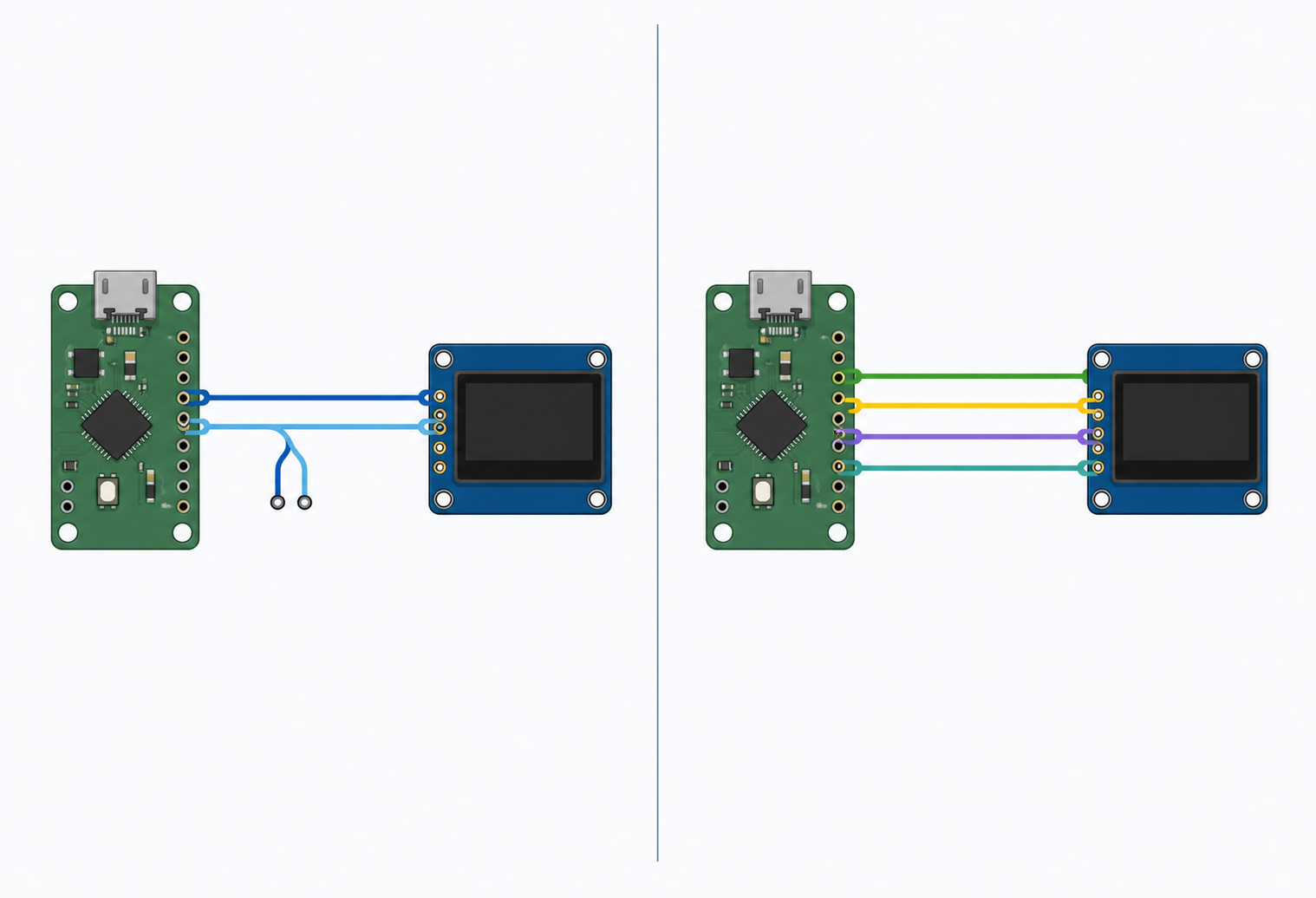
I2C vs. SPI: Two Ways to Wire a Display
Compare the physical wiring required by I2C and SPI displays.
-
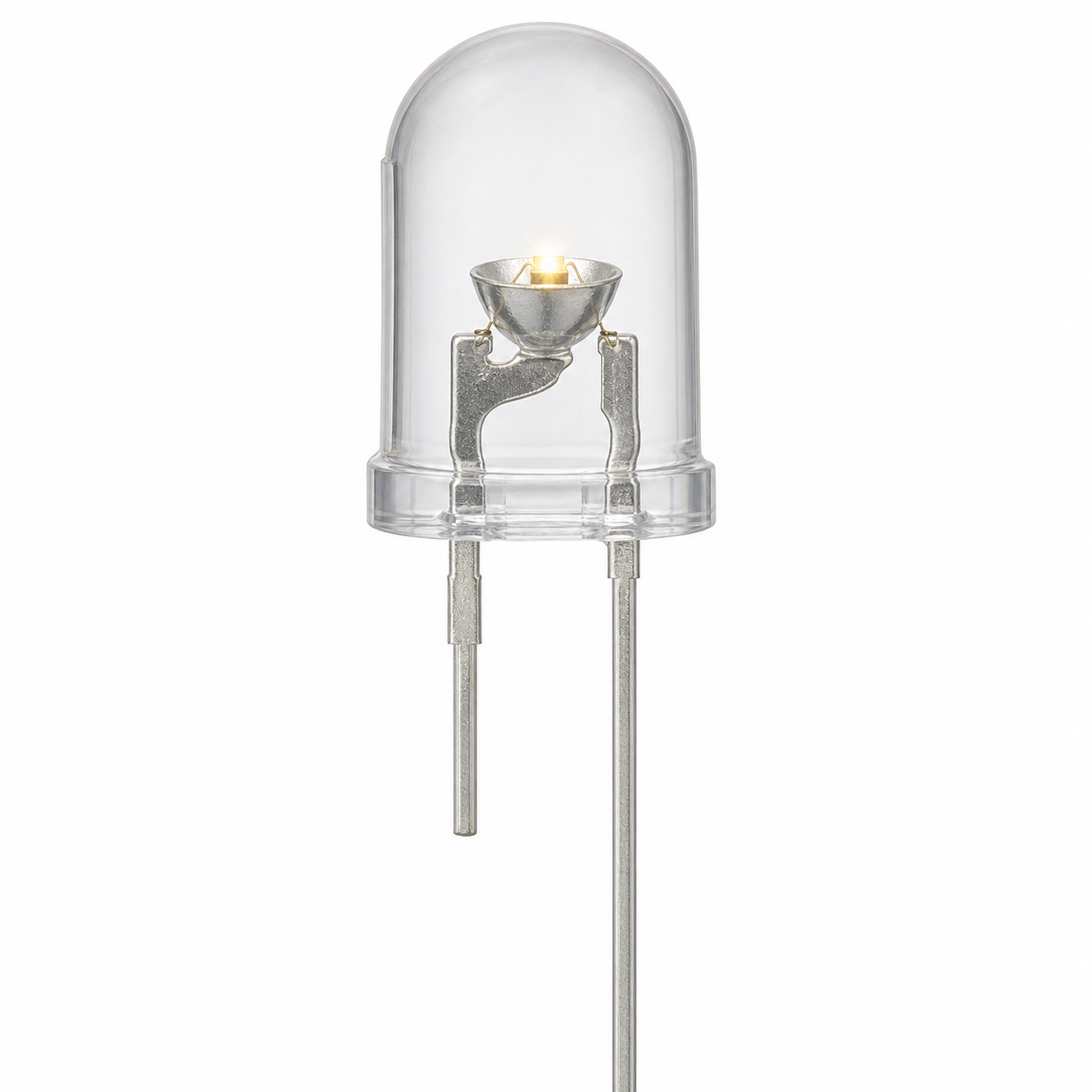
Examine a standard LED's polarity markers and internal parts.
-
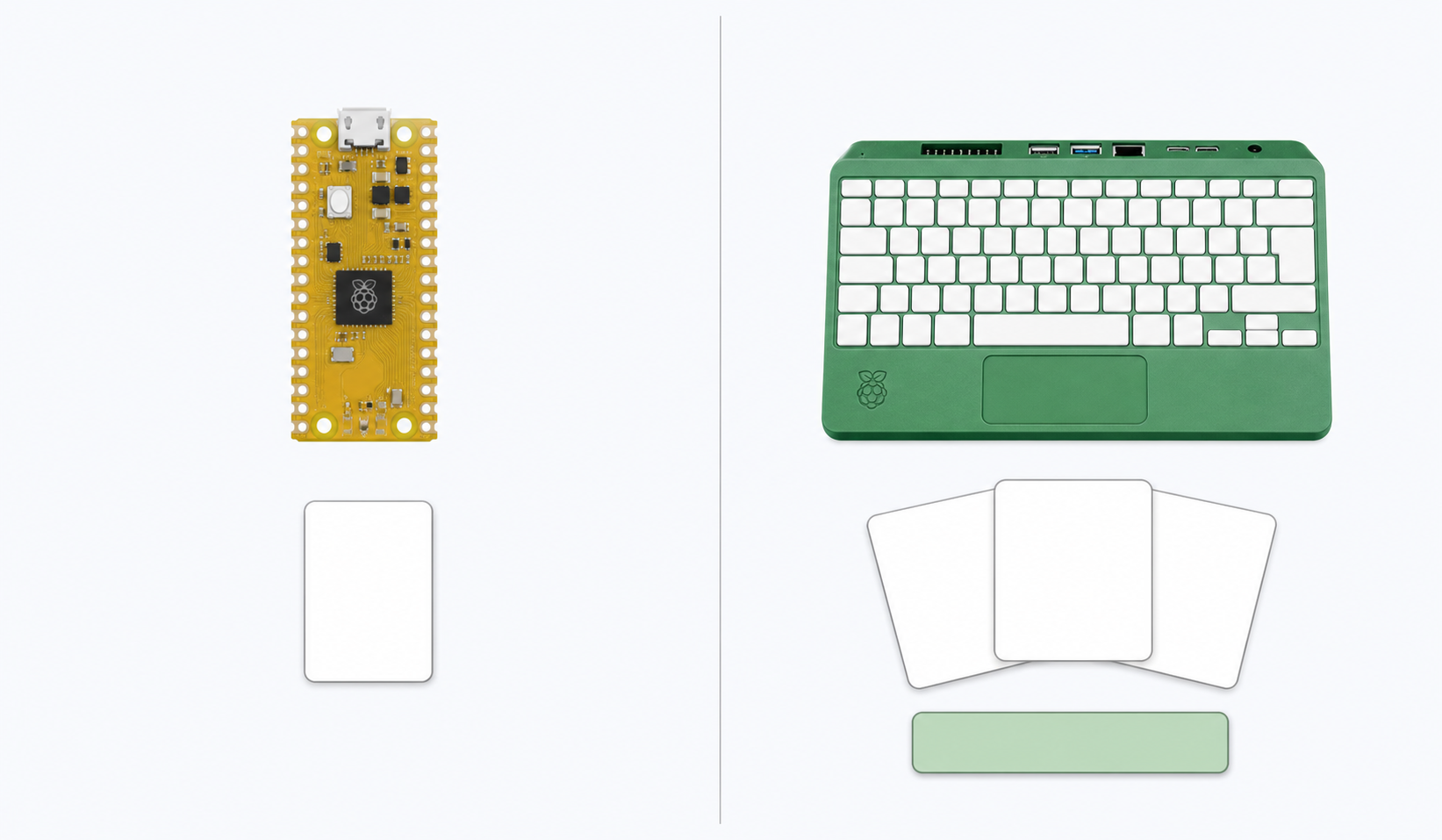
Microcontroller vs. Linux Computer
Contrast a Pico microcontroller with a Pi 500+ Linux computer.
-
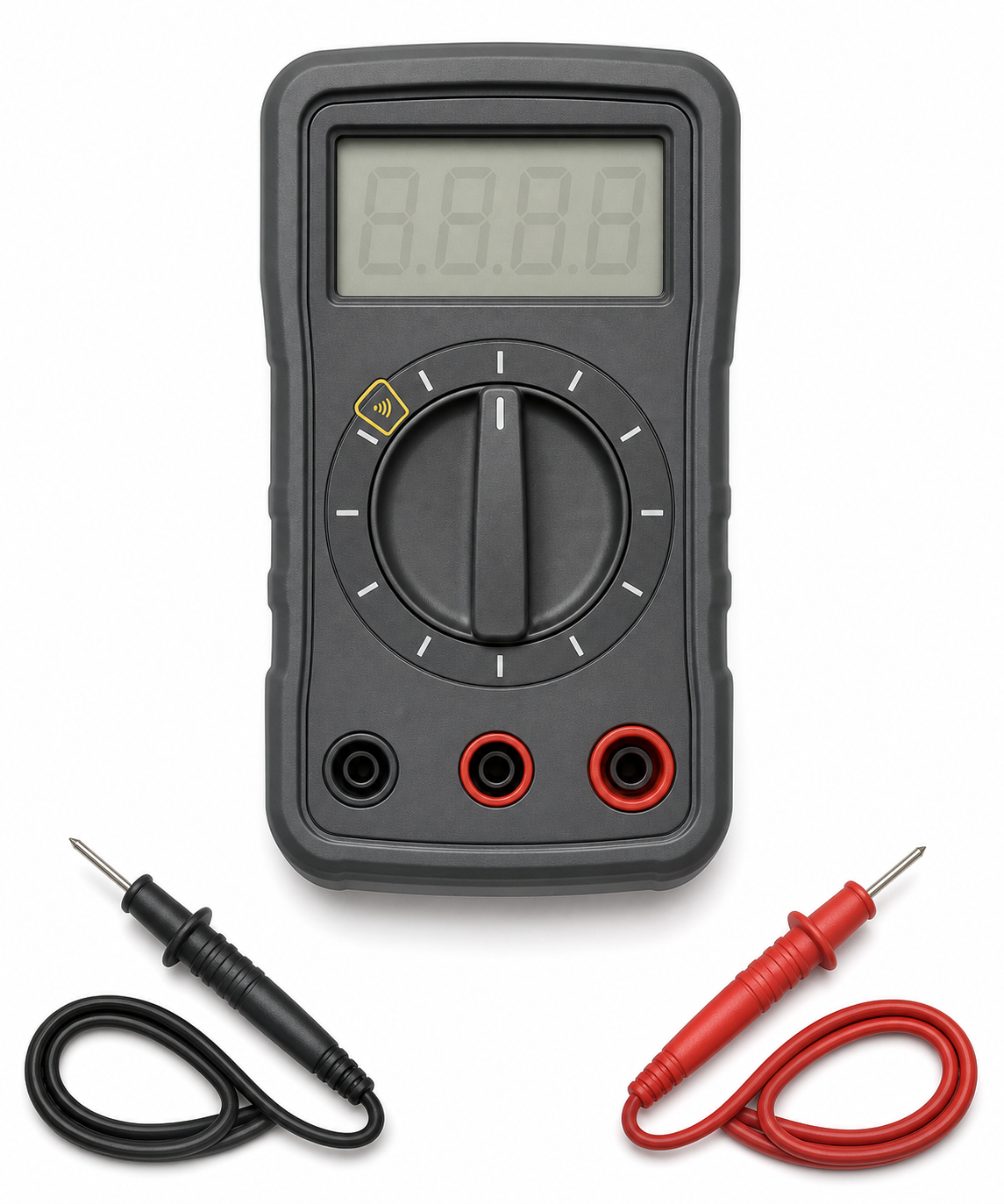
Identify a digital multimeter's display, dial, ports, and probes.
-
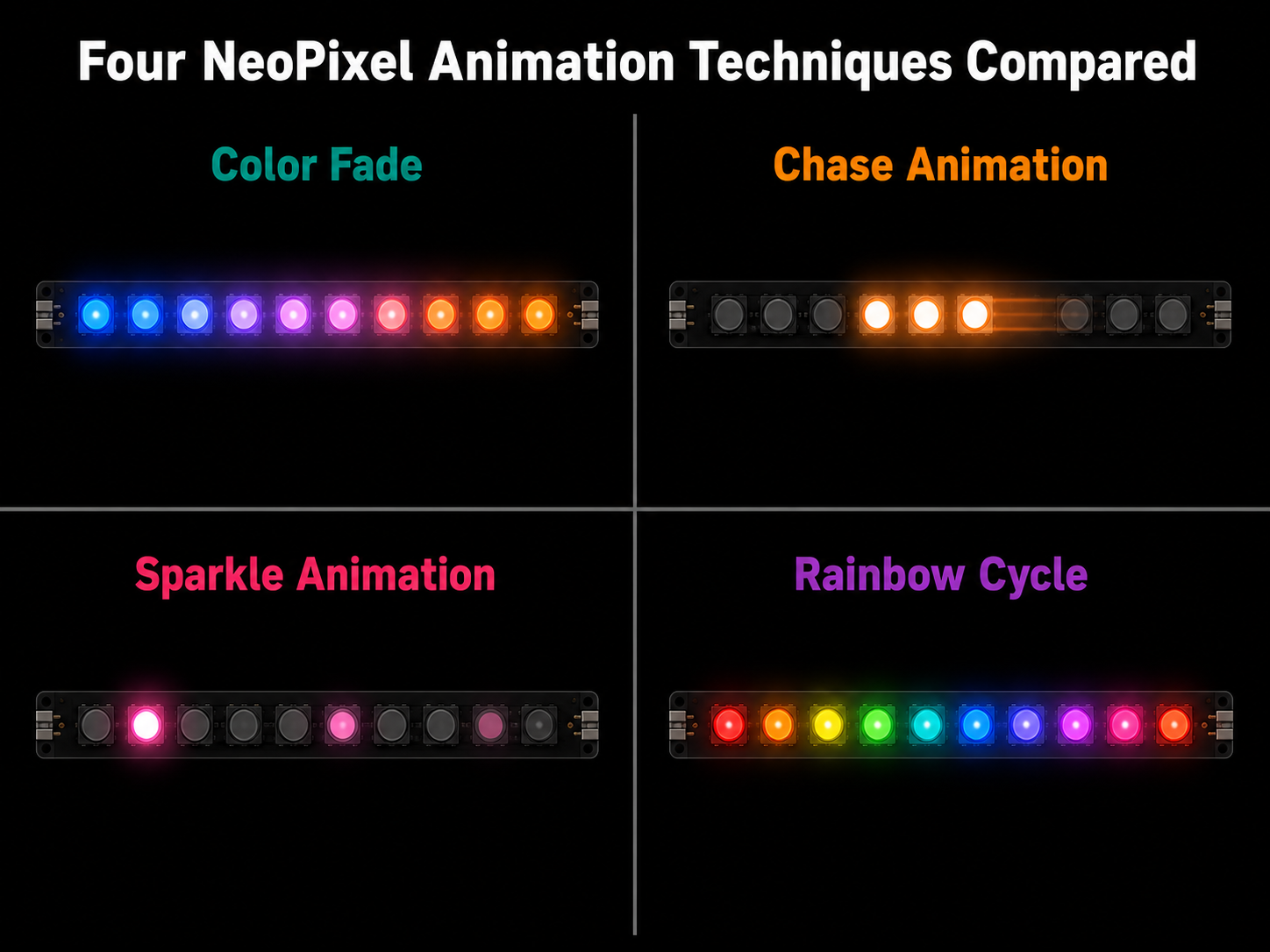
Four NeoPixel Animation Techniques Compared
See how fade, chase, sparkle, and rainbow animations differ.
-
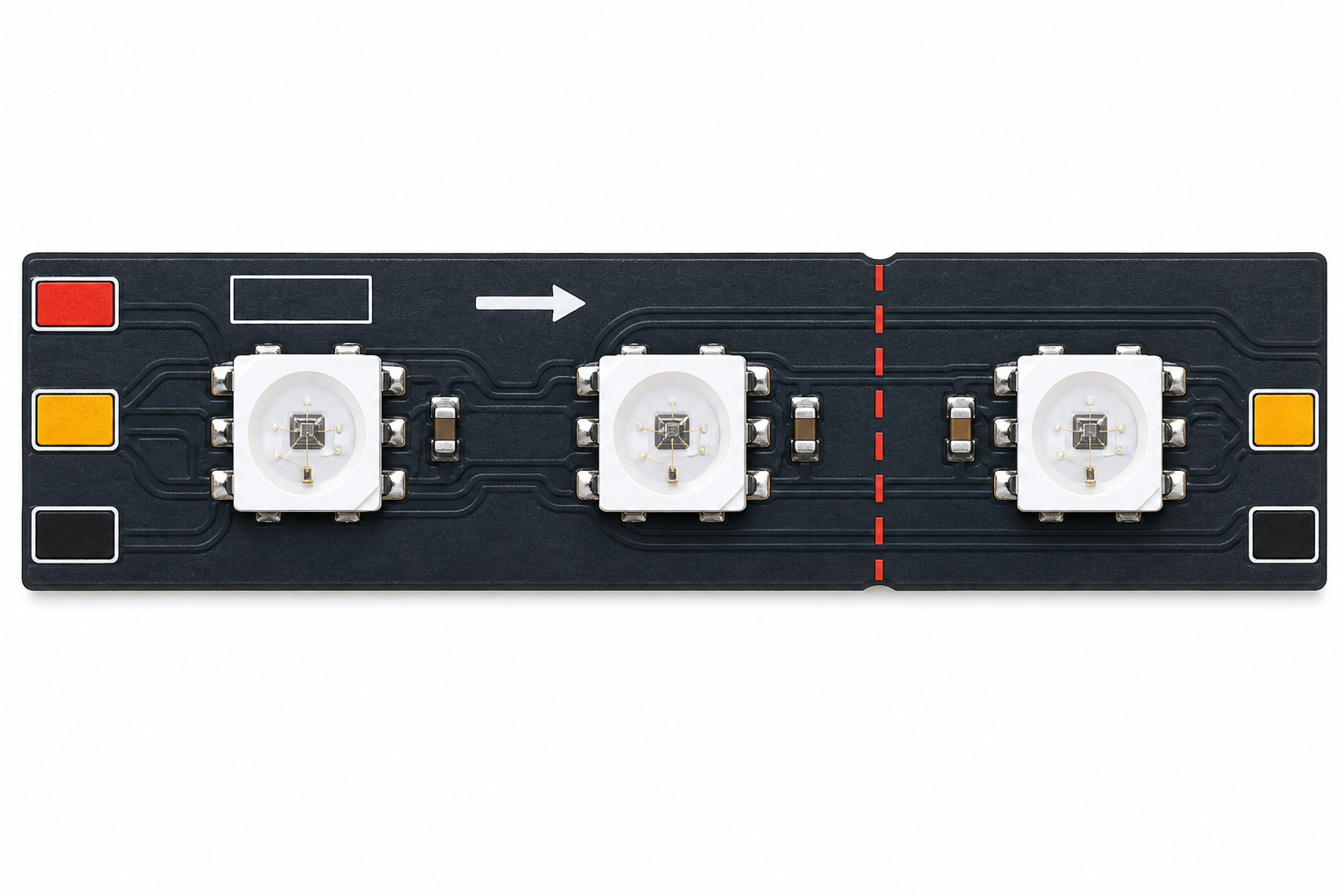
Anatomy of a NeoPixel LED Strip
Explore a WS2812B strip's construction and connector points.
-
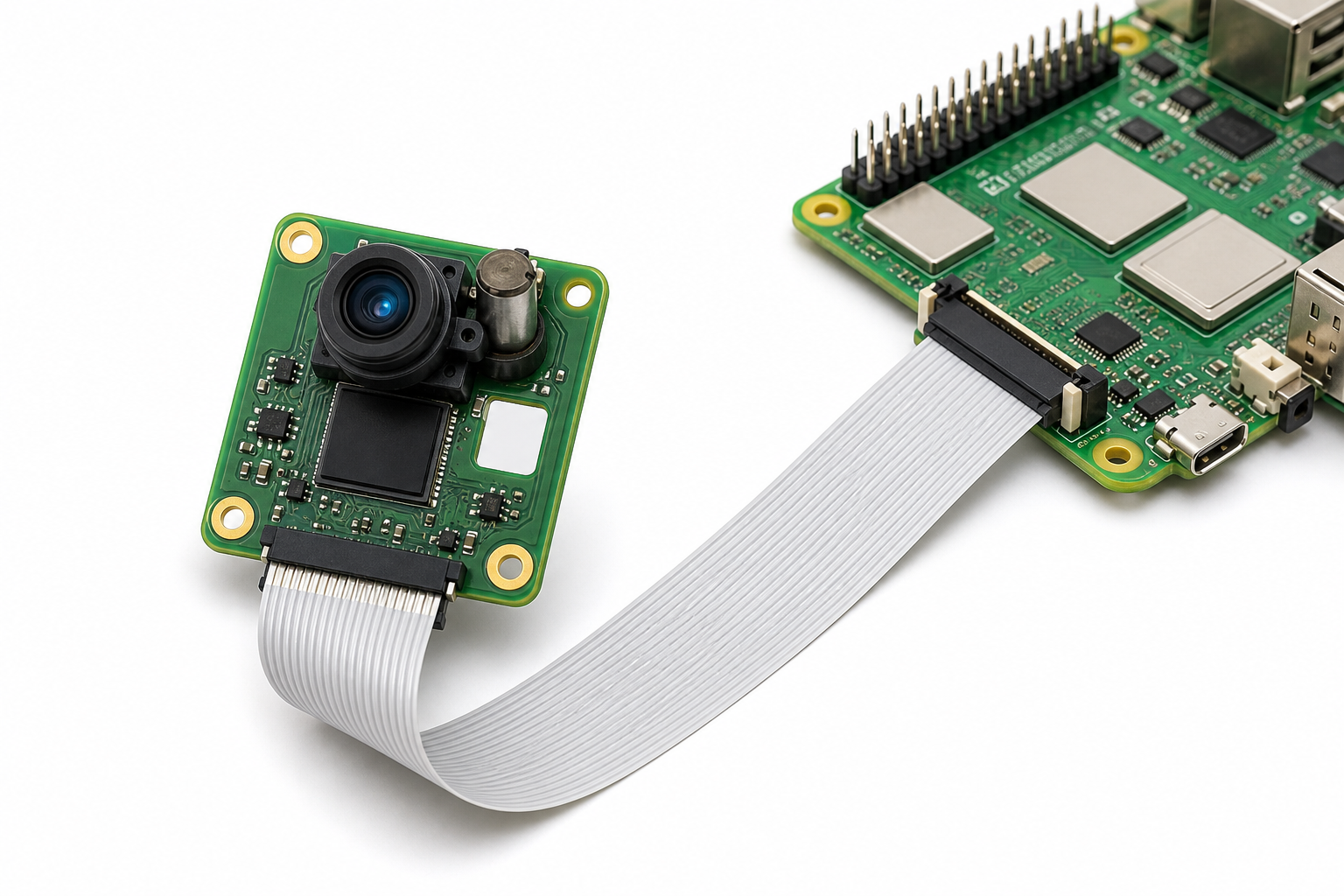
Raspberry Pi Camera Module Anatomy
Follow the camera module and CSI cable connection to a Pi 5.
-
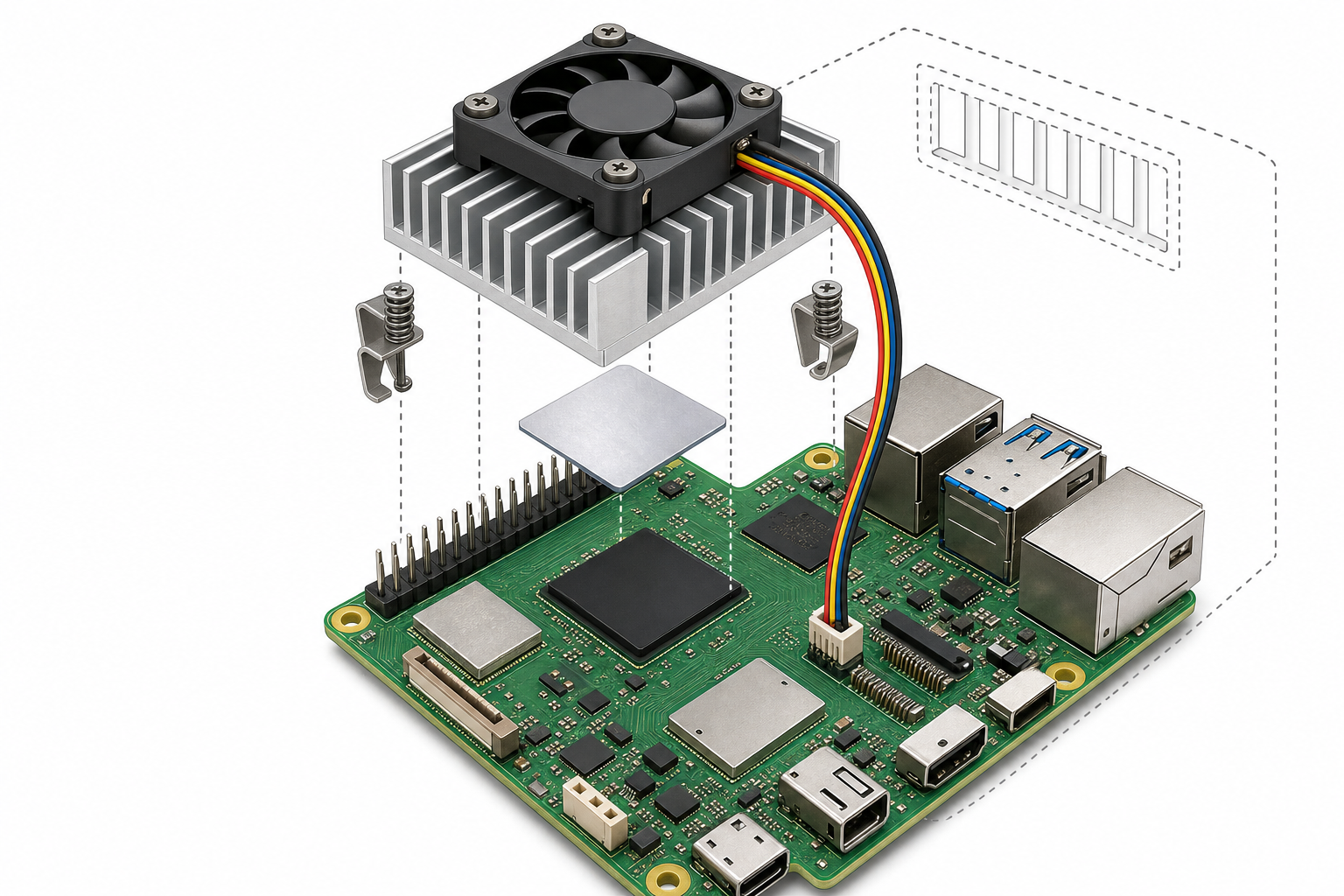
Raspberry Pi 5 Active Cooling Anatomy
Inspect the parts of the Raspberry Pi 5 Active Cooler.
-
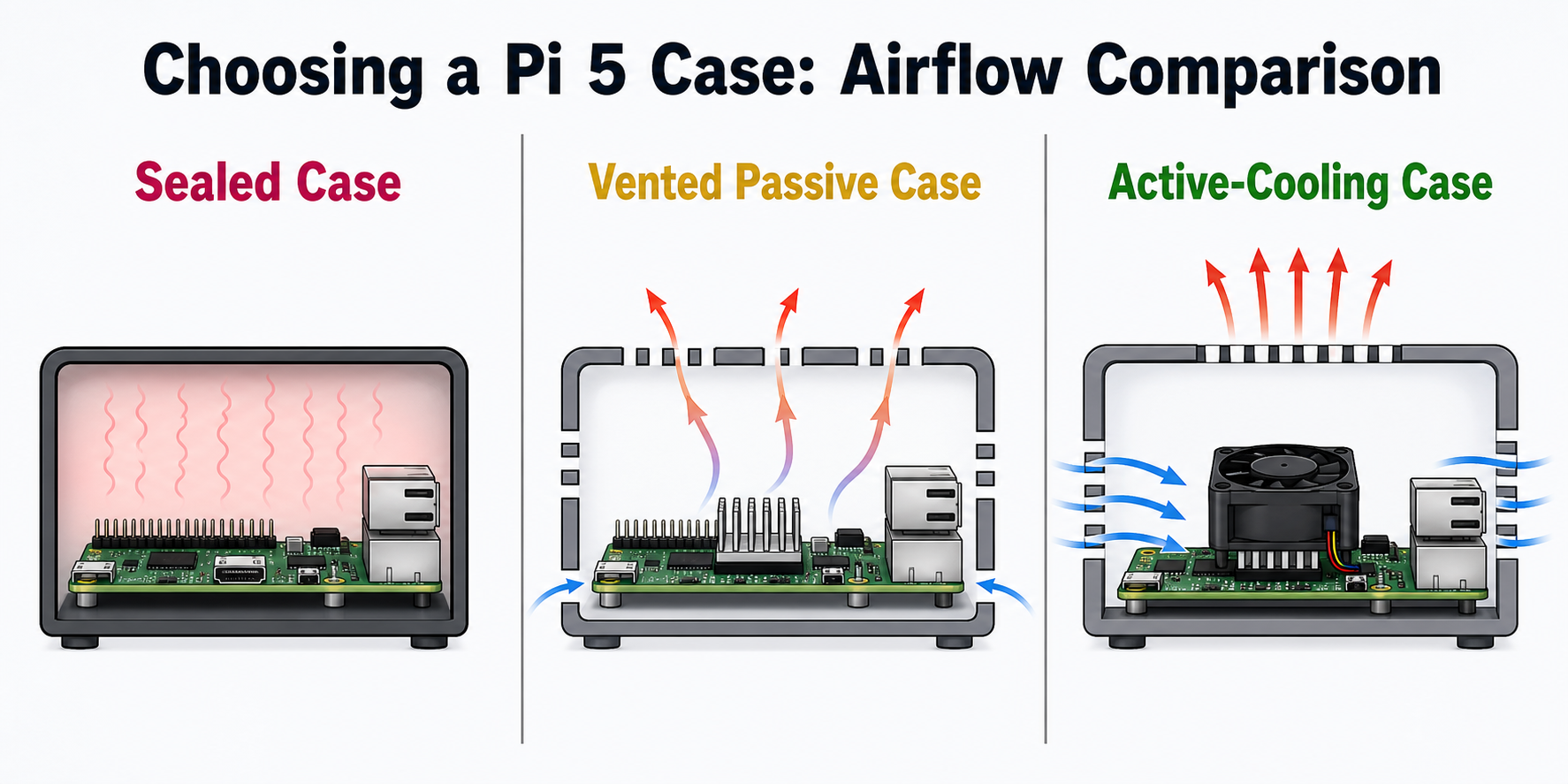
Choosing a Pi 5 Case: Airflow Comparison
Compare sealed, passively vented, and active-cooling cases.
-
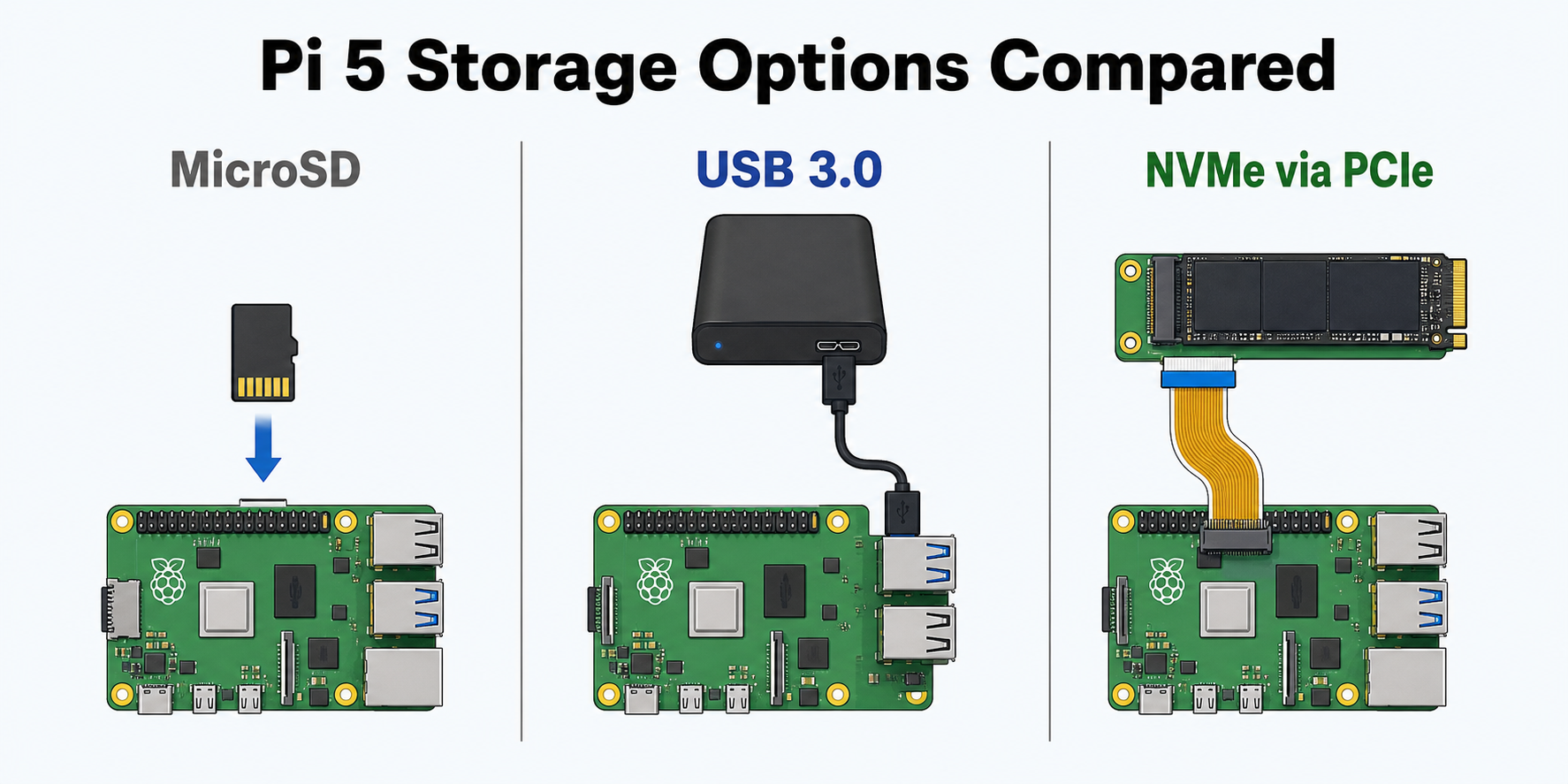
Compare microSD, USB 3.0, and NVMe storage.
-
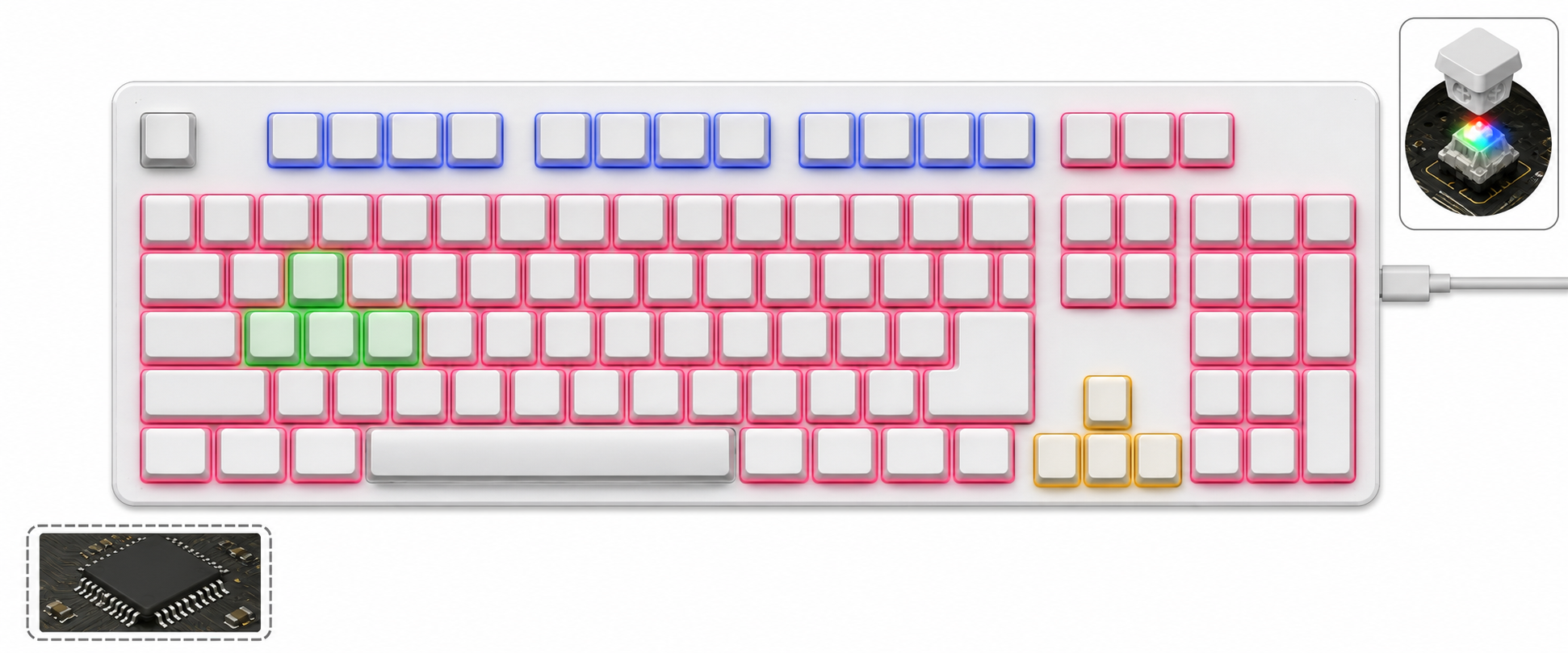
Tour the keyboard's per-key lighting zones and hardware.
-
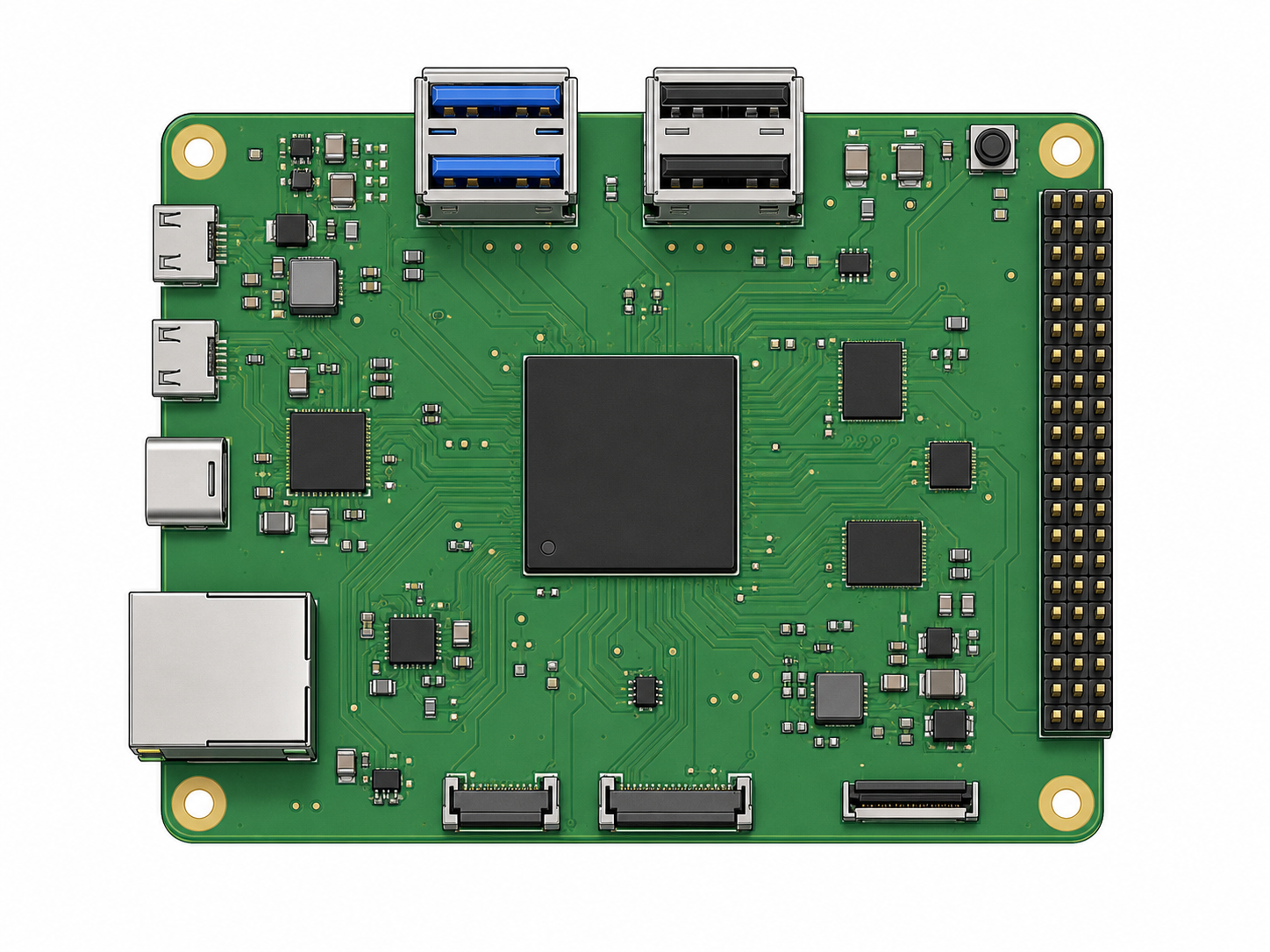
Identify the Raspberry Pi 5's ports, connectors, and chips.
-
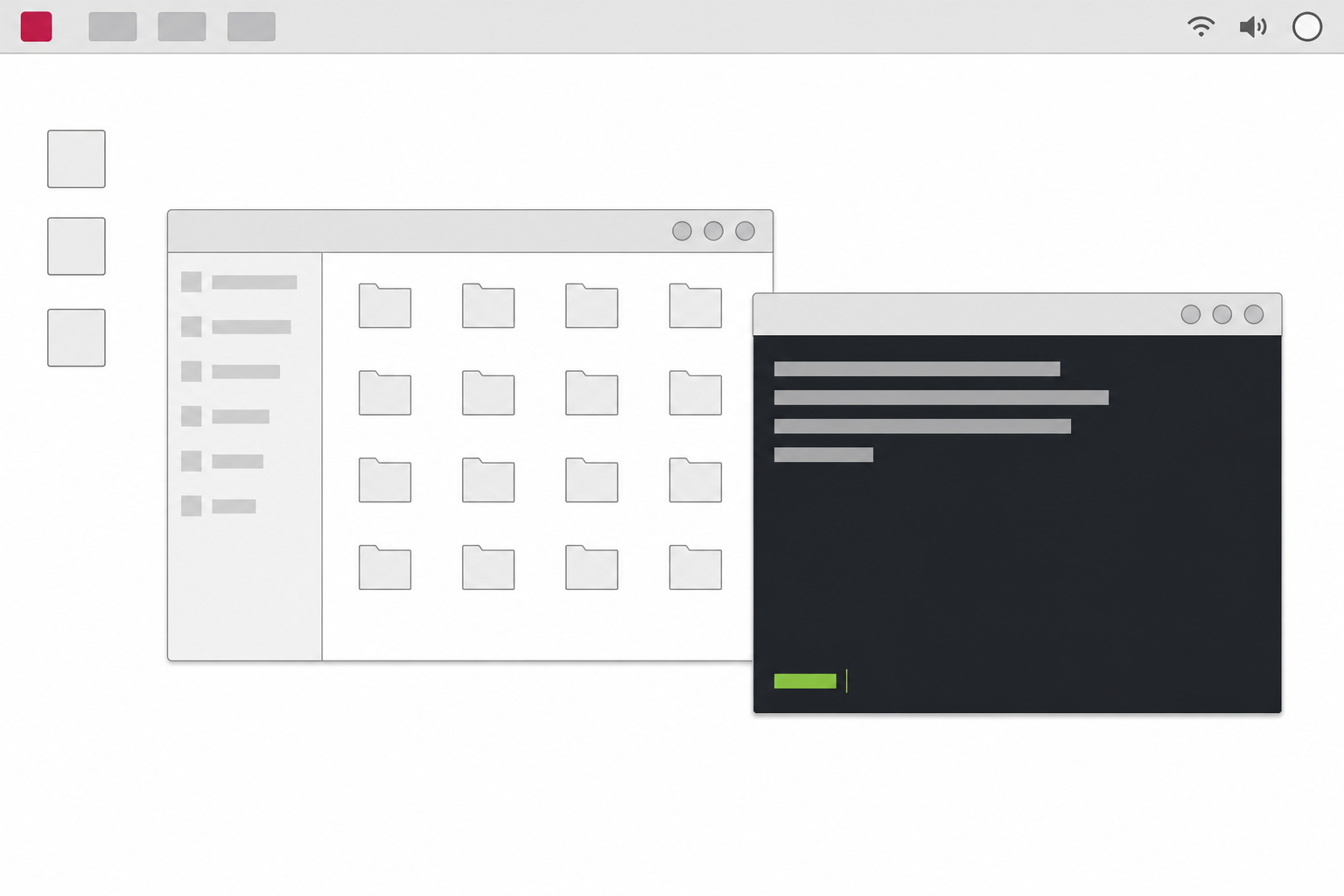
Raspberry Pi OS Desktop Environment Anatomy
Tour the taskbar, file manager, and terminal window.
-
raspi-config System Configuration Tool Map
Find SSH, VNC, hostname, and other system settings.
-
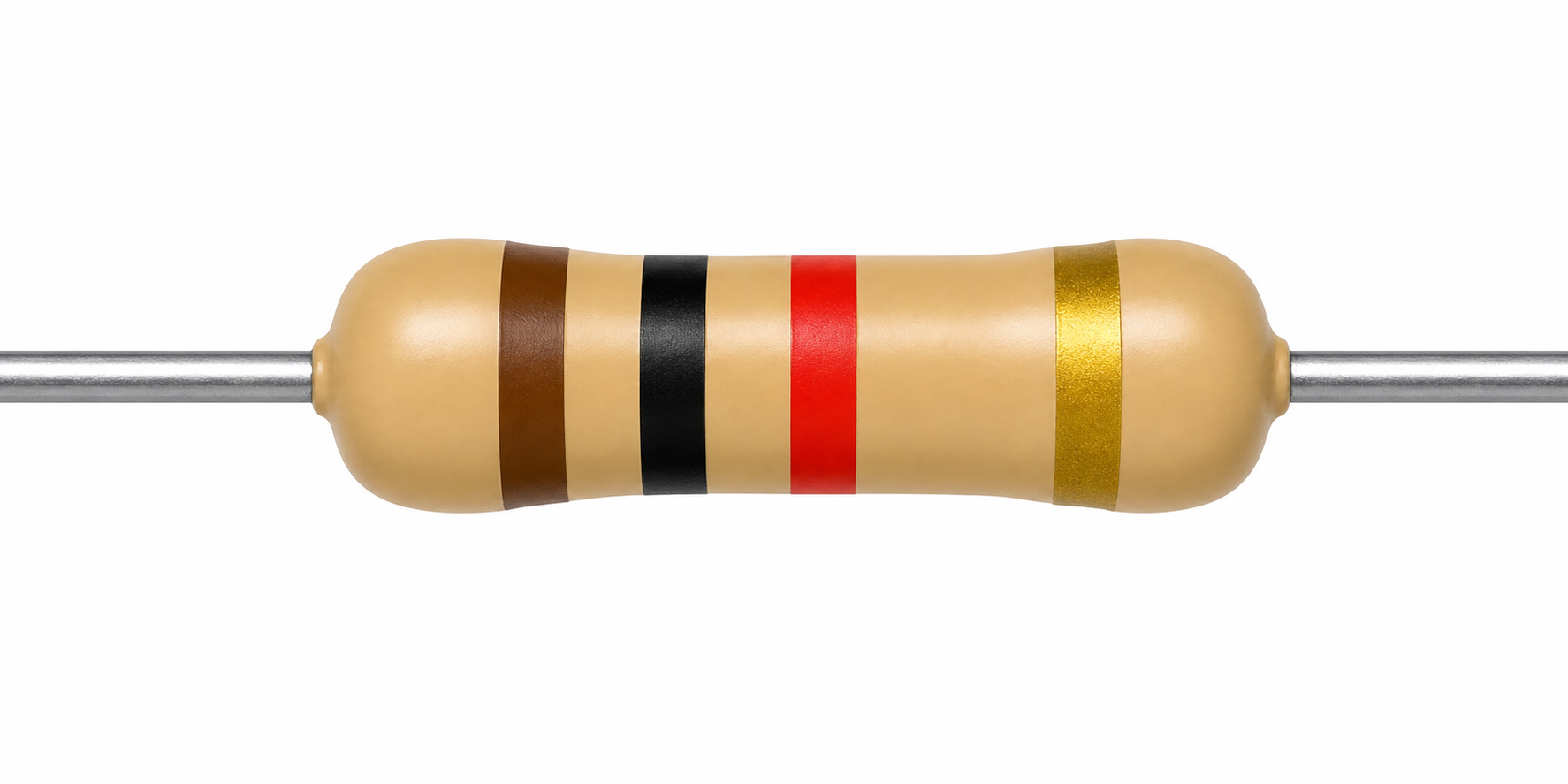
Reading a Resistor's Color Code
Decode a four-band resistor's resistance value.
-
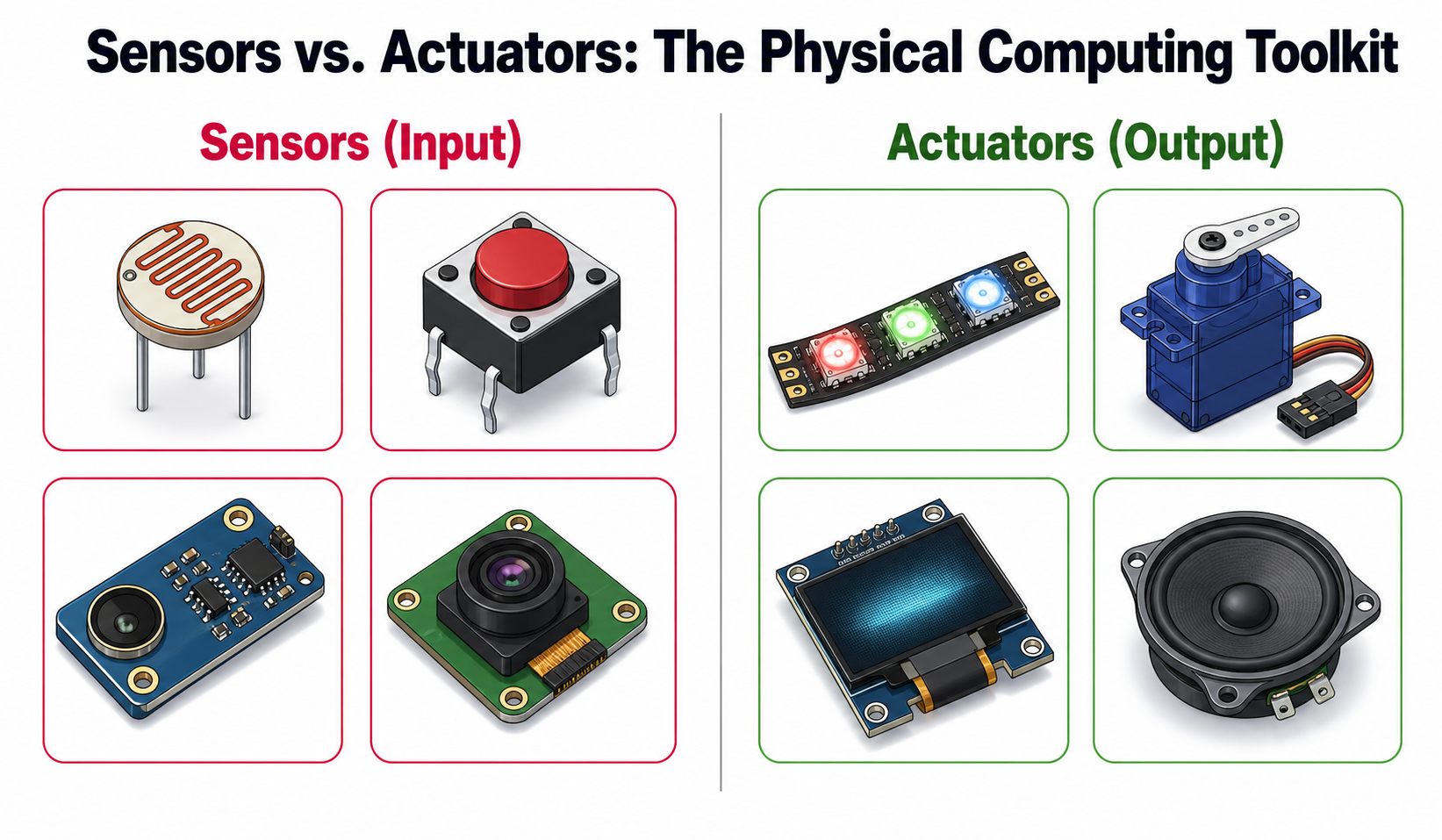
Sensors vs. Actuators: The Physical Computing Toolkit
Sort common physical-computing components by their role.
-
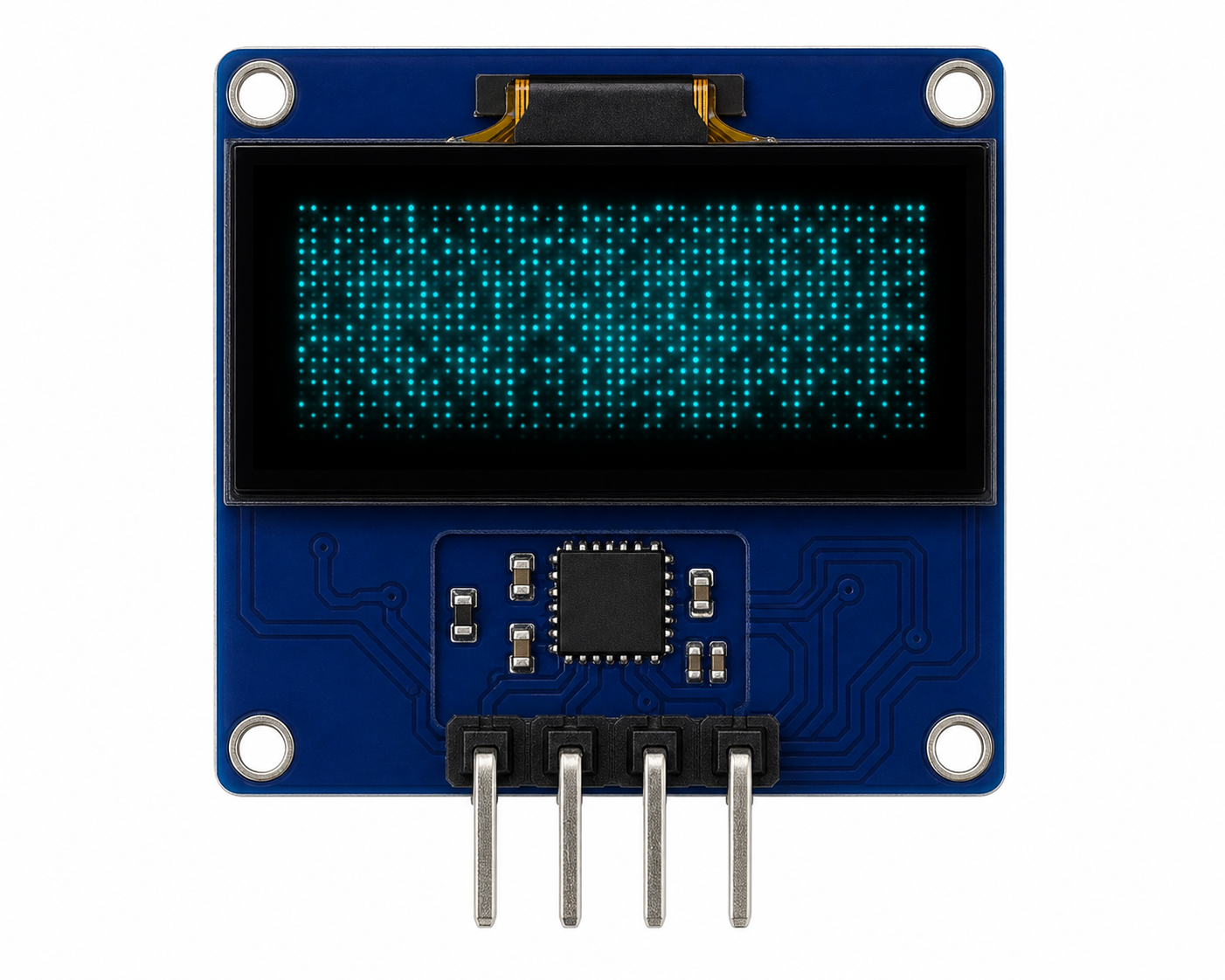
Anatomy of an SSD1306 OLED Module
Inspect a breadboard-friendly OLED display module.
-
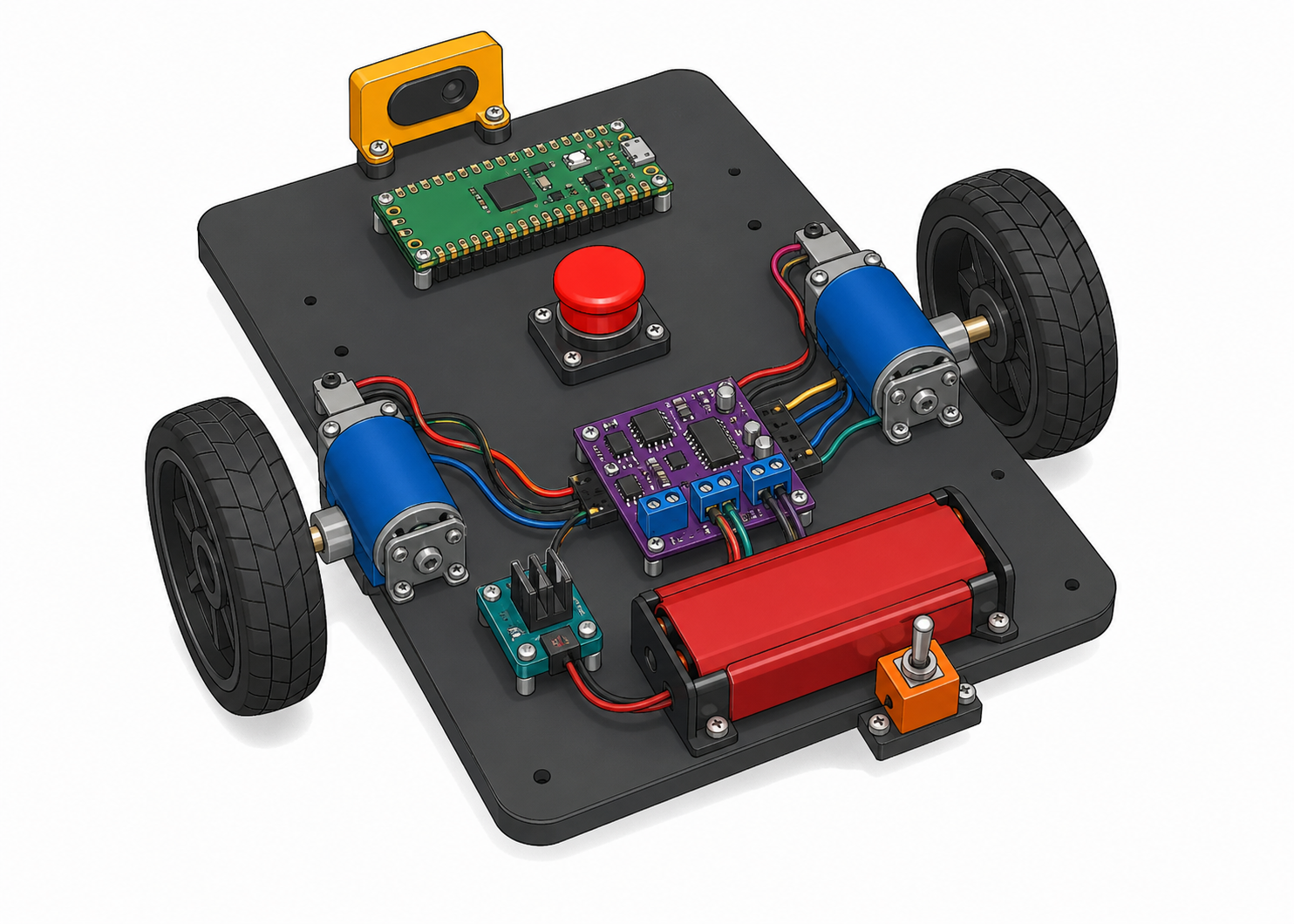
Anatomy of the No-Display STEM Robot
Identify the major hardware on an assembled robot chassis.
-
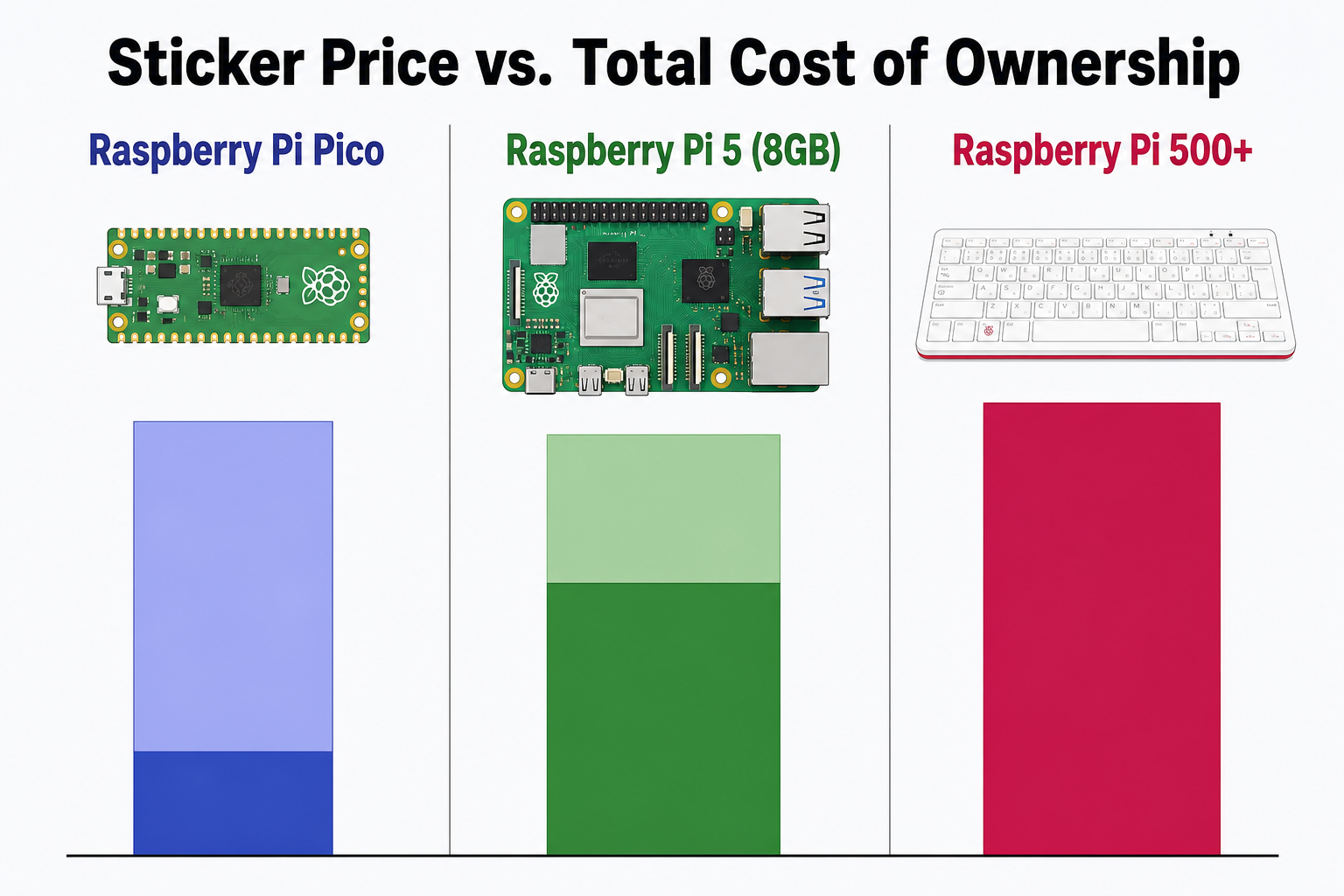
Sticker Price vs. Total Cost of Ownership
Compare sticker prices with realistic complete-system costs.
-
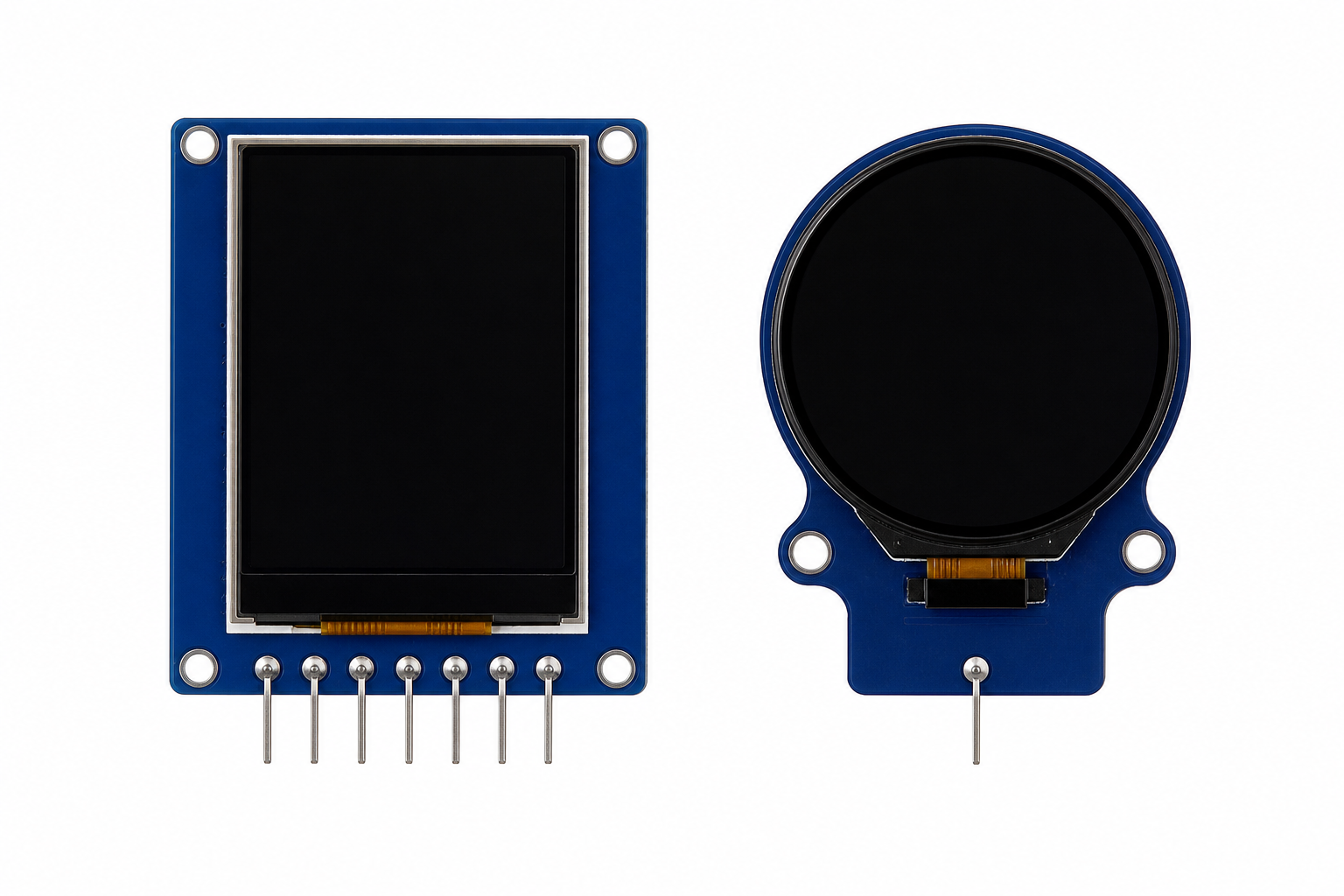
TFT / Round Display SPI Pinout
Identify the pins on rectangular and circular SPI displays.
-
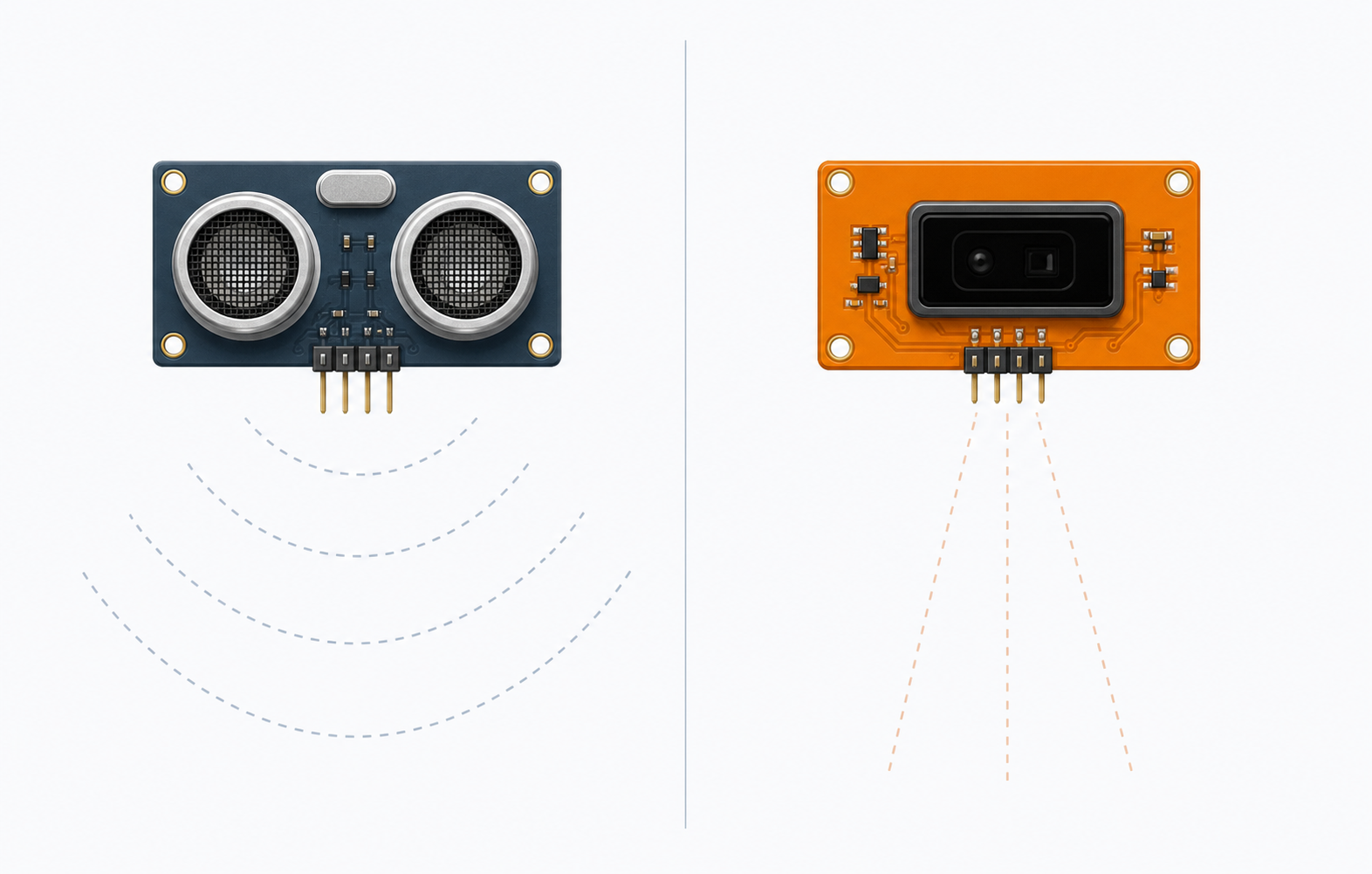
Compare two approaches to measuring distance.
-
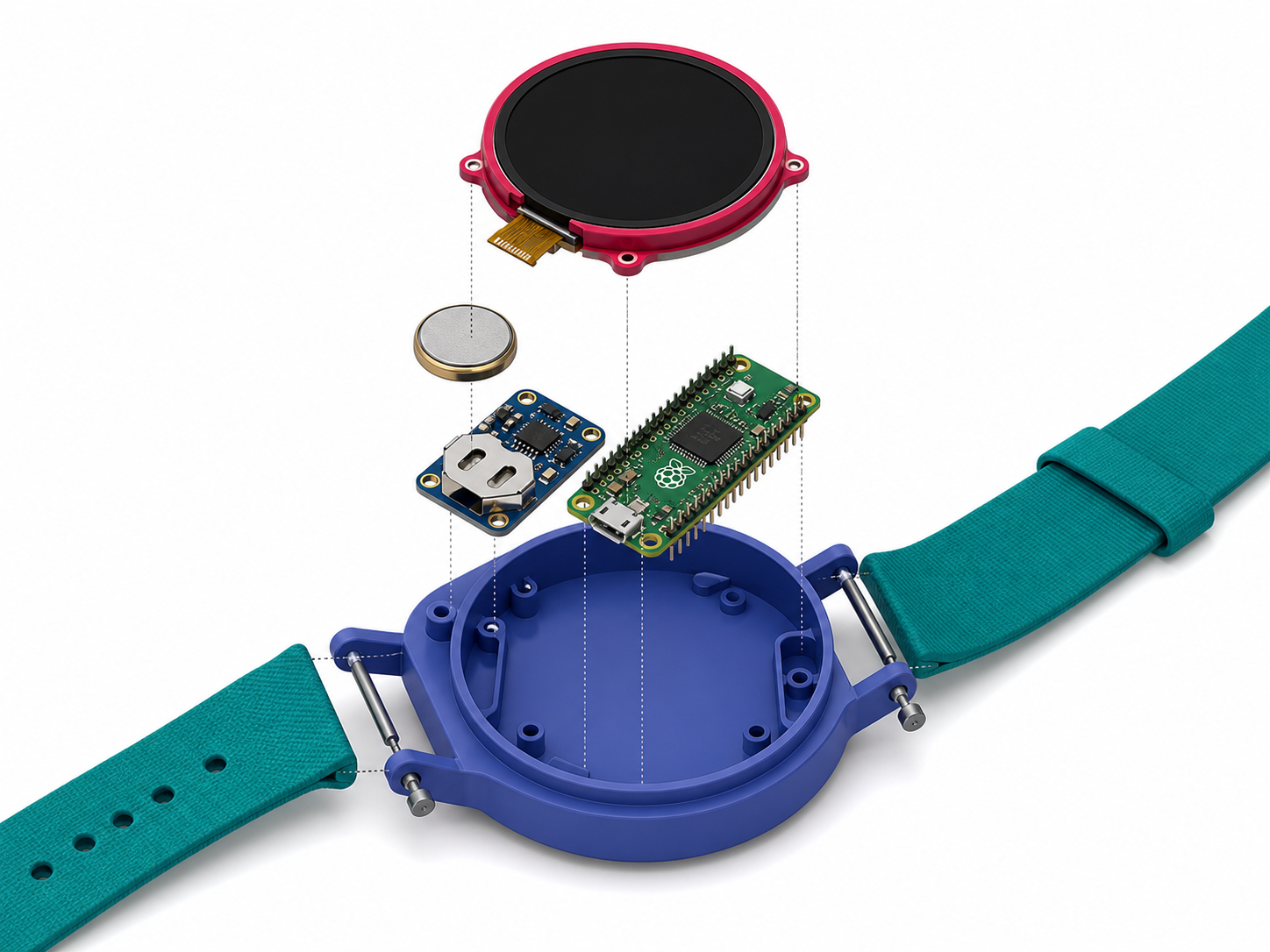
Anatomy of a Wearable Watch Build
See how the display, Pico, RTC, battery, and enclosure fit together.
-
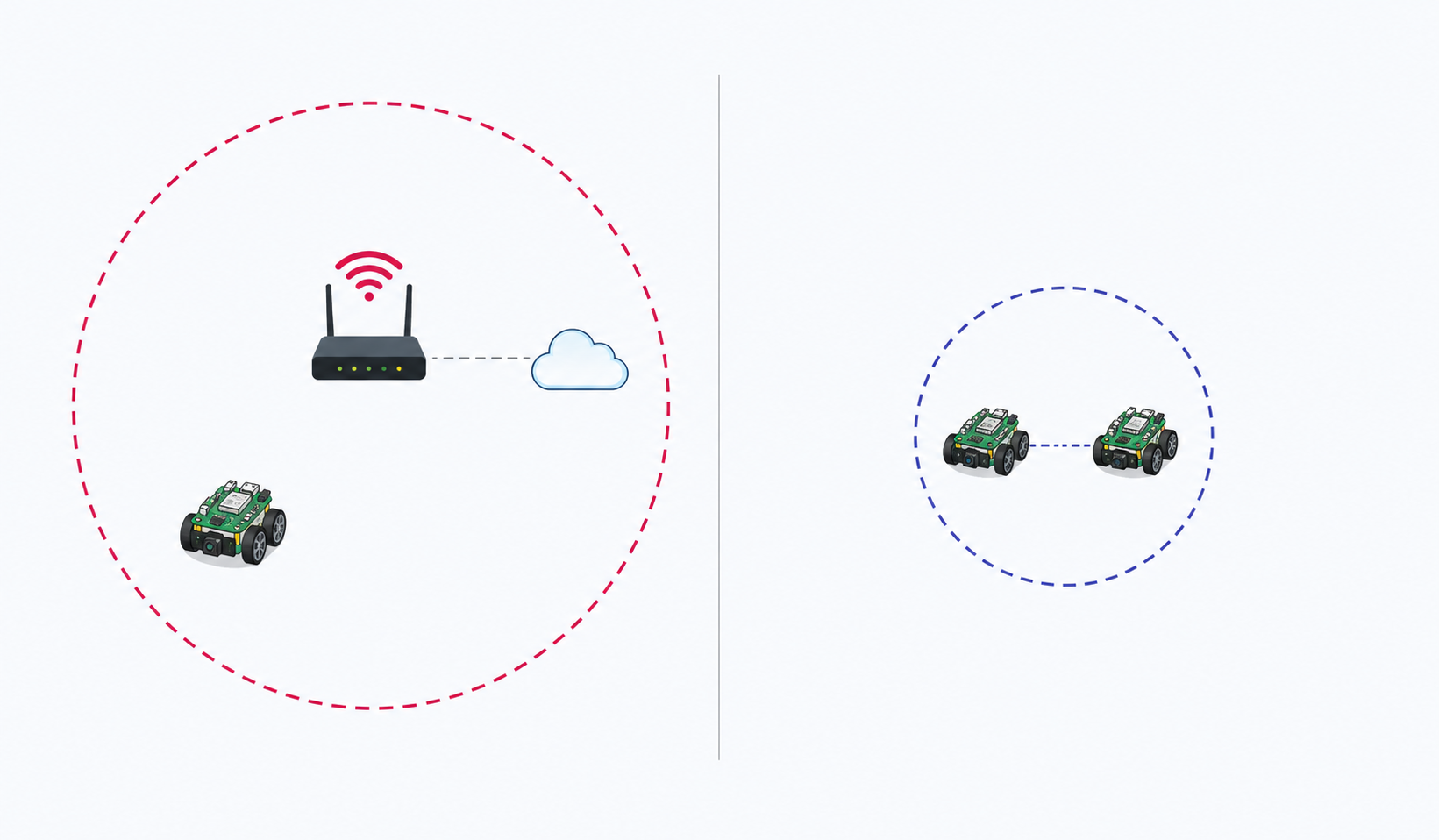
Wi-Fi vs. Bluetooth Low Energy
Compare wireless range, power use, and connection patterns.