Flower
Deprecated Lab — Trinket is shutting down
This lab was written for Trinket.io, which is shutting down in August 2026. The embedded trinket.io links on this page will stop working after that date.
These pages are kept for reference only. The current version of this course now runs every lab as an inline Skulpt editor right in the page — no account or install needed. Start at Chapter 1: Welcome to Python.
Flower
Now we will create a new function that will draw a triangle for each side. It will do this by going forward and right three times at an angle of 120 degrees. We will put that triangle into a function called petal. We will then call that function four times. At the end we will draw the stem. To make the stem wider we will change the pen size.
Sample Code
1 2 3 4 5 6 7 8 9 10 11 12 13 14 15 16 17 18 19 20 21 22 23 24 25 26 27 28 29 30 31 32 33 34 | |
Drawing
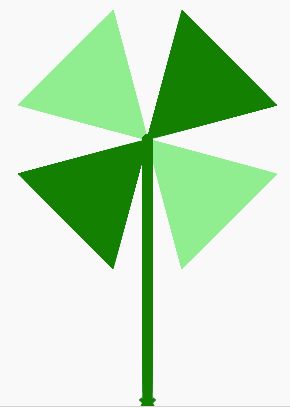
Run the Example on Trinket
Run the Flower Example on Trinket
Experiments
- Can you change the colors of the petals?
- Can you change the width of the stem of the flower using the pensize() function?
- Can you change the size of the petals?
- Can you change the number of petals? Why is this problem harder? What assumptions did the original author of the program make?