Deprecated Lab — Trinket is shutting down
This lab was written for Trinket.io, which is shutting down in August 2026. The embedded trinket.io links on this page will stop working after that date.
These pages are kept for reference only. The current version of this course now runs every lab as an inline Skulpt editor right in the page — no account or install needed. Start at Chapter 1: Welcome to Python.
Function Parameters
Lesson Objective
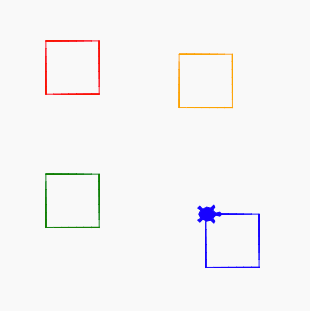
Now we will create a new function that draw a square with a specific color at a specific x and y point. The function will take three inputs: - the color - the horizontal x position on the grid - the vertical y position on the grid
Sample Code
1 2 3 4 5 6 7 8 9 10 11 12 13 14 15 16 17 18 19 20 21 | |
Drawing
Experiments
- Can you change the name of the function to be "petal"?
- Can you change the function to include the ability to pass in one color for the border, and one color for the center fill? Sample of Border Square Program