Lab 04: Hello, Round Screen
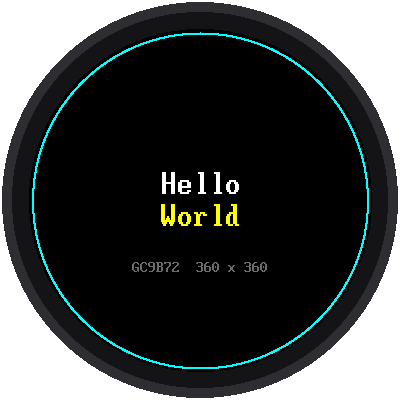
Time to wake up the screen. This lab writes "Hello World" in the middle and draws a thin ring just inside the edge of the glass.
Welcome to Lab 04
 This is the screen every clock face in this kit is drawn on, so once
it says hello, you're ready to build anything. My own face is a round
screen just like it! Let's make time tick!
What You Will Learn
- how to start the display
- how to write centered text in two font sizes
- where the edge of a round screen really is
Run It
Open 04-display-test.py and click Run. You should see the picture
above. The shell also tells you how long the display took to start.
The Code
1 2 3 4 5 6 7 8 9 10 11 12 | |
config.init_display()starts the display using the pins inconfig.py.display.fill(config.BLACK)paints all 129,600 pixels black.shapes.ring(...)draws a circle 2 pixels thick around the center.config.centered_text(...)writes words centered left to right. The number after the words is how far down the screen they go.
The Round Edge
The display chip thinks its screen is a 360 × 360 square, but the glass
is round. Anything drawn in the corners is never seen. The ring is drawn
at config.SAFE_RADIUS, 168 pixels from the center: the biggest circle
you can see all of. The clock faces in labs 08 and 09 place their ticks
from that number.
Check the ring first
 Look closely at the cyan ring. If any part of it hides under the edge
of your display's case, make
SAFE_RADIUS in config.py a little
smaller now, and every clock face will fit.
Try This
- Change
config.YELLOWtoconfig.color565(255, 128, 0)for orange. - Move the words up by changing
config.CENTER_Y - big.HEIGHTtoconfig.CENTER_Y - 100. How high can text go before the round edge cuts it off?
If It Doesn't Work
- The screen stays black. Check that SCL goes to GP2 and SDA to GP3: swapping them is the most common mistake. Then check VCC on 3V3 and GND.
- Snow or stripes. Check RST (GP4), DC (GP5), and CS (GP6). Long or
messy wires can also do this: set
BAUDRATEinconfig.pyto12_000_000.
Hello, Screen!
 You started the display, centered text in two sizes, and found the
real edge of a round screen. Every clock face from here on is built
from those same steps.
Next: Lab 05: Test the Speaker