Interactive Infographic Posters
These posters turn the book's biggest ideas into full-width, classroom-ready pictures. Most set a risky way of working beside a controlled one, so the difference is visible at a glance. Open a poster, hover over or click a region to read what it shows, then switch to Quiz mode to test yourself.
The original concepts and their sources are in Infographic Poster Ideas.
-
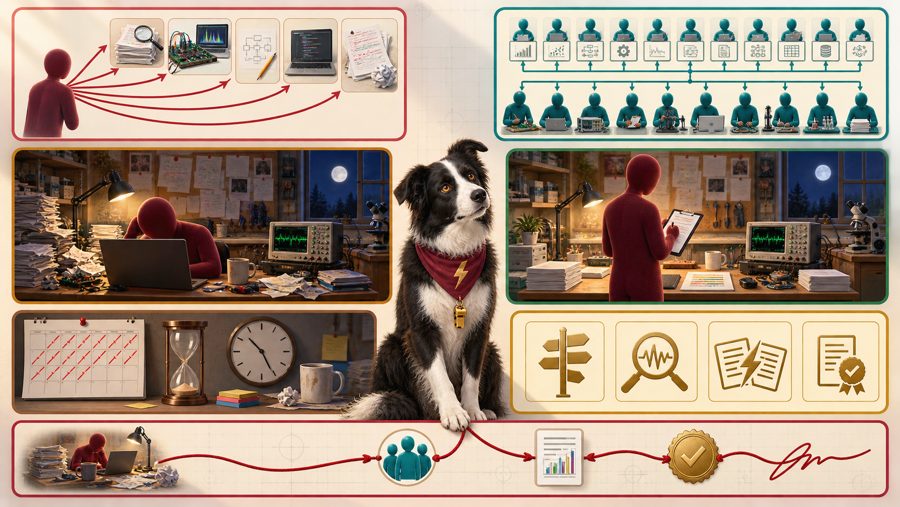
From Doing Everything to Directing Everything
The researcher's job moves from doing every task by hand to directing a team of agents, while accountability for the science stays with the researcher. Grid overlay, 7 regions.
-
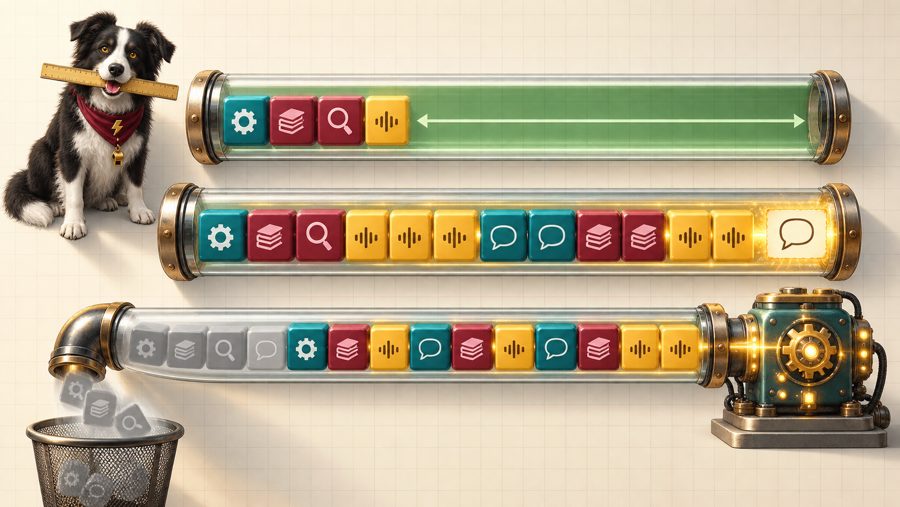
A context window is one shared token budget, and when it overflows the oldest content can fall off silently, so subtract before you paste. Callout overlay, 11 markers.
-
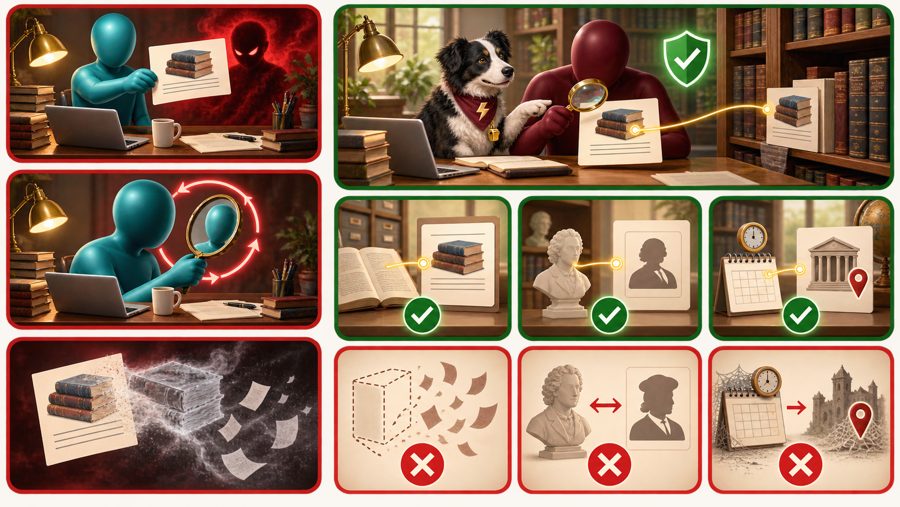
The Real Citation and the Fluent Fake
A model writes a fabricated reference as fluently as a real one, so every citation needs three checks the model cannot perform on itself. Grid overlay, 9 regions.
-
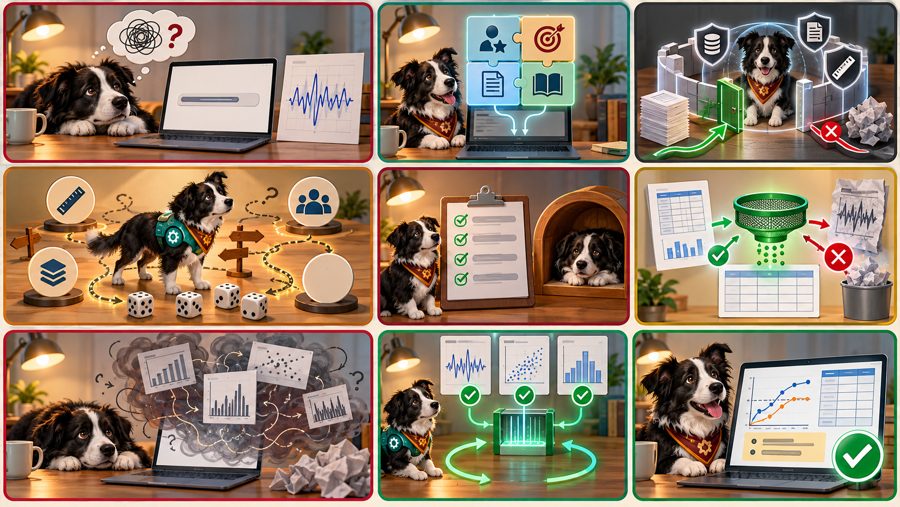
Vague Prompt, Engineered Context
The same model with the same input file gives a vague answer from a one-line prompt and a checkable answer from an engineered context. Grid overlay, 9 regions.
-
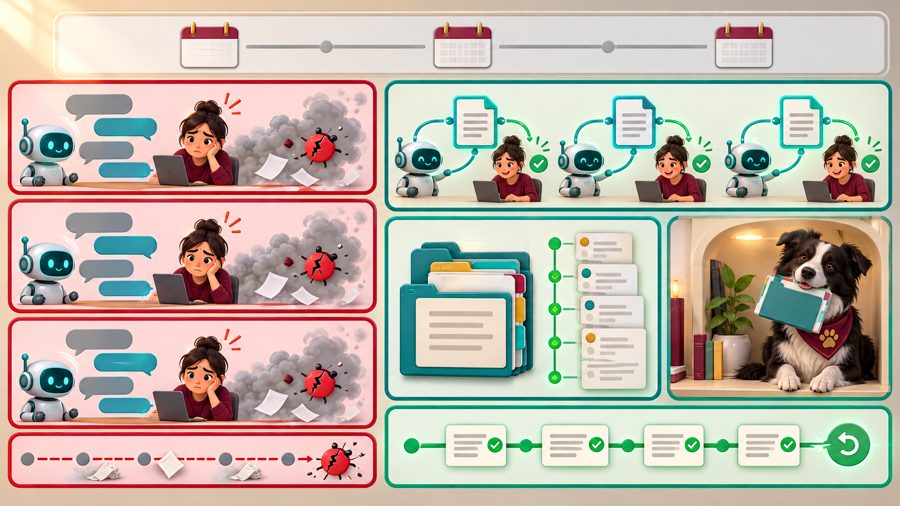
The Chat That Forgets, the Project That Remembers
An agent starts every session with no memory, so a plain-text project file and a version history are what it reads first and what you can undo. Grid overlay, 7 regions.
-
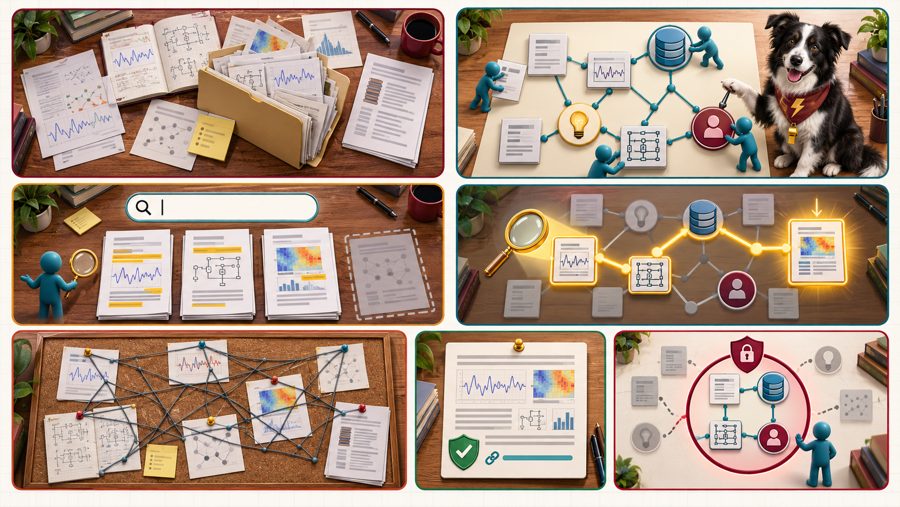
A Folder of Files, a Graph of Knowledge
Files are for reading and a typed graph is for asking, and whoever can query the graph can see it, so an agent should get only the views its job needs. Grid overlay, 7 regions.
-
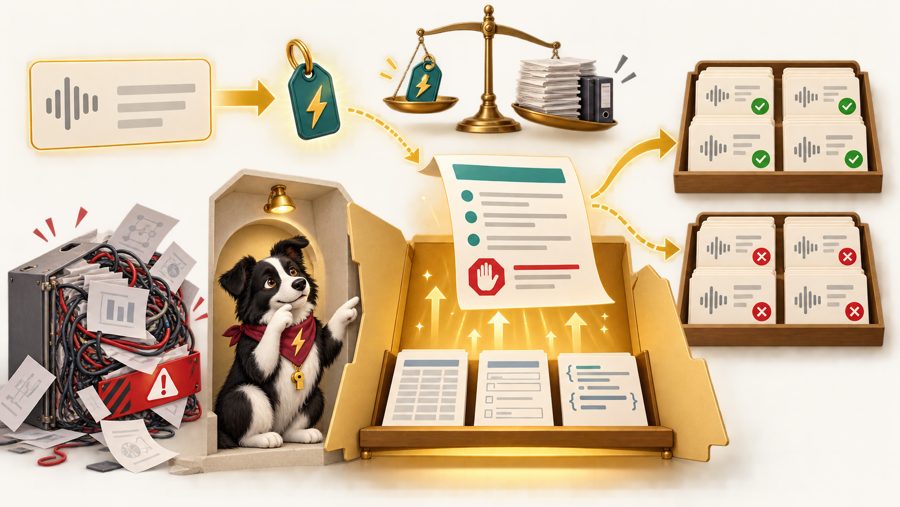
A skill is a folder with a front door, and only the name and description at that door are always in the agent's context. Callout overlay, 9 markers.
-
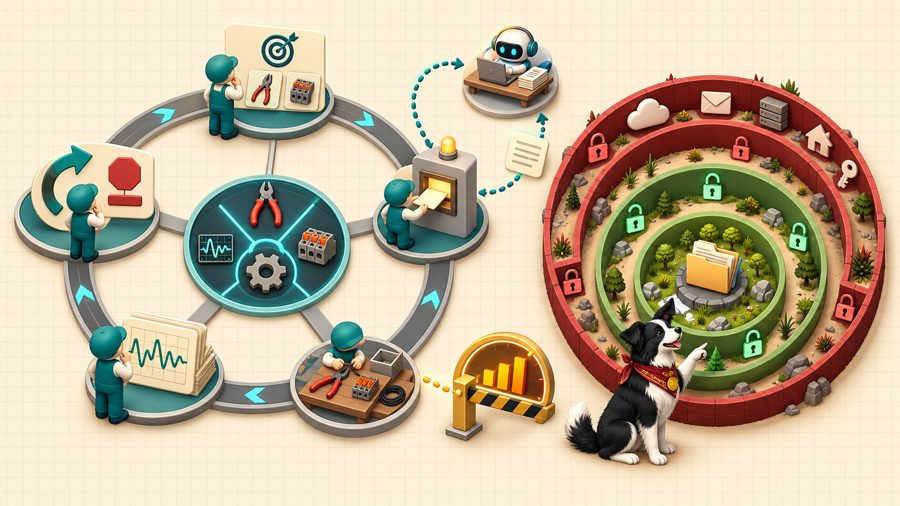
The Agent Loop Inside Its Sandbox
An agent is a loop of deciding, calling a tool, and observing the result, and its permissions decide how far one wrong turn can reach. Callout overlay, 12 markers.
-
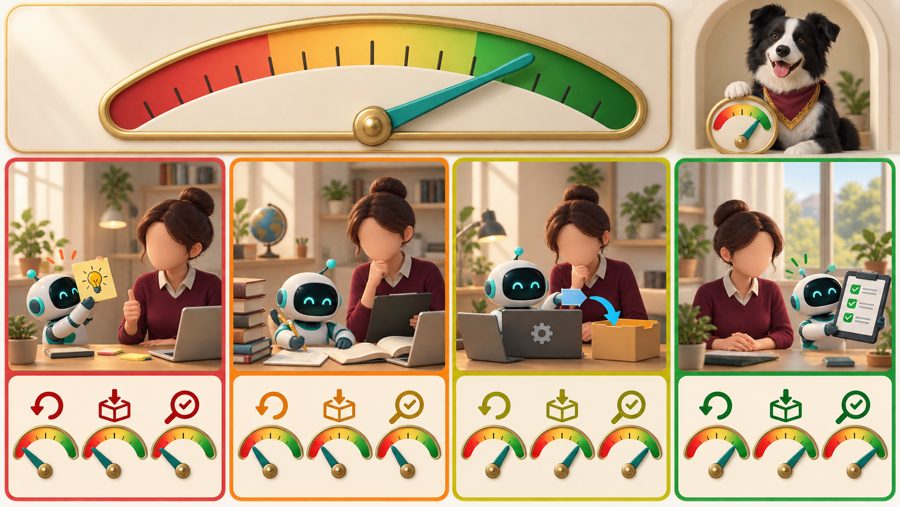
How much an agent may do on its own depends on whether the task is reversible, whether the result leaves your control, and whether it can be checked quickly. Grid overlay, 9 regions.
-
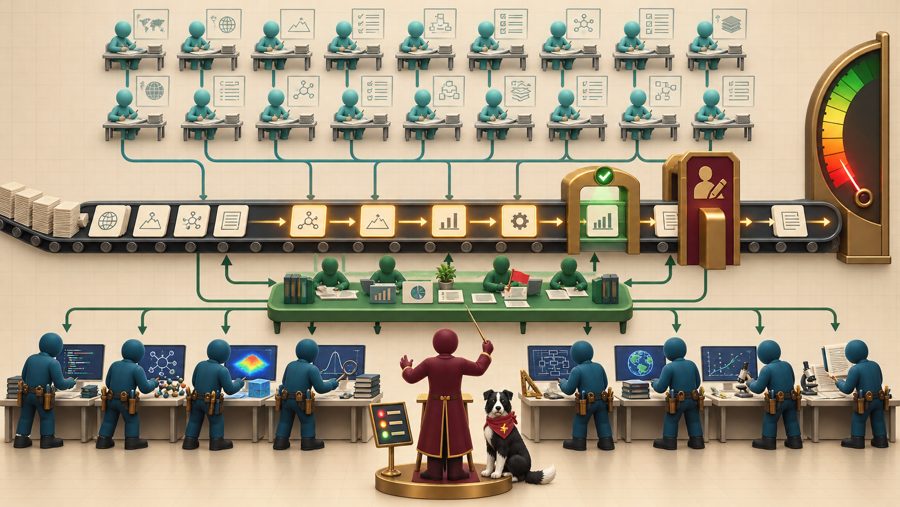
Twenty Planners, Ten Doers, One Researcher
A team of about 20 planning agents and 10 execution agents needs queues, handoffs, and gates, and the scarcest thing on the stage is the researcher's attention. Callout overlay, 12 markers.
-
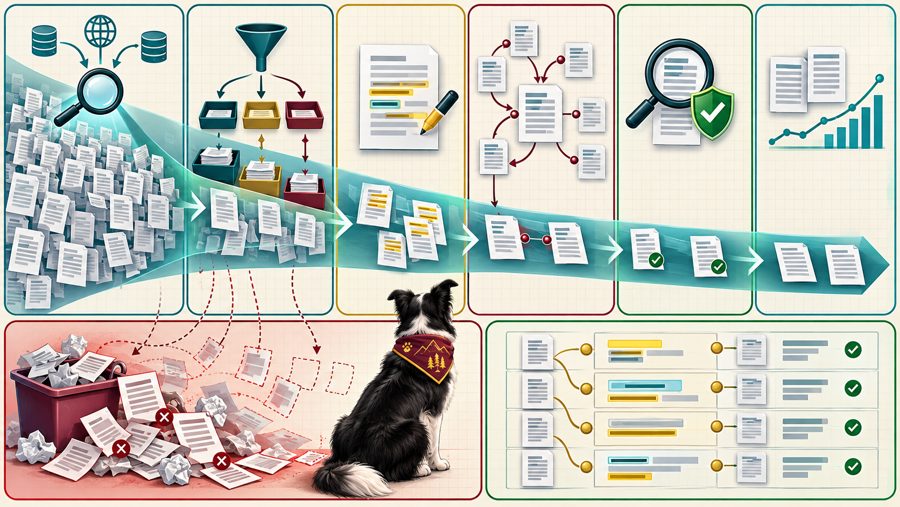
Agents make breadth cheap at every stage of a literature review, and verification is where the pipeline earns its keep. Grid overlay, 8 regions.
-
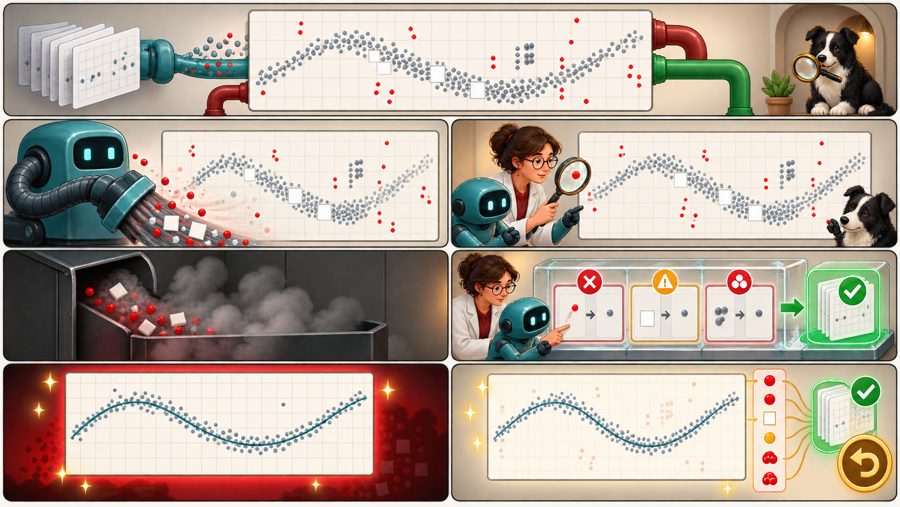
A clean-looking dataset is not the same as a trustworthy one, so show what you removed and why. Grid overlay, 7 regions.
-
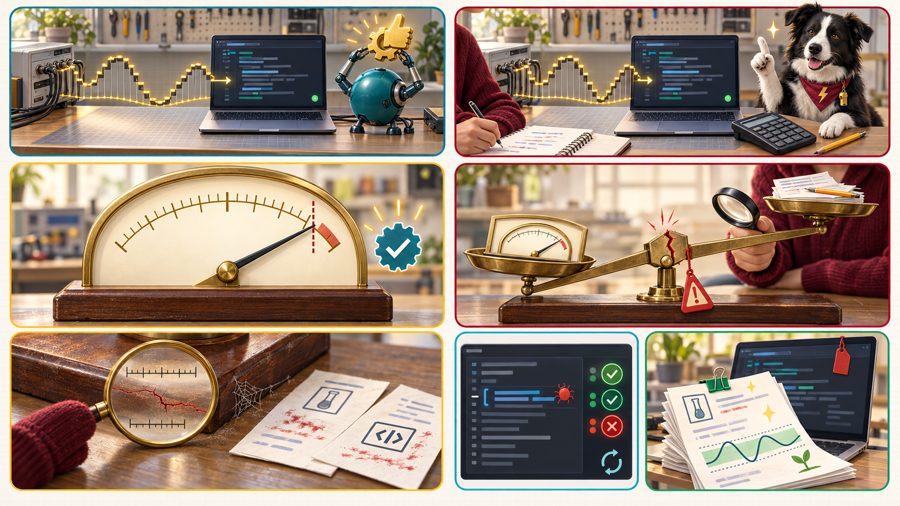
Code That Runs, Code That Is Right
A script that finishes without an error can still return a wrong number, so check its answer against something you can compute independently. Grid overlay, 7 regions.
-
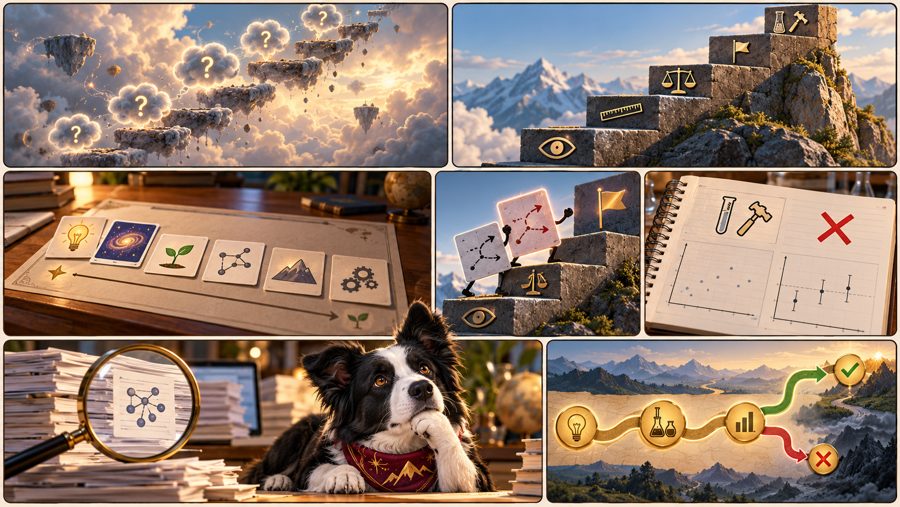
From Hunch to Falsifiable Hypothesis
An idea only becomes research when a stated result could show it wrong, and the climb from a loose brainstorm to that claim has recognizable steps. Grid overlay, 7 regions.
-
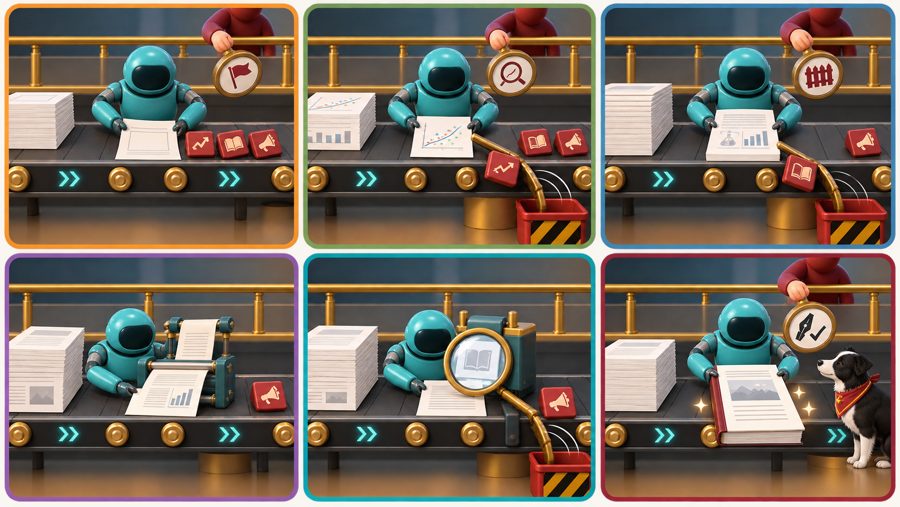
The Manuscript Line: Where the Human Stays
An agent can draft and format a paper, but the claims, the interpretation, and the signature stay with the author. Grid overlay, 6 regions.
-
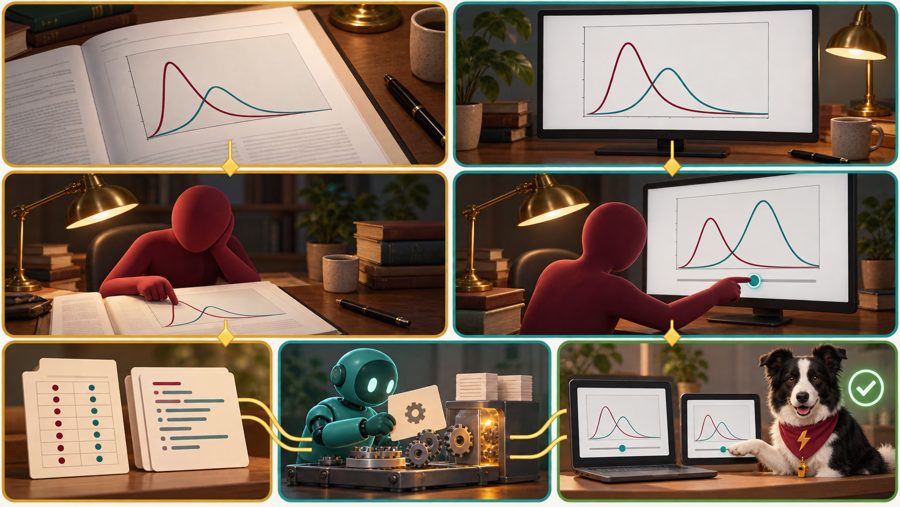
A Figure You Read, a Simulation You Explore
A figure shows one case of a result, while a simulation built from the same result lets a reader ask what happens at other settings. Grid overlay, 7 regions.
-
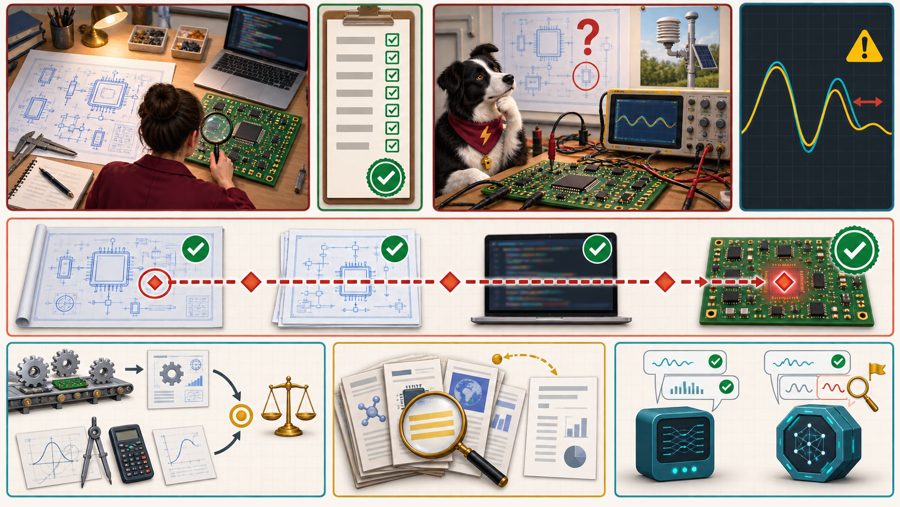
A design can pass every check against its specification and still be wrong, because verification asks whether it was built right and validation asks whether it was the right thing. Grid overlay, 8 regions.
-
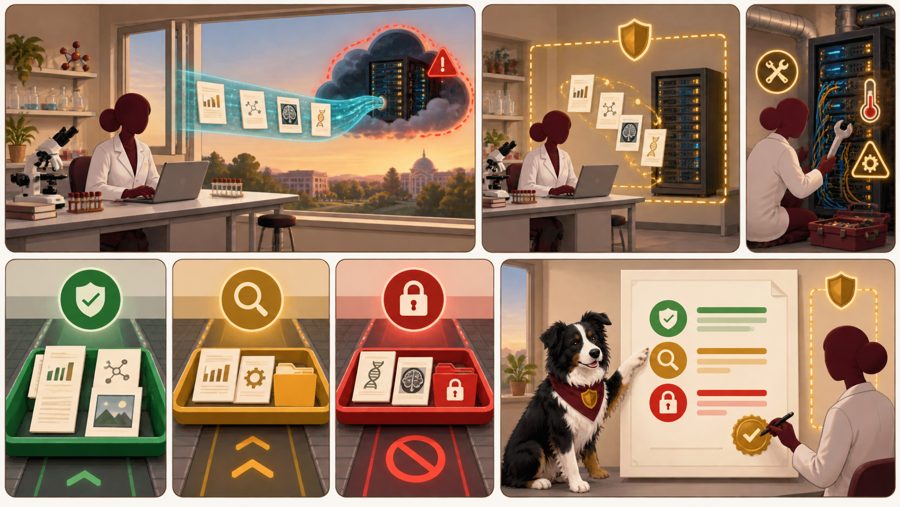
Before you paste anything into an AI tool, decide what may leave the lab and where it goes, then write that decision into a one-page lab policy. Grid overlay, 8 regions.
-
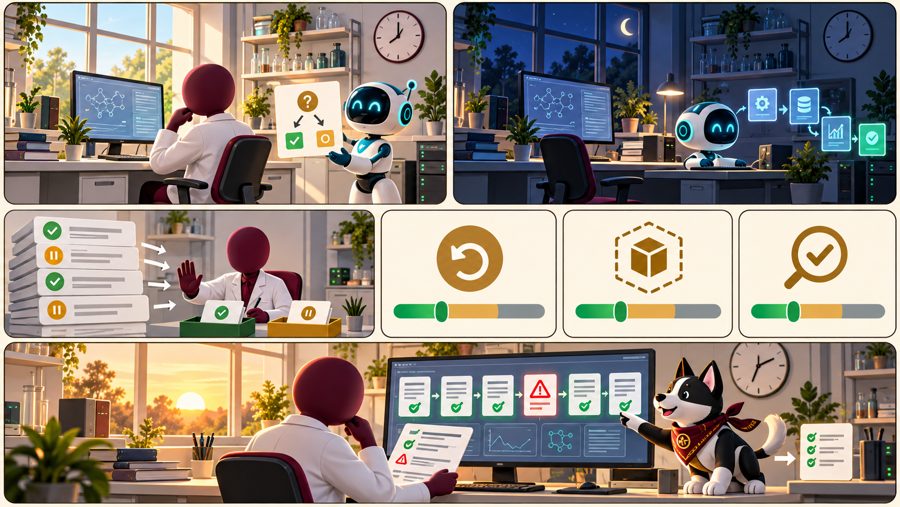
An agent that works while you are away needs a morning review as much as a night shift needs a supervisor, and eight durable criteria tell you how to judge it. Grid overlay, 7 regions.
-
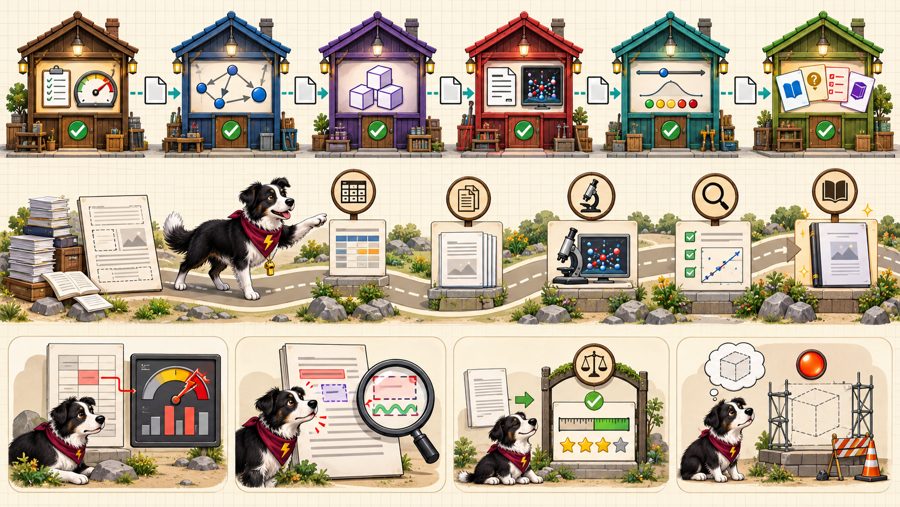
The skill pipeline that wrote this book and a paper about MicroSims shows that the pipeline is the documentation, because every stage leaves a file and every file has a check. Callout overlay, 12 markers.
-
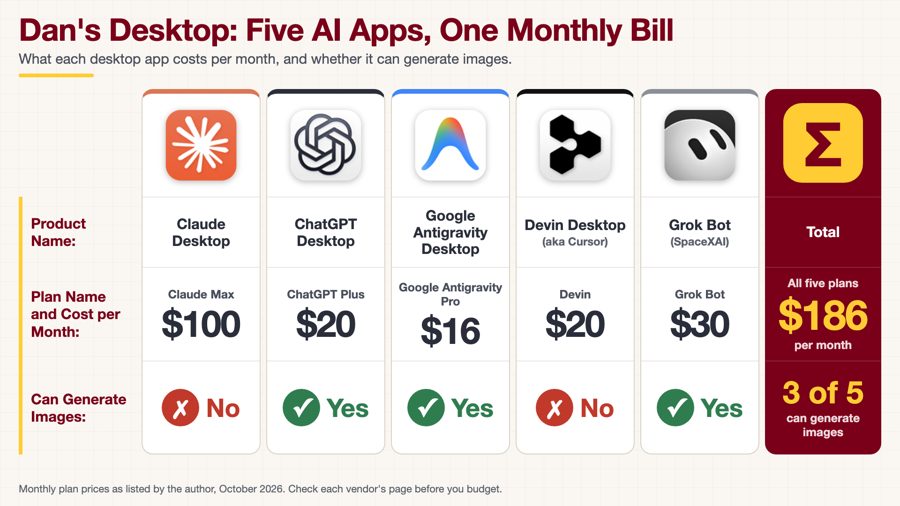
Five AI desktop apps side by side, with the plan and monthly cost of each, whether it can generate images, and a total of $186 per month. Grid overlay, 6 regions.
-
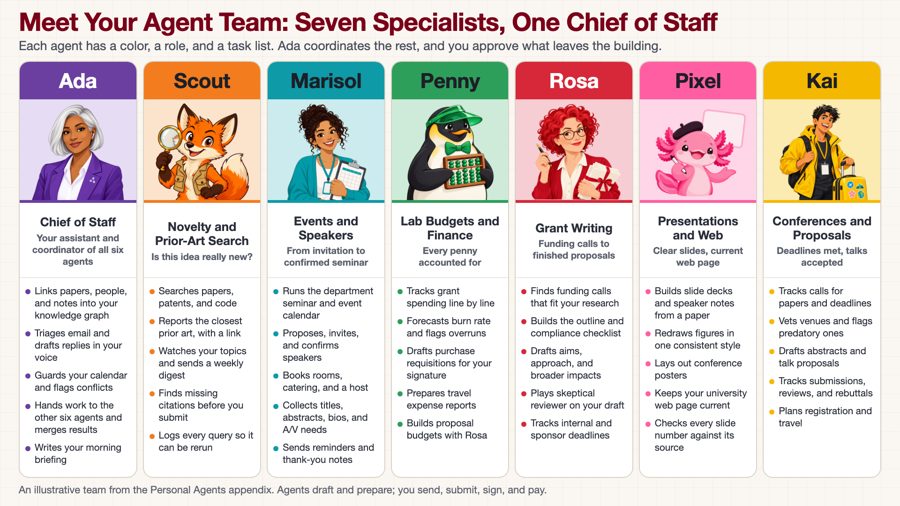
Seven agent personas side by side, from Ada the chief of staff to six specialists, with each one's role, title, and detailed task list. Grid overlay, 7 regions.
-
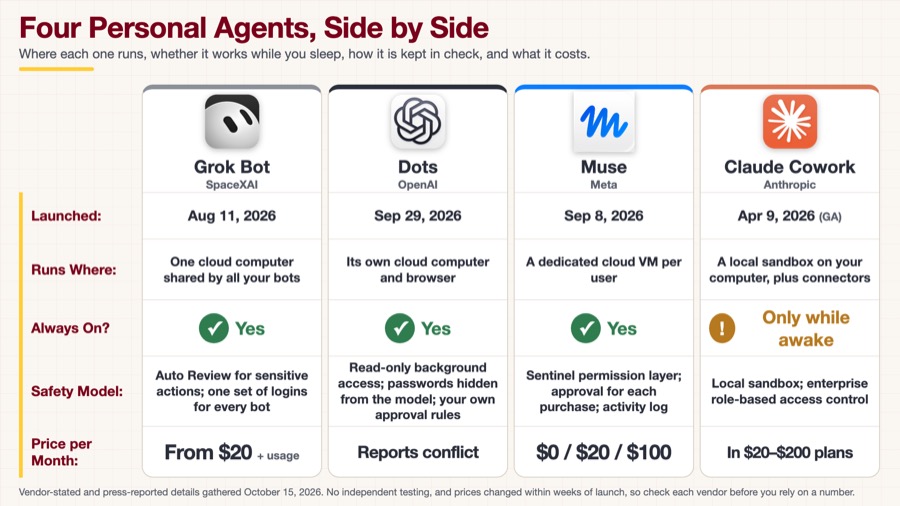
Four Personal Agents, Side by Side
Grok Bot, Dots, Muse, and Claude Cowork compared on launch date, where each runs, whether it is always on, its safety model, and its price. Grid overlay, 4 regions.