Verified Is Not Validated
Open the interactive poster full screen
Use Explore mode to hover over or click a panel and read what it shows about verification, validation, and the checks that sit between them. Use Quiz mode to read a clue and click the panel it describes.
The eight regions are:
- Verification Checkpoint — An inspector checks the board and code against the blueprint.
- The Green Checklist — Every line is ticked, and the ticks only vouch for the build.
- Validation Checkpoint — The same board on a real bench, facing the real problem.
- Waveforms That Disagree — The measured trace and the simulated trace do not match.
- The Flaw That Travels — A small flaw in the blueprint rides through every verified stage.
- Independent Check — The same quantity computed by a route with different failure causes.
- Primary Source Check — Going to the original paper, datasheet, or standard.
- Cross-Model Check — Asking a different model or a fresh session and comparing.
Static Poster
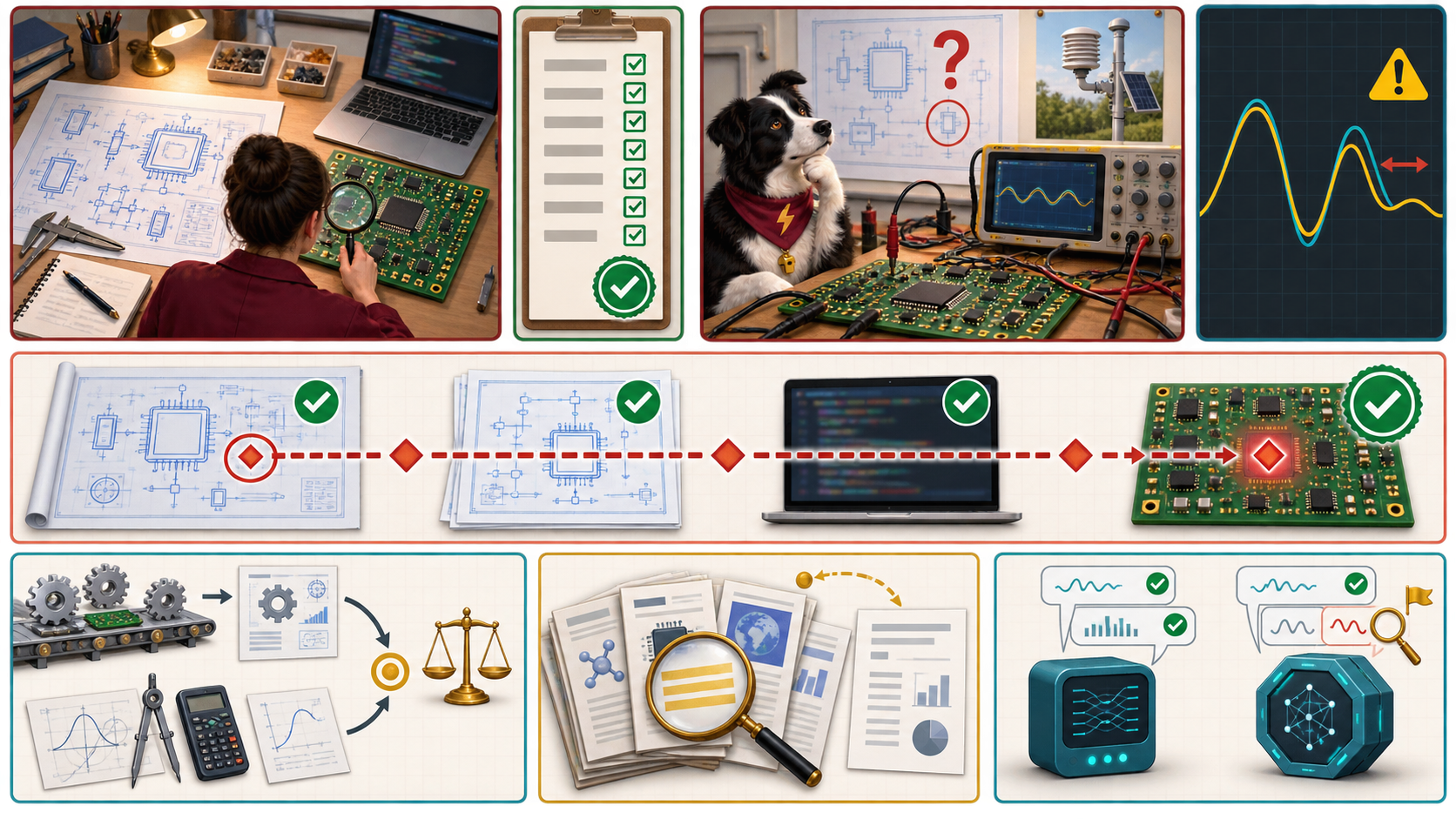
The full-size poster above is a static copy of the interactive version, handy for printing, sharing, or viewing without JavaScript.
Why This Matters
Verification asks whether the work was done right. Validation asks whether the right thing was done. A design can be fully verified against a specification that was wrong, and it will be wrong in exactly the way the specification was. Agents make this easy to miss, because an agent will faithfully implement the question as you stated it. If the question was framed badly, every verified result answers the wrong thing.
The three checks on the poster all guard the verification side. An independent check has failure causes different from the thing checked. A primary source check goes to the original document. A cross-model check is a cheap screen in which agreement is weak evidence and disagreement is a flag. None of them settles validation on its own. The poster does not claim any check proves a result is true. It shows which question each check can answer. The numbers in the chapter's examples are illustrative.
Connects to
Source
The poster draws on Chapter 17 of this book, and on Chapters 2, 11, and 14 where that chapter points back to them.
Teachers and editors can open calibration mode to adjust zone positions after the artwork is generated. Copy only the x1, y1, x2, and y2 numbers back into data.json, because the calibration export omits showLabels and palette.