The Paper Behind the Book
Open the interactive poster full screen
Use Explore mode to hover over a numbered marker or its label and read what that stage, milestone, or failure case teaches. Use Quiz mode to read the clue in the prompt, then click the marker that matches. The marker numbers are hidden, so you must find the matching part of the poster.
The twelve callouts are:
- Course Description
- Learning Graph
- Chapter Structure
- Chapter Content
- MicroSims
- Supporting Pages
- Source Material and Structure
- Wrong Number Caught
- Claim Table
- Stray Markup Caught
- Short Chapters Accepted
- Unbuilt Sims Marked
Static Poster
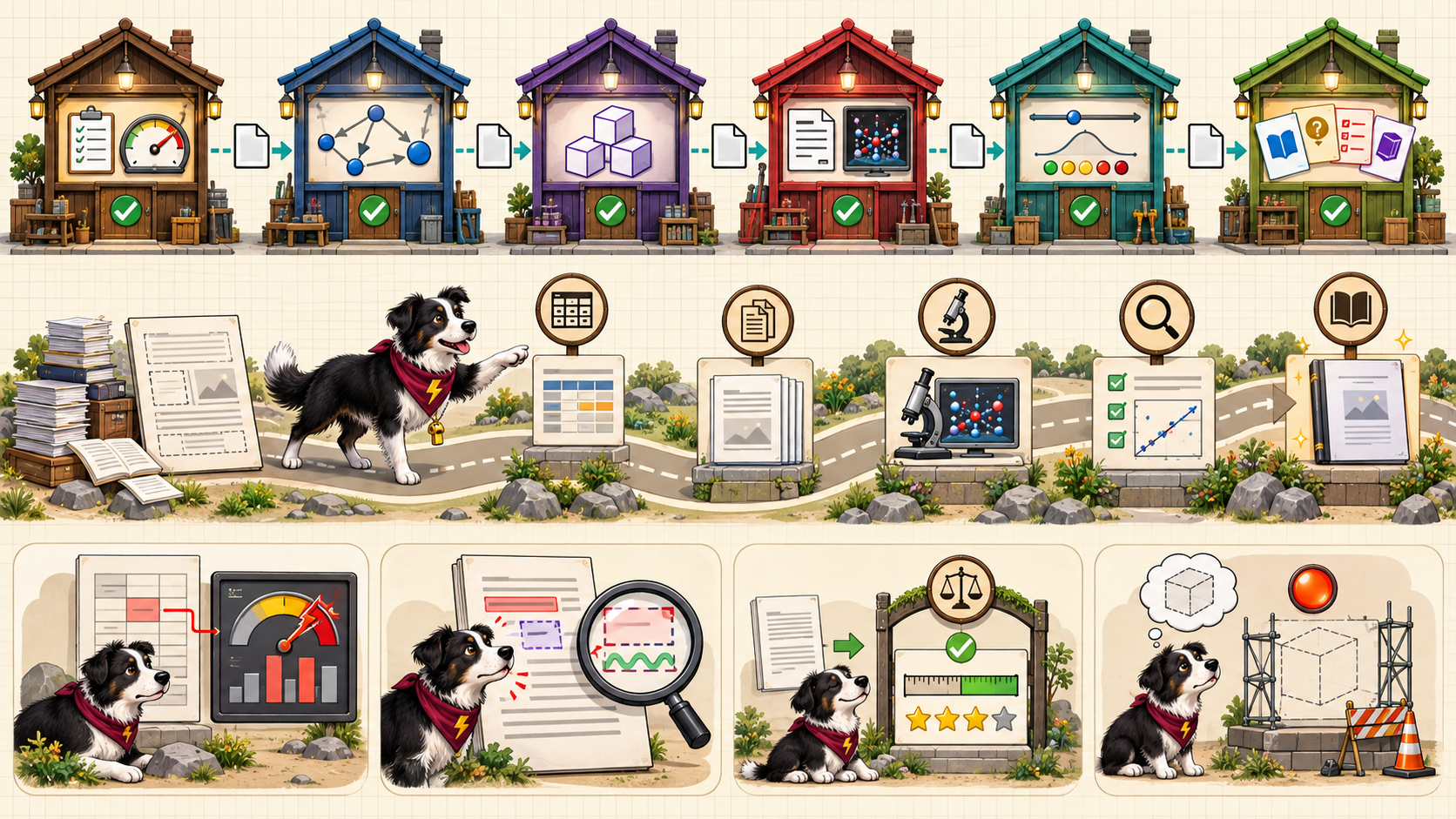
The full-size poster above is a static copy of the interactive version, handy for printing, sharing, or viewing without JavaScript.
Why This Matters
Chapter 20 follows two projects from the author's own work: a paper about MicroSims and this intelligent textbook. Both started from source material and structure, handed files between single-purpose stages, put a check at each handoff, and recorded what failed. The six workshops at the top are the textbook workflow, where each skill reads the file the previous one wrote. The failure cases at the bottom were caught by controls from earlier chapters: a hand calculation, a tag-counting script, a recorded decision, and a status field.
The poster shows a few milestones of the paper only in outline. The paper's claims table is a lesson about labelling every number as measured, cited, or expected, and it is not a result. The chapter's facts come from the project files, and a case study that lists only successes would teach little about where controls belong.
Connects to
Source
The poster draws on Chapter 20 of this book, which states its facts from the project files of the MicroSims paper and of this textbook.
Teachers and editors can open calibration mode to drag the markers and copy updated coordinates.