Lab 05: The Hour and Minute Hands
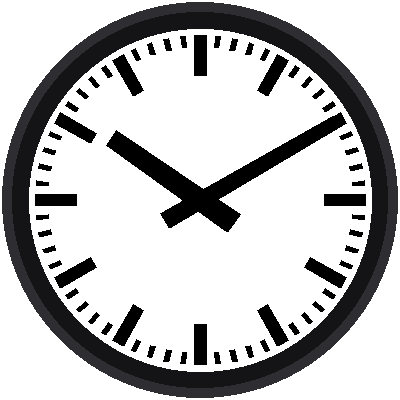
The two black hands are bold, blunt, and a little wider near the center than at the tip. This lab draws them at 10:10, the time you always see in clock advertisements, because the hands frame the face like a smile.
Welcome to Lab 05
 A clock is mostly arithmetic: take a time, turn it into an angle, and
point something at it. You're about to write that arithmetic yourself.
Let's make time tick!
What You Will Learn
- how to turn a time into angles
- why the hour hand also creeps as the minutes pass
- how a function with many arguments describes a shape
Run It
Open 05-black-hands.py in Thonny and click Run. The dial from lab 04
appears, and then the two hands. The shell prints the angles it used:
1 | |
Time to Angles
The minute hand makes a full 360° turn in 60 minutes, so it moves 6° a minute. At minute 10 it points at 60°, the 2 o'clock spot:
1 | |
The hour hand makes a full turn in 12 hours, so it moves 30° an hour. But it doesn't wait for the hour to end. At 10:30 it sits halfway between the 10 and the 11, so it also moves 0.5° every minute (30° ÷ 60):
1 | |
The hour % 12 turns a 24-hour value like 22 into 10, using the remainder
from lab 04. At 10:10, that gives 10 × 30 + 10 ×
0.5 = 305°.
A Hand Is Just a Number
 The program never thinks about hands. It turns time into a number, an
angle, and hands the number to a drawing function. Change the number
and the picture follows.
Describing a Hand
Both hands are four-sided shapes that taper: wide at the tail, narrower at the tip. Four numbers (in design units a, like the bars) describe either one:
| Hand | Tail length | Tail width | Tip length | Tip width |
|---|---|---|---|---|
| Hour | 12 | 6.4 | 32 | 5.2 |
| Minute | 12 | 5.2 | 46 | 3.6 |
The tail is the short stub that sticks out behind the center pin. The program stores each hand's four numbers in a tuple, a fixed list in parentheses:
1 | |
and hand() unpacks them with one line, tail, tail_half, tip, tip_half =
size, then finds the four corners the same way bar() did in lab 03.
Check Your Arithmetic
 To check your arithmetic, change
hour and minute near the top and
look at the picture. At 3:00 the minute hand should point straight up
and the hour hand straight right.
Try This
- Set
hour = 3andminute = 0. Are the hands where you expect? - Set
hour = 6andminute = 30. Why is the hour hand not exactly on the 6? - Make the hour hand red by changing its color argument.
Telling Time with Math!
 You turned a time into two angles and drew tapered hands with one
reusable function. Next, the part everyone remembers: the red second
hand.