Lab 10: A Smooth Sweep
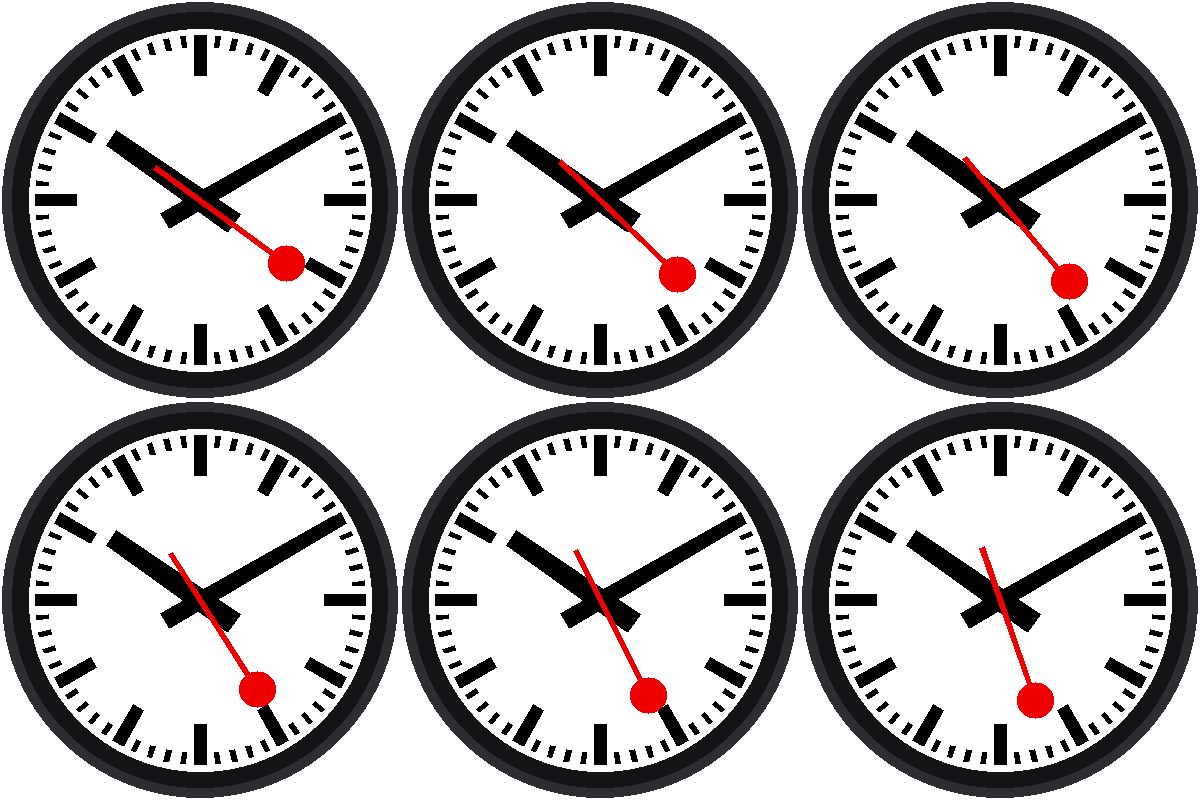
An ordinary clock's second hand jumps. A Swiss station clock's second hand glides. This lab makes the red hand sweep around the dial in many tiny steps a second, one lap a minute. It also teaches the program to measure itself.
Welcome to Lab 10
 The Pico's clock only counts whole seconds, so how do you draw
something that moves between the ticks? That's the puzzle in this
lab. Let's make time tick!
What You Will Learn
- what a millisecond is, and how to count them
- how an angle is a fraction of a lap times 360
- how a program can measure its own speed
Run It
Open 10-smooth-sweep.py in Thonny and click Run. Wait about a second
for the red hand to start. Then it glides around the dial, and every five
seconds Thonny's shell reports how fast the display is:
1 | |
A frame is one picture. Twenty frames a second looks smooth. Your board may report a different number, and that's useful to know.
Counting Milliseconds
A millisecond is a thousandth of a second. The Pico has a counter,
time.ticks_ms(), that goes up by one every millisecond. To count time
between the real-time clock's ticks, the program does this:
- wait for the instant the clock's seconds change
- write down
ticks_ms()at that instant - from then on, milliseconds since then =
ticks_ms()now minus the number it wrote down
1 2 3 4 5 | |
And in the loop, time.ticks_diff() does the subtraction. It keeps
working even when the counter reaches its biggest number and starts over.
A Fraction of a Lap
Say 15,000 milliseconds of this minute have gone by. That is 15,000 ÷ 60,000 = a quarter of the minute, so the hand has made a quarter of a lap, a quarter of 360° = 90°:
1 | |
The Angle Comes From the Clock, Not the Count
 The program never counts frames, and it never adds a little to the
angle each time. It asks the clock where the hand should be right now.
That means a slow frame can never make the hand run behind.
Pacing the Loop
Each pass through the loop draws one frame, then waits for whatever is
left of FRAME_MS:
1 2 | |
If drawing took 30 ms and FRAME_MS is 50, it sleeps 20 ms. If drawing
took longer than 50, it sleeps just 1 ms (max picks the bigger number)
and moves on. A slower display just gives you fewer frames, and the hand
is still in the right place.
Try This
- Change
FRAME_MS = 50toFRAME_MS = 200. How does the sweep look at 5 frames a second? - Change
/ 60000 * 360to/ 6000 * 360. How long is one lap now? - Does the red hand ever stutter when it points straight up or straight down? Check the frames-a-second number as it passes.
A Gliding Hand!
 You counted milliseconds, turned a fraction of a minute into an angle,
and paced a loop by measuring it. Next, you'll teach the red hand to
stop and wait.
Next: Lab 11: Stop at Twelve