Lab 00: Blink the Onboard LED
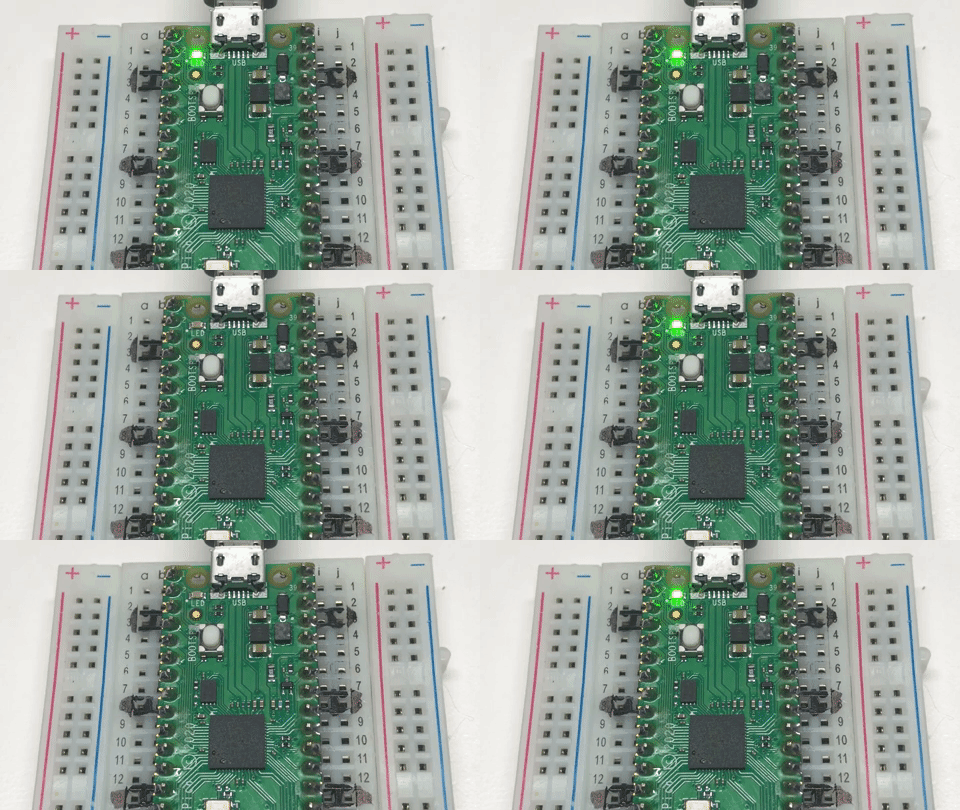
Before you build a watch, make sure the brain of the watch is working. The Pico has a tiny green light built right onto the board, next to the USB plug. This program makes it blink on and off.
It doesn't use the screen at all. That's on purpose: if this lab works, you know the Pico, the USB cable, and MicroPython are all fine. If something goes wrong in a later lab, it must be something else.
Welcome to Lab 00
 Every watch in this kit starts right here, with one tiny blinking light.
In a few minutes, code you ran will be controlling a real computer chip.
Let's make time tick!
Every watch in this kit starts right here, with one tiny blinking light.
In a few minutes, code you ran will be controlling a real computer chip.
Let's make time tick!
What You Will Learn
- how to run a program on the Pico from Thonny
- how to turn something on and off from code
- what a loop is
Run It
- Plug the Pico into your computer with the USB cable.
- Open
00-blink-onboard-led.pyin Thonny. - Click the green Run button.
The little green light should blink: on for half a second, off for half a second, over and over. Click the red Stop button to stop it.
The Code
Here is the whole program:
1 2 3 4 5 6 7 8 | |
Let's read it line by line:
from machine import Pinborrows thePintool, which controls the Pico's connection points (its pins).from time import sleepborrowssleep, which makes the program wait.led = Pin("LED", Pin.OUT)gives the light a name,led.Pin.OUTmeans the Pico will send power out to it.while True:starts a loop. Everything indented under it repeats forever, becauseTrueis always true.led.toggle()flips the light: on if it was off, off if it was on.sleep(0.5)waits half a second before the loop goes around again.
Why "LED" and not a number?
On a plain Pico, the light is on pin number 25. On a Pico W or
Pico 2 W, it's wired to the WiFi chip instead. Using the name "LED" works on
both boards, so that's what this kit uses.
Try This
- Change
sleep(0.5)tosleep(0.1). What happens? - What's the fastest blink you can still see? Try
sleep(0.02). - Make it blink slowly: on for 2 seconds, off for 2 seconds.
If It Doesn't Work
- Nothing happens when you click Run. Check that Thonny is connected to the Pico: look at the bottom-right corner of the Thonny window for "MicroPython (Raspberry Pi Pico)".
- The program runs, but the light stays dark. The Pico may have the wrong version of MicroPython. It needs the one with WiFi that matches the board: Pico W or Pico 2 W.
Your First Program Runs!
 You just ran a
 while True: loop that controls real hardware. Every
watch face in this kit runs inside a loop just like that one. Next,
you'll give the whole kit a checkup.