Introduction to Networking with MicroPython
Welcome to Wireless and IoT
 In this section you will connect your Pico W to the internet. Get ready to build projects that talk to the whole world!
The Internet of Things (IoT) means everyday devices — like lights, thermostats, and weather stations — connect to the internet. Your Pico W can be one of those devices!
In these labs you will learn how to connect your Pico W to a WiFi network. You will also learn how to send and receive data over the internet. WiFi is a wireless technology that lets devices communicate without cables.
The Raspberry Pi Pico W
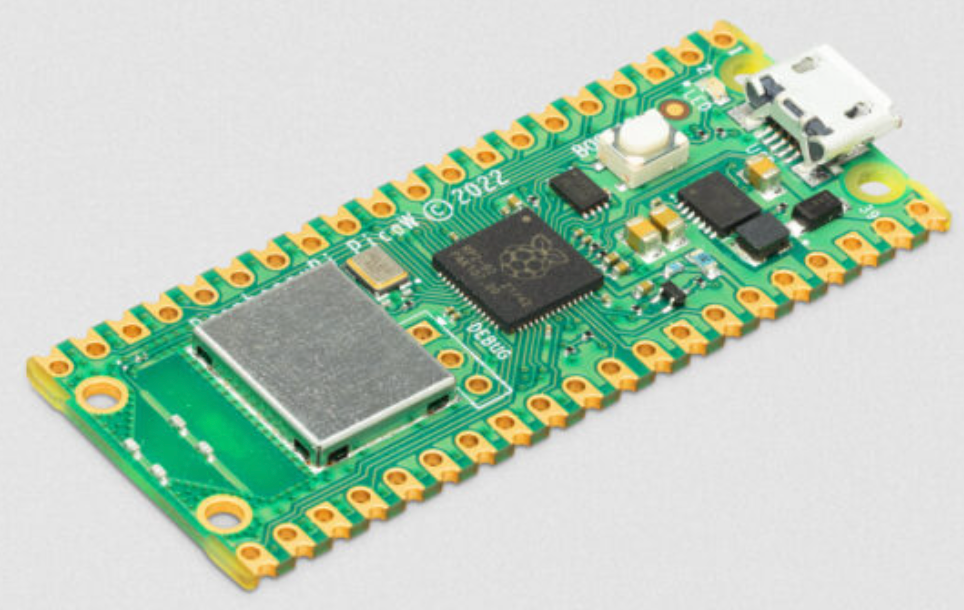
On June 30th, 2022, the Raspberry Pi Foundation announced the Raspberry Pi Pico W. This microcontroller costs about $6. It supports WiFi and may soon support Bluetooth as well.
The Pico W uses the 2.4 GHz 802.11n WiFi standard. That is the same WiFi your home router likely uses. MicroPython can use a built-in library called network to connect to WiFi.
The WiFi chip inside the Pico W is the Infineon CYW43439. This chip handles all wireless communication. It connects to the main RP2040 chip using a fast data bus.
Key Idea
 The Pico W only connects to 2.4 GHz WiFi networks. Most routers support both 2.4 GHz and 5 GHz. Make sure your network name is the 2.4 GHz one!
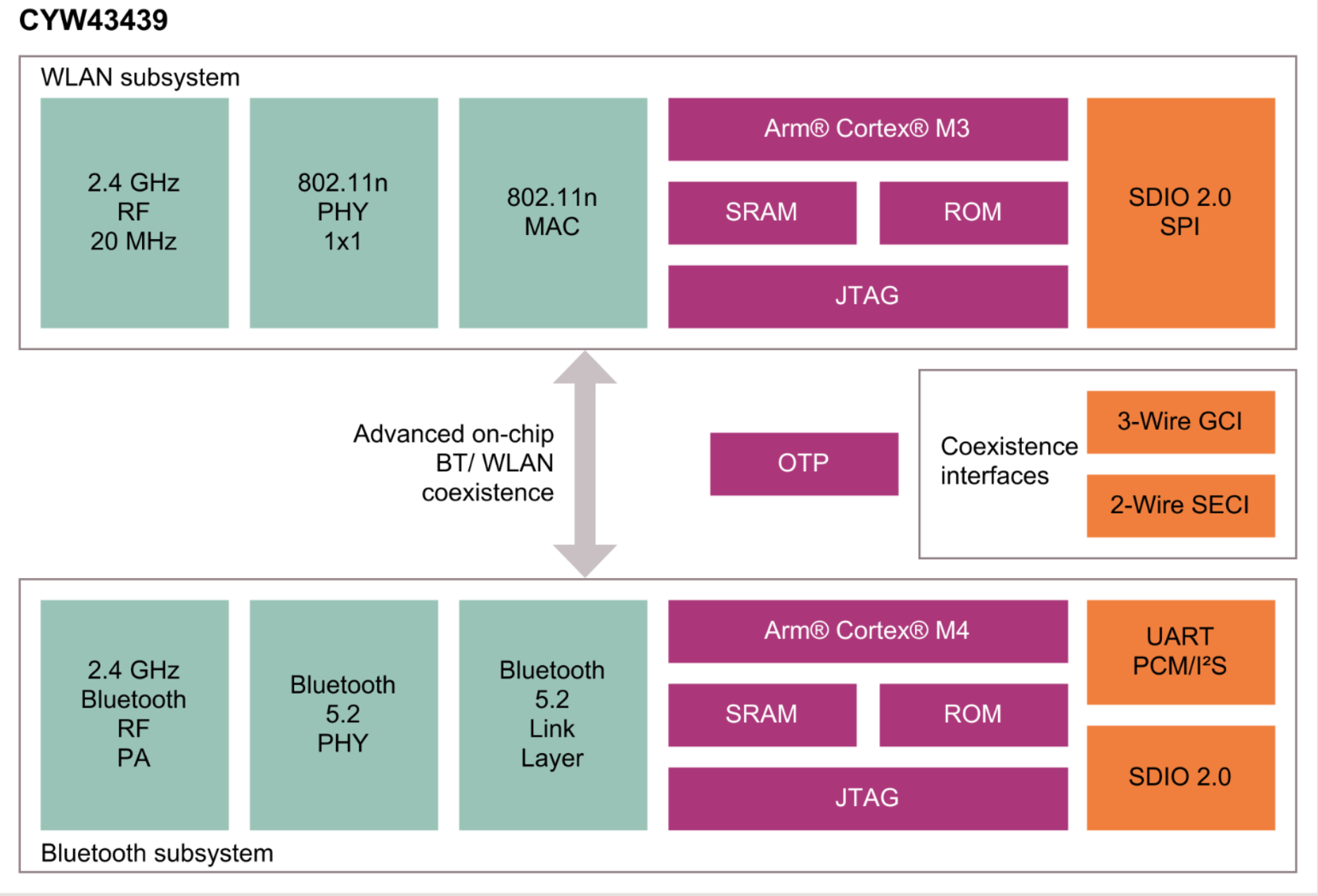
The diagram above shows how the RP2040 chip and the WiFi chip work together inside your Pico W.
The CYW43439 chip is quite powerful on its own. It has 512 KB of memory — almost twice as much as the RP2040 chip! It handles all the complex work of sending and receiving wireless signals.
You can read more about this chip in the Infineon CYW43439 Datasheet.
Monty's Tip
 MicroPython uses a library called
 lwip (Lightweight Internet Protocol) under the hood. You do not need to know the details — MicroPython handles it all for you!
What You Will Learn
In these labs you will:
- Connect your Pico W to a WiFi network.
- Fetch live data from the internet.
- Turn your Pico W into a web server.
- Get the current time from an internet time server.
- Display weather data on an OLED screen.
Each lab builds on the one before it. Start with Lab 2 (Connecting to WiFi) before moving on.
ESP32 Wireless
The ESP32 is another popular microcontroller with built-in WiFi. We have not yet added ESP32 labs to this course. If you want to explore ESP32 networking, check out these links:
- ESP32 MicroPython: Connecting to a WiFi Network on Tech Tutorials SX
- MicroPython: Wi-Fi Manager with ESP32 (ESP8266 compatible) on Random Nerd Tutorials
Let's Get Started!
 You are ready to begin! Head to the next lab to connect your Pico W to WiFi for the first time. This is going to be awesome!