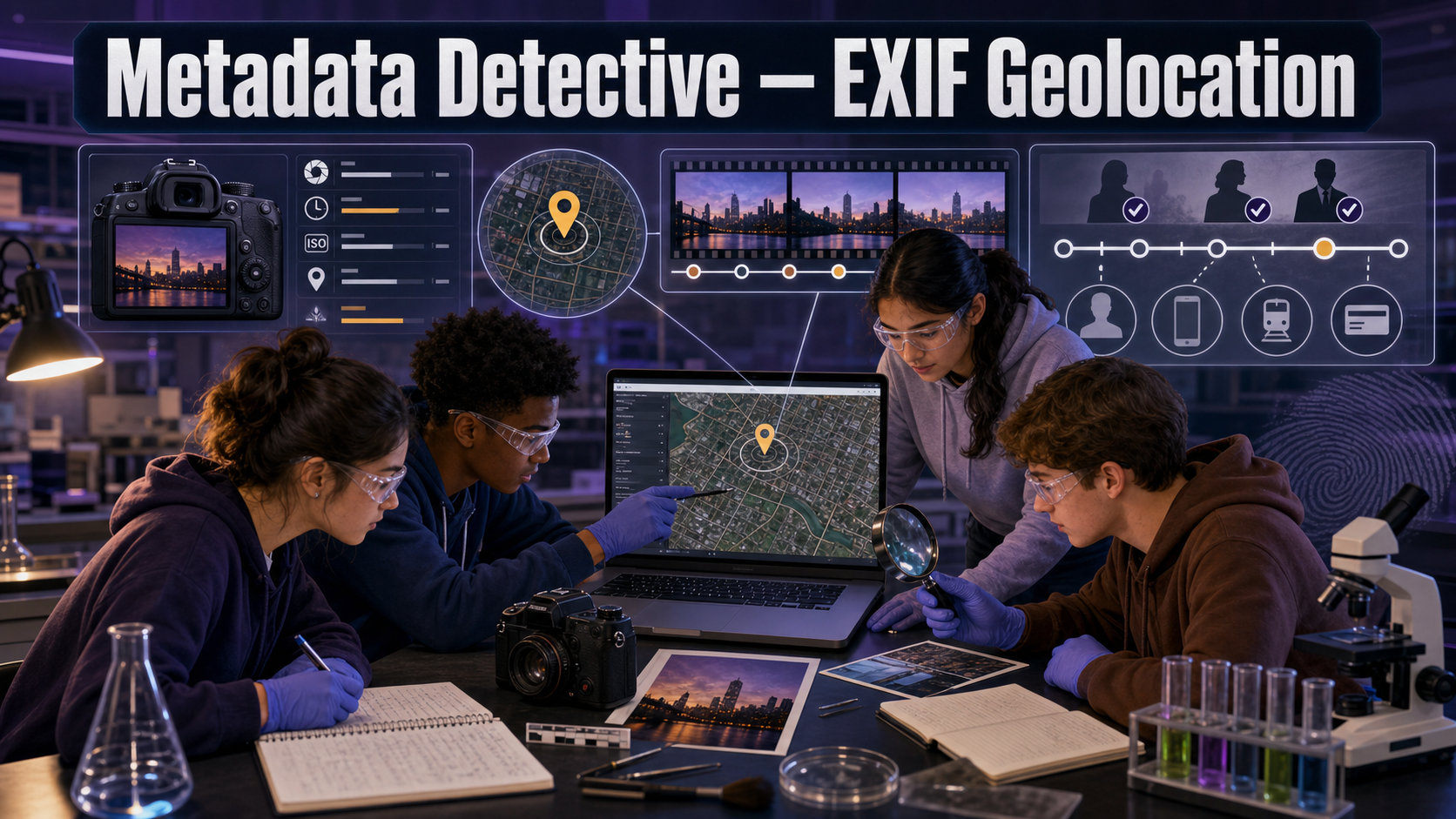
Metadata Detective — EXIF Geolocation
Welcome, Investigators!

Every photo is more than a picture. Tucked invisibly inside the file is a little logbook — when it was taken, on what device, and sometimes exactly where you were standing. Today you'll read that hidden logbook and let it tell you where a suspect really was. Follow the evidence!
The Case
A suspect insists they were home all day on the afternoon of a burglary across town. But investigators recovered a phone with several photos taken that same afternoon, and photos carry hidden EXIF metadata — data about the image that the camera writes automatically.
Your job: open each photo's metadata, read the timestamp, GPS coordinates, and device model, plot the locations on a map, and build a timeline. If the photos place the phone across town during the crime window, the alibi doesn't hold. Let the metadata — not the story — decide.
Learning Objectives
By the end of this investigation you will be able to:
- Extract EXIF timestamp, GPS, and device fields from a photo file.
- Plot GPS coordinates onto a map to locate where a photo was taken.
- Construct a chronological timeline from multiple photos' metadata.
- Evaluate whether the metadata timeline is consistent with an alibi.
Quick Facts
| Lab type | 💻 Virtual |
| Group size | 2 investigators |
| Time | 40–50 minutes |
| Cost | $0 — computer-based |
| Ties to | Ch 15 — EXIF Metadata Recovery, Digital Timestamp Analysis, Geolocation from Metadata · Ch 18 — Image Metadata in Social Media, Geolocation from Social Posts |
Materials
Per group:
- None — a laptop and a browser.
- The instructor's provided set of sample photos (with intact EXIF) and the suspect's written alibi statement.
- Assumes access to one computer per group.
Metadata Ethics & Limits

- Use only the sample photos provided. Reading the hidden GPS out of a real person's photos without cause is a privacy violation, not detective work.
- Metadata can be edited or stripped. A missing GPS tag is not proof of innocence, and a present one can be faked — treat metadata as a lead to verify, not a confession.
- A photo's GPS locates the device, not necessarily the suspect. Say what the data supports and no more.
Background: The Logbook Inside the Photo
EXIF (Exchangeable Image File Format) is data your camera writes into a photo automatically every time you press the shutter. It can include the date and time down to the second, the make and model of the device, camera settings — and, if location services were on, the GPS latitude and longitude where the shot was taken.
For an investigator, three EXIF fields do the heavy lifting: the timestamp (when), the GPS coordinates (where), and the device model (which phone). Line up several photos and you don't just get isolated dots — you get a timeline of a device moving through space and time.
But metadata is only as trustworthy as its handling. Timestamps depend on the phone's clock, which can be wrong or reset. GPS tags can be stripped by social-media uploads or deliberately altered. That's why a careful investigator uses metadata to generate a lead — a place and time to corroborate with other evidence — rather than treating it as the last word.
Explore: The Metadata Timeline Builder
Metadata Timeline Builder Interactive MicroSim
Type: microsim
sim-id: metadata-timeline-builder
Library: p5.js
Status: Specified
Learning Objective: Assemble EXIF timestamps from multiple files into a single ordered timeline and compare it against a claimed alibi (Bloom Level 3 — Apply).
Load each photo's metadata into the builder and watch the events snap into chronological order. Notice how a single out-of-place timestamp can crack a whole alibi — then you'll add the where by plotting the coordinates.
Explore: EXIF Map-Plot & Alibi Overlay
Scrub the timeline and watch each photo's hidden GPS pin the device to a place and time — until one pin lands far from the suspect's claimed "home all day."
EXIF Map-Plot & Alibi Overlay Interactive MicroSim
Type: microsim
sim-id: exif-map-plot
Library: p5.js
Status: Implemented
Learning Objective: Plot EXIF GPS points on a schematic map and scrub them over time to test whether the device's trail contradicts a suspect's claimed location (Bloom Level 4 — Analyze).
Procedure
Part 1 — Read the metadata.
- Open the metadata viewer. Load the first sample photo.
- Record its timestamp, GPS latitude/longitude, and device model in your data table. Repeat for every photo.
- Confirm the device model is the same across the set — you want to know these photos came from one phone before you trust the trail.
Part 2 — Plot and sequence.
- Plot each photo's GPS coordinates on the map (or the map MicroSim). Number each pin to match your data table.
- Order the photos by timestamp to build a timeline of where the device was and when.
- Add the suspect's claimed location (home) to the map as a reference point.
Part 3 — Test the alibi.
- Identify the crime window the instructor provides (e.g., 2:00–3:00 pm).
- Find every photo whose timestamp falls inside that window and note where its GPS places the device.
- Decide: is the metadata timeline consistent with "home all day," or does it contradict the alibi? Cite the specific photos.
Data Collection
| Photo # | Timestamp | GPS (lat, long) | Device model | Inside crime window? |
|---|---|---|---|---|
| 1 | ||||
| 2 | ||||
| 3 | ||||
| 4 | ||||
| 5 |
Analysis Questions
- Which photo(s) place the device away from home during the crime window? Give the timestamp and coordinates that support your conclusion.
- All the photos share one device model. Why does confirming a single device matter before you trust the timeline?
- Timestamps come from the phone's clock. Describe one way a wrong clock could mislead you, and how you might check the clock's accuracy.
- The GPS tag locates the phone, not the person. Explain why "the phone was across town" is not quite the same as "the suspect was across town."
- Suppose one photo has its GPS tag stripped. Does that help the suspect, hurt them, or neither? Justify your answer.
Deliverable
Turn in a Timeline Report: an ordered list of the photos with their times and locations, the map (or a sketch) showing the device's path, and a two-sentence conclusion stating whether the metadata is consistent with the alibi and exactly which evidence supports that.
What Does the Data Tell Us?

Metadata is a lead generator, not a lie detector. The strongest reports say "the device was here at this time" and then look for corroboration — a receipt, a camera, a witness. That's the difference between an investigator and someone who just trusts the pin on the map.
Extension Challenge: Strip and Detect
Many apps remove EXIF data when you upload a photo, and some people strip it on purpose. Research why social platforms often strip GPS on upload, then write a short plan: if a suspect's photos arrived with all metadata removed, what other forensic sources (the file system, the cell provider, the app's own logs) might still reveal when and where the photos were taken?
Teacher Notes
Setup, timing, and grading (click to expand)
- Prep: Prepare 5 sample photos with hand-authored EXIF (use any EXIF editor) so the GPS points trace a clear route away from "home" during the crime window. Keep coordinates near a recognizable local map area so the contradiction is obvious. Never use students' real photos.
- The alibi card: Hand out the suspect statement ("home all day") and the crime window separately so groups reach the contradiction themselves.
- Differentiation: For a shorter run, drop to 3 photos and skip the map MicroSim (plot by hand). For a challenge, slip in one photo with a stripped GPS tag and one with a deliberately wrong clock to spark the reliability discussion.
- Assessment focus: Reward students who cite specific timestamp+GPS pairs and who distinguish "the device was there" from "the person was there."
Case Closed — For Now

An alibi met a map, and the map won. You read a logbook the suspect never knew they were keeping — and that's the quiet art of digital forensics: the evidence was there all along, waiting for someone patient enough to open it. Follow the evidence!