Robot Faces OLED Kit — Box Cover Design (Ink-Friendly Edition)
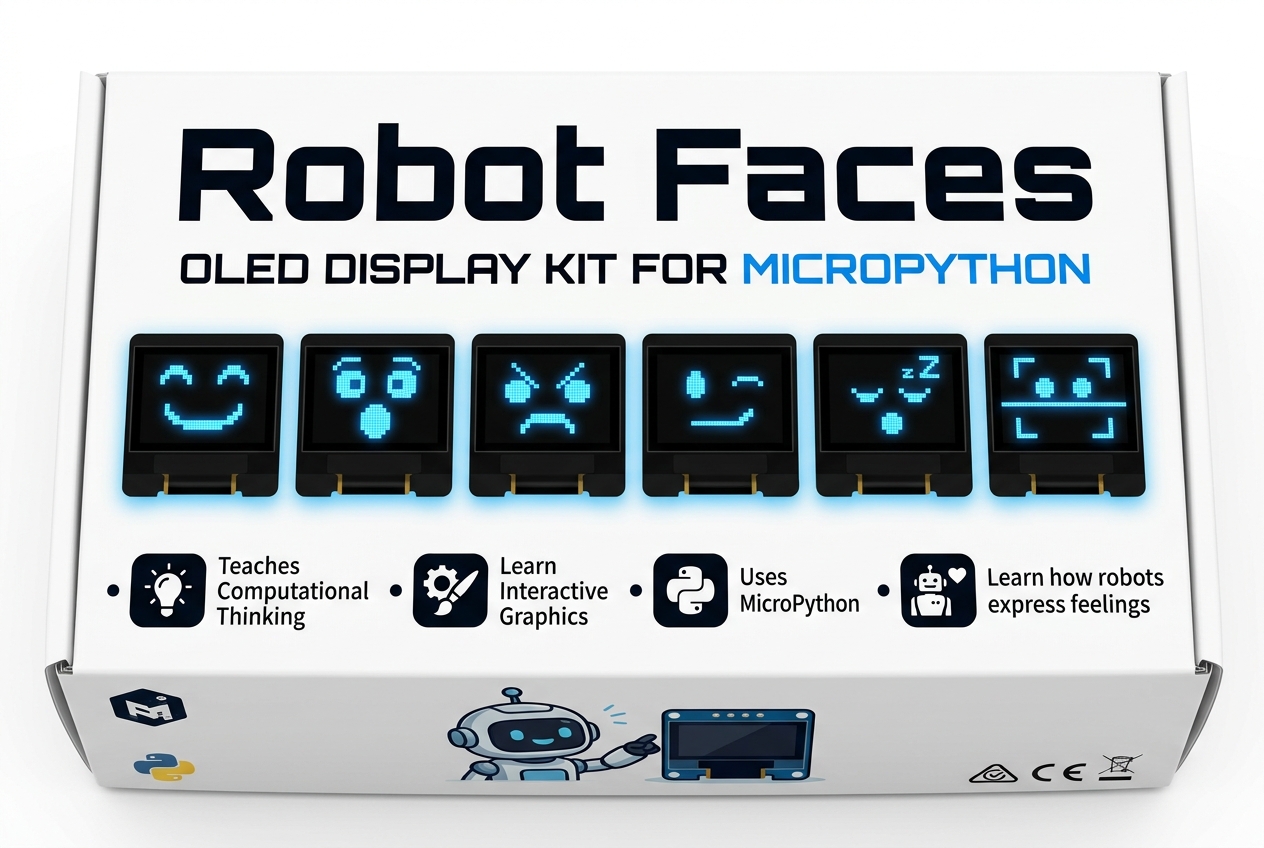
This page provides the official printable box cover packaging template for the Robot Faces OLED Kit, designed with a white, ink-friendly background and high-contrast typography to save printer ink and toner.
Available Printable Cover Templates
| Template Size | Layout | Output | File Link |
|---|---|---|---|
| 9" × 6" Box Front | Single Cover centered on 8.5" × 11" Landscape sheet | 1 Cover per sheet | Open 9" × 6" Cover HTML |
| 6" × 4" Box Front | Dual Covers stacked on a single 8.5" × 11" Portrait sheet | 2 Covers per sheet | Open 6" × 4" Dual Cover HTML |
Box & Printing Specifications
- 6" × 4" Dual Template (
box-cover-2.html): Two complete 6" × 4" box panels stacked on a single 8.5" × 11" Portrait US Letter page with corner crop/trim lines. - 9" × 6" Single Template (
box-cover.html): One 9" × 6" box panel centered on an 8.5" × 11" Landscape US Letter page with corner crop/trim lines. - OLED Screen Specification: Large 2.42" 128 × 64 Monochrome OLED Display
Design Features & Audience Highlights
The box cover is designed to appeal to students, bookstore and library visitors, makers, and coding club members:
- Title: Robot Faces
- Subtitle: OLED Display & Expression Kit
- Target Badges:
- Ages 8+ to Adult
- Students • Libraries • Coding Clubs
- No Soldering Required
- Key Feature Highlights:
- Teaches Computational Thinking
- Learn Interactive Graphics
- Uses MicroPython
- Learn how robots express feelings
- Real OLED Expression Showcase:
- Direct sample graphics from
@[docs/lessons]: Happy, Surprised, Angry, Winking, Sleeping, and Sad.
How to Print the Box Cover
- Open the Printable Box Cover HTML Template in your web browser.
- Press
Ctrl + P(orCmd + Pon macOS) or click the Print Box Cover button at the top. - In the print dialog, select:
- Destination: Printer or Save as PDF
- Orientation: Landscape
- Paper Size: Letter (8.5 × 11 in)
- Scale: 100% (Actual Size) — Do not select "Fit to Printable Area"
- Background Graphics: Checked / Enabled
- Cut along the dashed corner trim marks to obtain the exact 9" × 6" box cover panel.