Winking with a Smile
A wink is the smallest piece of social signaling a robot can perform, and it takes exactly two shapes: one eye closed, one eye open. Close both and you have a blink, which means something completely different. That asymmetry is the whole trick.
A Closed Eye Is an Arc
A closed eye is the top half of an ellipse — quadrant mask TOP_HALF (3) — rather than a full
shape. Draw it a few pixels below where the open eye's center was and it reads as a lid coming
down over the eye.
1 2 3 4 | |
| Eye state | Shape | Mask |
|---|---|---|
| Open | Filled circle with a pupil punched out | none |
| Closed | Thickened arc, curving down | TOP_HALF (3) |
Only One Eye Ever Changes
 My left eye and my smile are drawn once, when the program starts, and then never touched again for as long as it runs. Everything after that is one small rectangle around my right eye. That is what makes this animation cost almost nothing.
Sample Program Code
Watch the structure: draw_resting_face() lays down the whole picture once, and set_right_eye()
is the only thing the loop ever calls.
1 2 3 4 5 6 7 8 9 10 11 12 13 14 15 16 17 18 19 20 21 22 23 24 25 26 27 28 29 30 31 32 33 34 35 36 37 38 39 40 41 42 43 44 45 46 47 48 49 50 51 52 53 54 55 56 57 58 59 60 61 62 63 64 65 66 67 68 69 70 71 72 73 74 75 76 77 78 79 80 81 82 | |
Here's the winking frame:
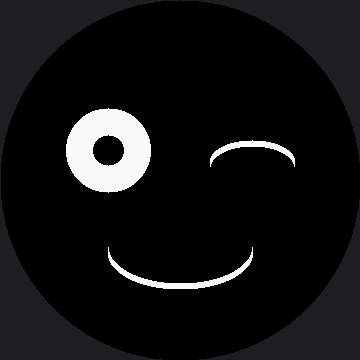
The Timing Carries As Much Meaning As the Shapes
Look at the two sleep() calls in the loop. They are not arbitrary:
| Duration | What it does |
|---|---|
| 0.35 s wink hold | Long enough to be noticed, short enough to read as deliberate |
| 2.5 s resting face | Long enough that the next wink feels like a choice, not a twitch |
Make the hold 2 seconds and the robot looks like it has something in its eye. Make it 0.05 seconds and nobody sees it at all. Expression is as much about time as about shape, which is the idea the keyframes lab turns into data.
Size the Erase Box for the Biggest Thing

EYE_BOX is EYE_RADIUS + 6 — sized for the open eye, because that is the largest thing that ever appears in that rectangle. Size it for the arc instead and the open eye leaves crumbs behind every time it comes back.
Things to Try
- Time a frame. Add a
print()ofticks_ms()aroundset_right_eye(). The wink is now two small rectangles of work instead of two whole screens — see how little time a frame actually takes when you only redraw the part that moved. - Close the left eye instead. On a face, left and right are not interchangeable — most people read a left-eye wink as slightly different in tone. Try it on a few people and ask which reads as friendlier.
- Tune the hold. Find the shortest wink that people still notice, and the longest one that still reads as a wink rather than a squint.
- Add a second wink 0.2 seconds after the first. A double wink is a completely different social signal, and it costs two more lines.
References
- Blinking — the same arc on both eyes, triggered by a button
- Drawing Ellipses — where the
TOP_HALFmask comes from - Keyframes — where the timing above becomes a column in a table
- Winking with a Smile — the same lab on the smaller 1.2" kit, at two-thirds the scale