Winking with a Smile
A wink is the smallest expression in this whole book, and it might be the most powerful one. Change a single eye from a filled circle into a short curved line, leave the smile alone, and the face stops looking friendly and starts looking like it is in on something with you. That is a lot of meaning for about six lines of code.
Let's draw a wink
 A wink says "I'm joking" or "this is our secret" without a single word. Every pixel tells a story!
What Makes a Wink Read as a Wink
Two rules do almost all the work here:
- Only one eye changes. If both eyes close at the same time, your robot is blinking, not winking. The open eye is what makes the closed one look deliberate.
- The smile has to stay. A closed eye on a neutral face reads as sleepy or broken. Paired with a smile, the same closed eye reads as playful.
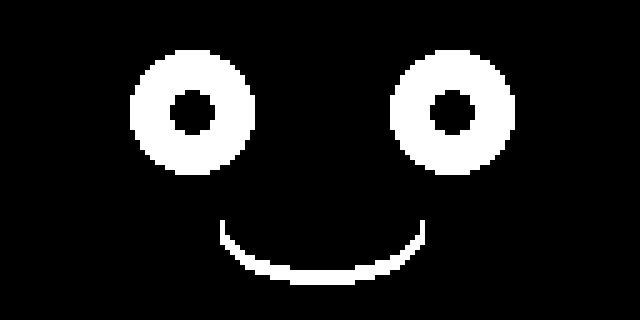
Here is the same face with both eyes open, so you can see exactly how little changes:
Drawing a Closed Eye with a Quadrant Mask
An open eye in these lessons is a filled white ellipse with a black pupil ellipse drawn on top of it. A closed eye is not a shape at all — it is an arc, a curved line that traces part of a shape's edge instead of the whole thing.
The ellipse() function has an optional seventh parameter called a quadrant mask. It is a number whose bits decide which of the four quarters of the ellipse actually get drawn. Add the values together to combine quarters:
| Value | Quadrant drawn |
|---|---|
| 1 | Top right |
| 2 | Top left |
| 4 | Bottom left |
| 8 | Bottom right |
So 1 + 2 = 3 gives you just the top half — an arc that curves upward like ⌒. That upward curve is exactly the shape a human eye makes when it squeezes shut in a happy wink. And 4 + 8 = 12 gives you just the bottom half, which is the smile you already know from the earlier face lessons.
1 2 | |
One function, two expressions
 The winking eye and the smiling mouth are the same
 ellipse() call with different masks — 3 curves up, 12 curves down. Flip that one number and happy becomes sad.
Making Thin Curves Visible
A single-pixel arc almost disappears on a 128x64 display, especially from across a room. The fix is to draw the same arc a few times, each one shifted down by one pixel, which stacks into a thicker stroke:
1 2 3 4 5 6 | |
Because STROKE is a named constant, you can make every curve on the face thicker or thinner by changing one number.
Sample Program Code
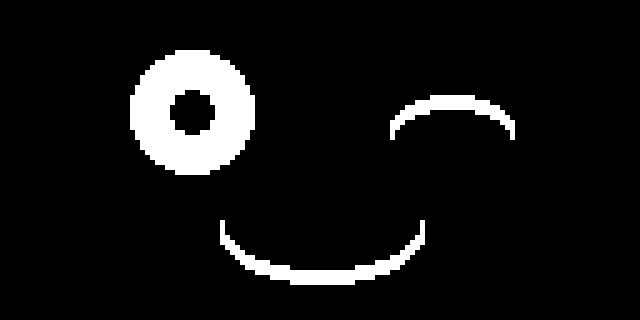
This program builds the whole face out of three small functions, then calls draw_face(True) to draw the winking version. Passing False instead gives you the both-eyes-open face shown above.
1 2 3 4 5 6 7 8 9 10 11 12 13 14 15 16 17 18 19 20 21 22 23 24 25 26 27 28 29 30 31 32 33 34 35 36 37 38 39 40 41 42 43 44 45 46 47 48 49 50 51 52 53 54 55 56 57 58 59 60 61 62 63 64 65 66 67 68 69 70 71 72 73 | |
Here's what that program draws on the display:
Animating the Wink
A wink that never opens back up is just a face with one eye missing. The motion is what people actually read, and the timing matters more than the drawing. A real wink closes fast, holds for a moment, then opens fast.
The draw_face() function already takes a winking flag, so animating it is just a matter of alternating that flag with different sleep times:
1 2 3 4 5 6 7 8 9 | |
Hold it long enough to land
 Under about 0.2 seconds a wink looks like a glitch, and over about 0.6 seconds it looks like your robot fell asleep. Start at 0.35 and adjust from there.
The long pause between winks is doing real work too. A robot that winks constantly stops meaning anything by it, while one that winks every few seconds feels like it is reacting to something.
Clear the screen every frame

draw_face() starts with oled.fill(BLACK) for a reason. Skip it and the open eye draws right on top of the wink arc, leaving a smudge that looks like neither.
Things to Try
- Wink the other eye. Swap which eye gets
draw_winking_eye()and watch how differently the face feels. - Change the mask from 3 to 12 on the winking eye. The arc now curves down, and your playful wink turns into something much more suspicious.
- Adjust
WINK_RADIUS_Yfrom 6 up to 10. A taller arc reads as a squint; a flatter one reads as a fully shut eye. - Add a wink to the smile. Raise one end of the mouth by drawing the bottom-right quadrant (mask 8) one pixel higher than the bottom-left quadrant (mask 4), for a lopsided smirk.
- Trigger the wink from a button using what you learned in the Blinking lesson, so your robot winks when someone presses it.
You just built a personality
 One arc, one flag, and one well-timed pause — that's all it took to make a machine look like it's sharing a joke with you. Great expression!
References
- MicroPython Framebuf Documentation — the full
ellipse()signature, including the quadrant mask parameter - Ellipse Lesson — where the six core
ellipse()parameters are introduced - Basic Face Layouts — the eye, mouth, and face proportions this lesson builds on