Don't Block the Loop
Every animation so far has paced itself with sleep(), which is simple and completely freezes the
program while it waits. This lab swaps sleep() for ticks_ms() so the face can blink on its own
schedule while the main loop stays free to do other things — like watch a button.
It is the single most important structural idea in embedded programming, and this kit has a second version of it that the OLED kit never needed.
The Pattern
Instead of waiting for time to pass, you check whether it has passed and keep going either way.
1 2 3 4 5 6 7 8 9 10 11 12 13 14 15 | |
Use ticks_diff(now, then) rather than plain subtraction. MicroPython's millisecond counter wraps
around when it runs out of room, and ticks_diff() handles that correctly while now - then gives
you a large negative number at the worst possible moment.
| Approach | While waiting, the program can… | Cost |
|---|---|---|
sleep(4) |
nothing at all | Missed buttons, frozen animations |
ticks_ms() check |
do anything else in the loop | A few lines of bookkeeping |
A Slow Draw Blocks Exactly As Hard As a Sleep
 Here is the part the OLED kit never had to think about.
 display.fill(BLACK) pushes 115,200 bytes and takes real milliseconds, and nothing else in my program runs while it does. Non-blocking timing and small redraws are two halves of one idea — neither is enough on its own.
Sample Program Code
The face blinks by itself every four seconds. Nothing in the loop ever sleeps.
1 2 3 4 5 6 7 8 9 10 11 12 13 14 15 16 17 18 19 20 21 22 23 24 25 26 27 28 29 30 31 32 33 34 35 36 37 38 39 40 41 42 43 44 45 46 47 48 49 50 51 52 53 54 55 56 57 58 59 60 61 62 63 64 65 66 67 68 69 70 71 72 73 74 75 76 77 78 79 80 81 82 83 | |
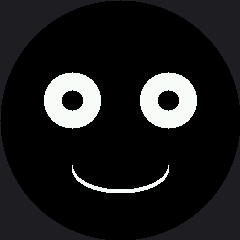
Here's the face between blinks:
Two Ways to Block, One Symptom
This is the idea worth carrying out of the lab. A program can be too slow for two completely different reasons, and they look identical from the outside:
| Cause | What it looks like | Where you meet it |
|---|---|---|
A sleep() in the loop |
Buttons get ignored, animation stutters | This lab, and lab 25's bug 5 |
| A draw call that sends too many pixels | Buttons get ignored, animation stutters | Every full-screen wipe on this display |
Identical symptoms, unrelated causes. That is exactly why the Trace and Watch lab builds an instrument instead of asking you to guess.
Things to Try
- Break it the interesting way. Replace
set_eyes()with a version that doesdisplay.fill(BLACK)and redraws the smile too. The loop still never sleeps — and it is now blocked for tens of milliseconds on every blink. Time it and see. - Add a second timer that nudges the mouth wider every 1.5 seconds. Two independent animations in one loop, with no threads and no interrupts, is the payoff for this whole pattern.
- Add a button check in the free spot at the bottom of the loop. It will respond instantly, which the blinking lab could not manage.
- Print
ticks_ms()once per loop for a second and count the lines. That number is your real frame rate, and it is about to become the subject of its own lab.
References
- Blinking — the blocking version of the same animation
- Trace and Watch — an on-screen instrument for measuring what this lab describes
- Only Redraw What Changed — the other half of staying responsive on this display