Keyframes
The emotion table turned seven expressions into seven rows of data. This lab does the same trick to motion.
Every animation so far has been hand-written: a blink was some drawing, a sleep, some more drawing. Change the timing and you edit code. But an animation is really just a list of poses and how long each one holds — which is a table. Animators have called those poses keyframes for a hundred years, and the idea works exactly as well on a $4 microcontroller as it does in a cartoon studio.
Motion is data too
 Write the player once and every animation becomes three lines of numbers that anyone on your team can tune without touching a single drawing call.
One Frame Is Three Numbers
1 2 3 4 5 6 7 8 | |
| Column | Meaning | Range that matters |
|---|---|---|
eye_height |
How tall the eyes are | 24 is open, 2 is shut |
eyebrow_lift |
How far the brows rise above resting | −7 droops, 18 is startled |
hold_ms |
How long to sit on this pose | 0 means "this is the last one" |
Read BLINK down the first column: 24, 14, 2, 14, 24. Open, half, shut, half, open. The animation
is right there in the numbers, and you can see it without running anything.
The Player Knows Nothing About Blinking
Four variables are the player's entire memory. It does not know what a blink is, or what surprise looks like. It only knows how to walk a list of poses in time — which is why it can play all four animations in the lab, and every one you invent later.
1 2 3 4 5 6 7 8 9 10 11 12 13 14 15 16 17 18 | |
That function returns instantly when there is nothing to do, so the main loop stays free to watch the buttons — the lesson from the no-blocking lab, applied to something more interesting than a single blink.
Animations Built From Other Animations
Because the animations are data, ordinary list operations work on them:
1 | |
That single line trims the last frame off BLINK and glues another BLINK onto it. No new drawing
code, no new player logic. Try building that from a hand-written animation and you will appreciate
the difference.
Data Composes; Code Does Not
 You can slice a table, reverse it, glue two together, or sort it. None of those things make sense on a block of hand-written drawing calls — and that is the whole argument for keeping motion in a list.
Sample Program Code
1 2 3 4 5 6 7 8 9 10 11 12 13 14 15 16 17 18 19 20 21 22 23 24 25 26 27 28 29 30 31 32 33 34 | |
The full program is 27-keyframes.py in the kit.
Here's the first animation, at rest:
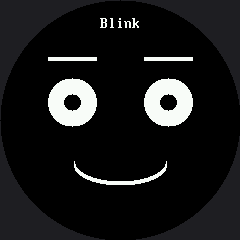
A Real Bug the Erase Box Caused
There is a comment in this lab worth reading in full, because it documents a bug that a rendered screenshot caught and a person did not:
1 2 3 4 5 6 | |
That is the failure mode of partial redraw in one paragraph. The erase box has to know about
everything it overlaps, and nothing warns you when it does not. Moving the box down would not have
worked either — SURPRISE lifts the eyebrows by 18, reaching row 44 — so the label had to move
instead.
Things to Try
- Make the blink slower by changing only numbers — turn the 70 in the middle of
BLINKinto - A snappy reflex becomes a heavy, tired droop, and you never touched the player.
- Build a
TRIPLE_BLINKin one line, the same wayDOUBLE_BLINKwas built. - Add a fourth number to every frame — a mouth width — so the mouth animates too. You change
draw_frame()once and every animation gains a moving mouth. You will also need a second erase box, and working out where it goes is most of the work. - Play an animation backward by reversing the list. Does
DOZE_OFFreversed read as waking up? Some motions are reversible and some are not, which is a real animation-design question. - Put
face.clear()at the top ofdraw_frame()instead offace.erase(). Same picture, and the animation turns into a flickering slideshow. That single line is the difference between this kit's display and the OLED kit's.
References
- The Emotion Table — the same data-over-code move, applied to appearance
- Don't Block the Loop — why the player checks the clock instead of sleeping
- Only Redraw What Changed — the erase-box discipline this lab depends on