Don't Block the Loop
Every animation so far has paced itself with sleep(), which is simple and completely freezes the
program while it waits. This lab swaps sleep() for ticks_ms() so the face can blink on its own
schedule while the main loop stays free to do other things — like watch a button.
It is the single most important structural idea in embedded programming, and this kit has a second version of it that the OLED kit never needed.
The Pattern
Instead of waiting for time to pass, you check whether it has passed and keep going either way.
1 2 3 4 5 6 7 8 9 10 11 12 13 14 15 | |
Use ticks_diff(now, then) rather than plain subtraction. MicroPython's millisecond counter wraps
around when it runs out of room, and ticks_diff() handles that correctly while now - then gives
you a large negative number at the worst possible moment.
| Approach | While waiting, the program can… | Cost |
|---|---|---|
sleep(4) |
nothing at all | Missed buttons, frozen animations |
ticks_ms() check |
do anything else in the loop | A few lines of bookkeeping |
A Slow Draw Blocks Exactly As Hard As a Sleep
 Here is the part the OLED kit never had to think about.
 display.fill(BLACK) pushes 259,200 bytes — 129,600 pixels at two bytes each — and nothing else in my program runs while it does. Non-blocking timing and small redraws are two halves of one idea; neither is enough on its own.
Sample Program Code
The face blinks by itself every four seconds. Nothing in the loop ever sleeps.
1 2 3 4 5 6 7 8 9 10 11 12 13 14 15 16 17 18 19 20 21 22 23 24 25 26 27 28 29 30 31 32 33 34 35 36 37 38 39 40 41 42 43 44 45 46 47 48 49 50 51 52 53 54 55 56 57 58 59 60 61 62 63 64 65 66 67 68 69 70 71 72 73 74 75 76 77 78 79 80 81 82 83 84 85 86 87 88 | |
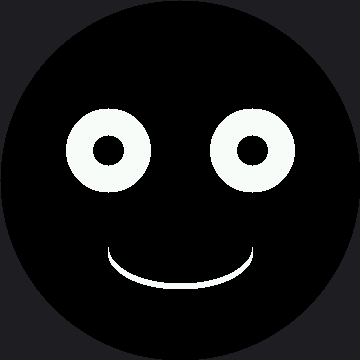
Here's the face between blinks:
Two Ways to Block, One Symptom
This is the idea worth carrying out of the lab. A program can be too slow for two completely different reasons, and they look identical from the outside:
| Cause | What it looks like | Where you meet it |
|---|---|---|
A sleep() in the loop |
Buttons get ignored, animation stutters | This lab, and lab 25's bug 5 |
| A draw call that sends too many pixels | Buttons get ignored, animation stutters | Every full-screen wipe on this display |
Identical symptoms, unrelated causes. That is exactly why the Trace and Watch lab builds an instrument instead of asking you to guess.
Things to Try
- Break it the interesting way. Replace
set_eyes()with a version that doesdisplay.fill(BLACK)and redraws the smile too. The loop still never sleeps — but it is now blocked on every blink, the same problem wearing a different hat. Wrap both versions inticks_us()and print the difference: nobody has measured that on this panel, so whatever number you get is new, not a repeat of one from this book. - Work out what the two eye boxes cost against a full fill. Each box is 96×96 px, so two of them are 18,432 pixels — against 129,600 for the whole screen. That ratio is the entire reason for the small-redraw pattern, and it is arithmetic, not a measurement.
- Add a second timer that nudges the mouth wider every 1.5 seconds. Two independent animations in one loop, with no threads and no interrupts, is the payoff for this whole pattern.
- Add a button check in the free spot at the bottom of the loop. It will respond instantly, which the blinking lab could not manage.
References
- Blinking — the blocking version of the same animation
- Trace and Watch — an on-screen instrument for measuring what this lab describes
- Only Redraw What Changed — the other half of staying responsive on this display
- Don't Block the Loop (1.2" smartwatch kit) — the same pattern on the smaller panel, where a full-screen wipe costs 115,200 bytes instead of 259,200